Fixing System
Removing the Fixing Assembly
■ Preparation
1. “Removing the Rear Cover Unit” on page 127
2. Remove the cassette.
3. “Removing the Cartridge” on page 127
■ Procedure
CAUTION:
• Since the Fixing Assembly is hot immediately after the power is turned OFF, give it time to cool down before
removing it.
• After removing the cartridge, be sure to close the Cartridge Cover.
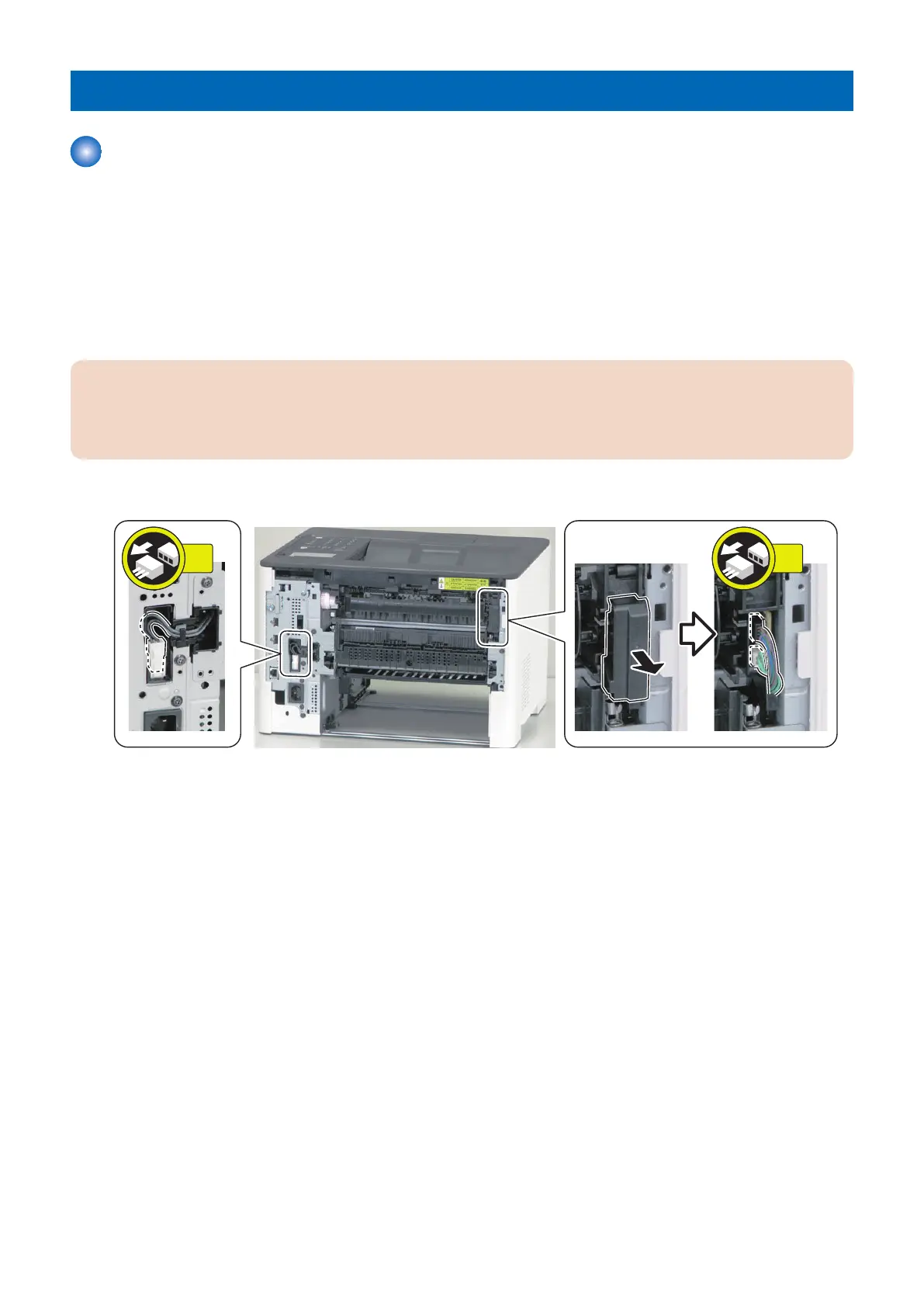
1. Remove the Connector Cover, and disconnect the 2 connectors and the connector.
5. Parts Replacement and Cleaning
172










 To Next Page