4. “Removing the Right Cover Unit” on page 129
5. “Removing the Controller Cover” on page 140
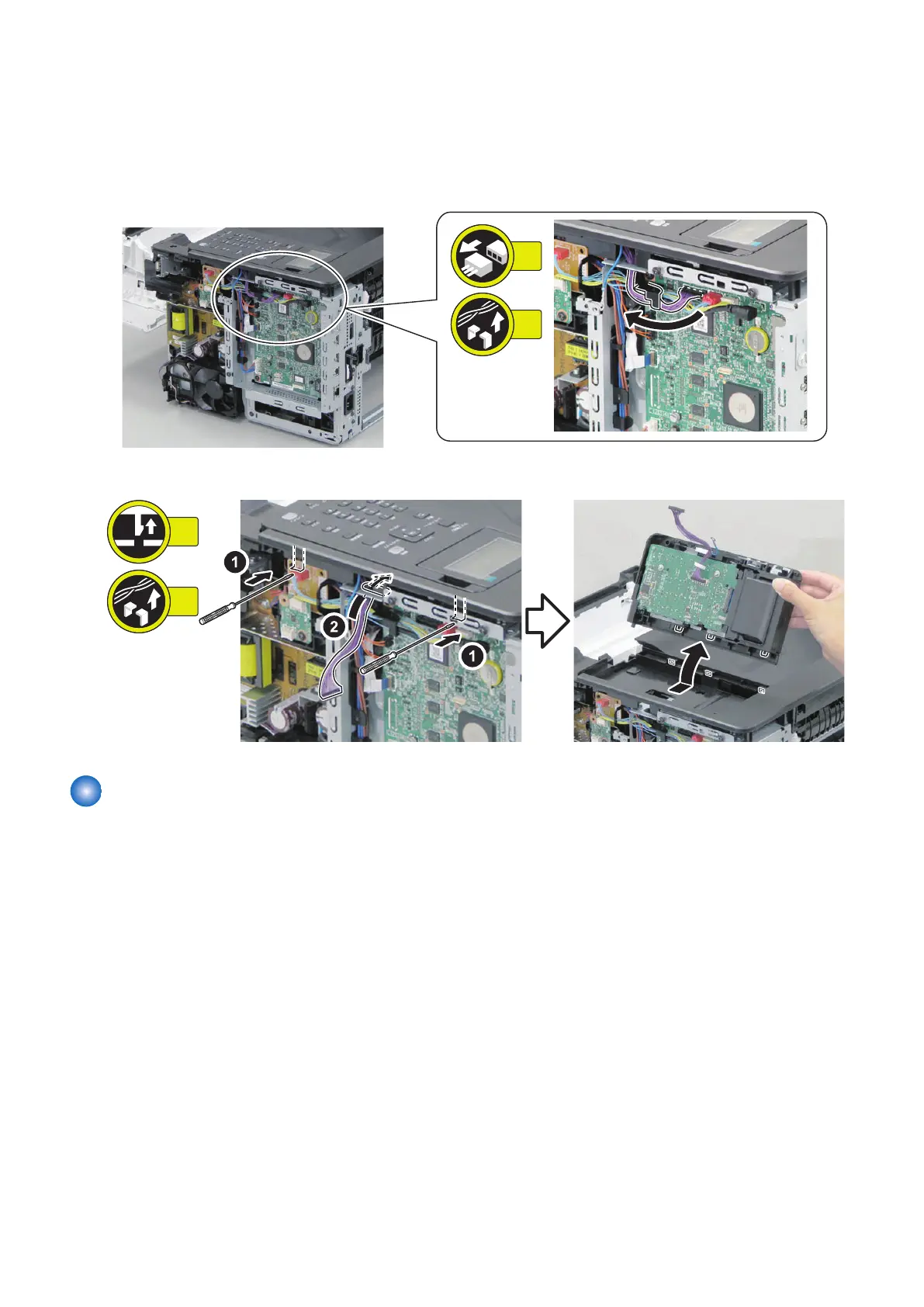
■ Procedure
1. Free the harness.
2. Remove the Operation Panel Unit.
Removing the Control Panel Unit Key PCB
■ Preparation
1. “Removing the Rear Cover Unit” on page 127
2. Remove the cassette.
3. “Removing the Cartridge” on page 127
4. “Removing the Right Cover Unit” on page 129
5. “Removing the Controller Cover” on page 140
6. “Removing the Control Panel Unit” on page 150
5. Parts Replacement and Cleaning
151














 To Next Page