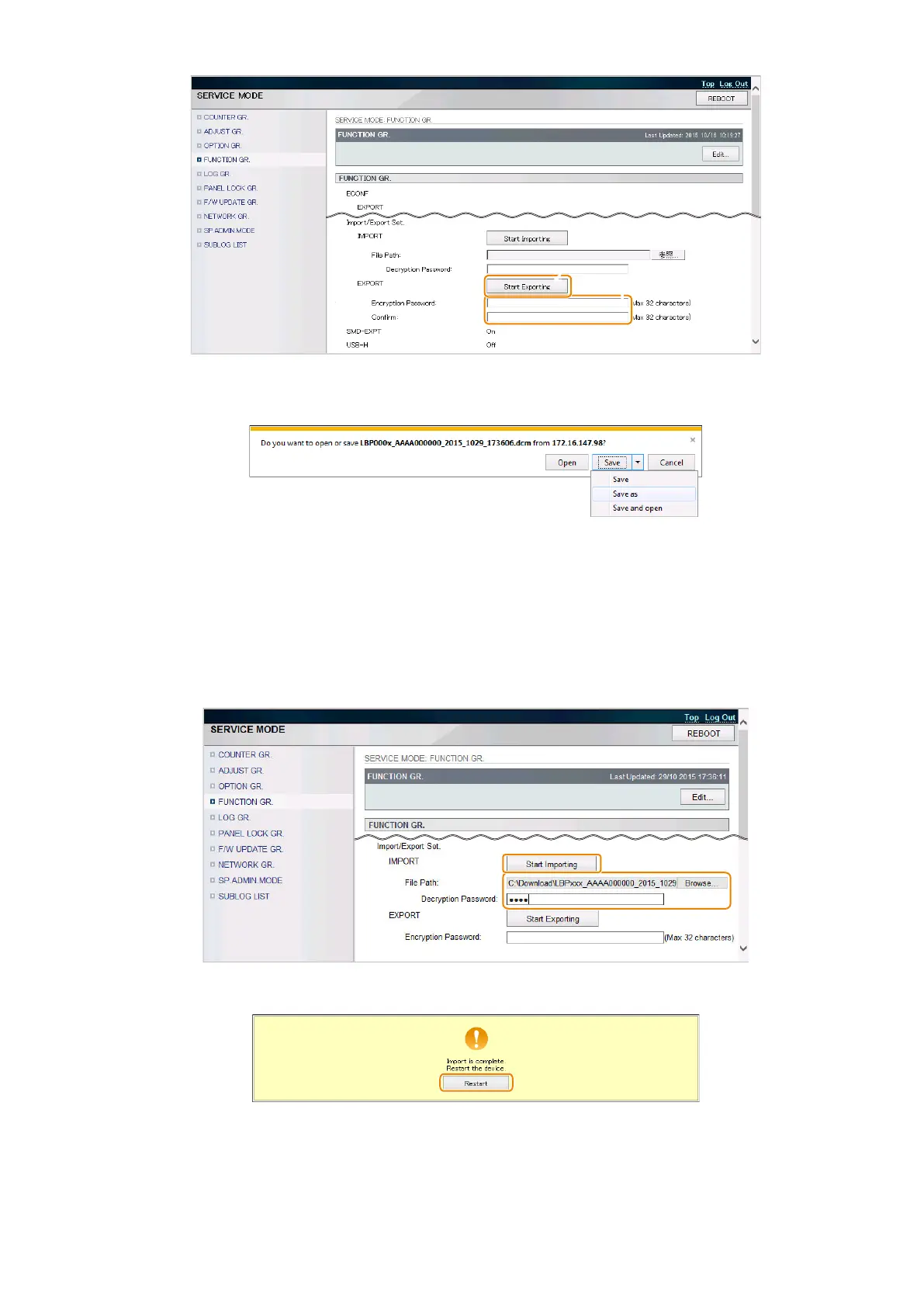
2. A dialog box for saving the file is displayed after the completion of the export processing. Select the location to
save the file.
This completes the procedure for importing a setting information file.
● Procedure for Importing from a PC
1. Prepare the setting information file (".dcm" file) to import.
2. Access the following service mode in the Remote UI from a PC browser, specify the file to import, enter the
encryption password, and click [Start Importing].
• SERVICE MODE > FUNCTION GR. > Import/Export Set. > IMPORT
3. When the following message is displayed after the processing is complete, click [Restart].
4. Restart this machine, enter service mode, and confirm that the setting information is reflected.
This completes the procedure for importing a setting information file.
3. Technical Explanation (System)
87














 To Next Page