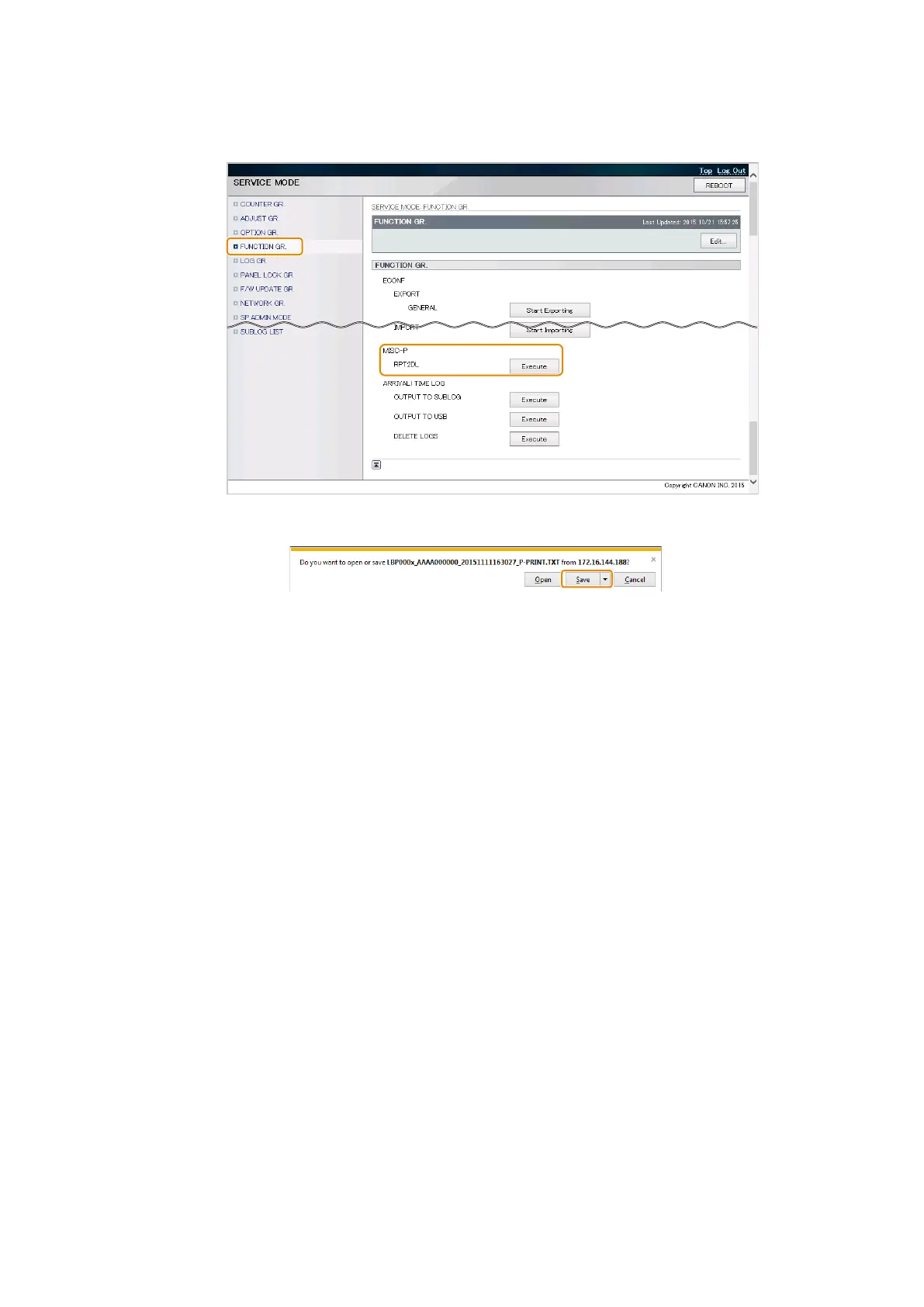
● Output Procedure (from the Remote UI Service Mode to a PC)
1. Select the following service mode from the Remote UI service mode, enter the password, and click [Start Exporting].
• SERVICE MODE > FUNCTION GR. > MISC-P > RPT2DL
2. When a dialog box for saving the file is displayed, select the location to save the file.
This completes the procedure for exporting a setting information file.
9. Service Mode
213













 To Next Page