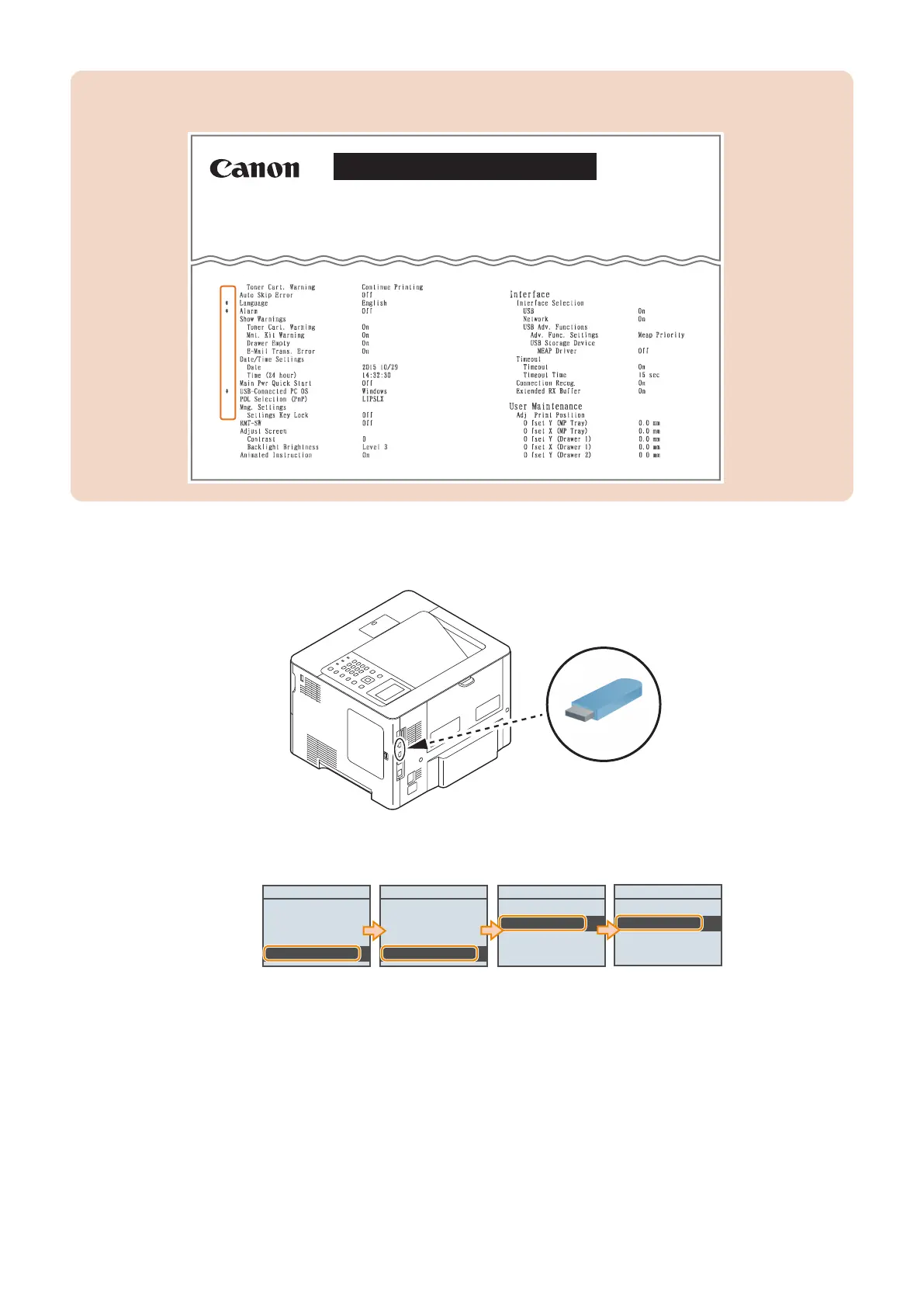
CAUTION:
When P-PRINT is printed and output, items set to a value other than the default value are marked.
Main Controller Version : Rx.xx/PH Bxx.xx
DCON Version : x.xx.xx
Option Drawer Version : OPT:xx.xx
Font Version : 00000000
RAM Size : xxxxMB
Model : xxxx
LBPxxx
Configuration Page
● Output Procedure (from the Control Panel to a USB Flash Drive)
1. Connect the USB flash drive to the USB Memory Port of this machine.
2. Enter service mode, and execute the following service mode.
• SERVICE MODE > FUNCTION GR. > MISC-P > RPT2USB > Yes
FUNCTION GR.
DDNSINTV
IPMTU
PDL Z Logic
MISC-P
MISC-P
P-PRINT
RPT2USB
SERVICE MODE
COUNTER GR.
ADJUST GR.
OPTION GR.
FUNCTION GR.
Execute_
No
Yes
The service report (P-PRINT) is saved to the USB flash drive as a text file.
9. Service Mode
212














 To Next Page