NOTE:
• In order to use linkage with UGW or functions of [Settings/Registration], the preparation for it shown below needs to be
performed.
• Enabling linkage with UGW
• Enabling the display of [Delivered Installation] in [Install Applications/Options] in [Settings/Registration] menu
• Enabling the display of [Update Firmware] in [Settings/Registration] menu
• Enabling the display of [Scheduled Update] in [Settings/Registration] menu
• The external network is the network connecting this machine and CDS via Internet.
Confirming URL Setting of Distribution Server
Confirm the URL setting of the distribution server (UGW server) set in the machine.
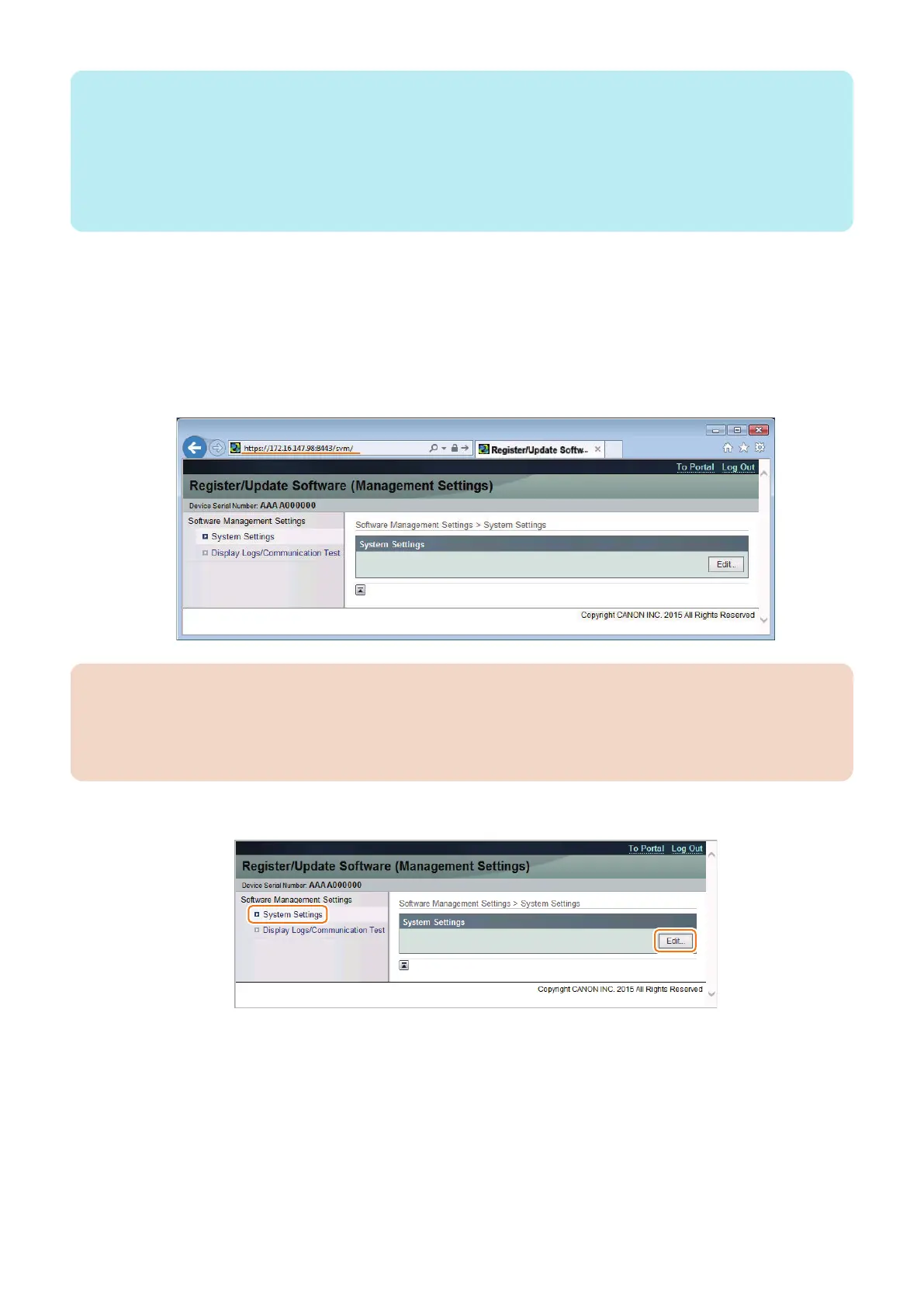
1. Access the following URL from the browser on a PC connected to the same network as this machine, and log in to
the management screen.
URL : https://<machine's IP address>:8443/svm/
Password : *28*
Confirm the password to the Support Dept. of the sales company.
CAUTION:
In the case of the following, you cannot log in even if you input a right password.
• The other user is using "Register/Update Software (Management Settings)" .
• The other user is using "Register/Update Software" in normal Remote UI.
• Because you have closed a browser without logging out definitely, you are still logging in it. Waiting for time-out.
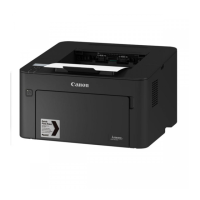
2. Select [System Settings] > [Edit].
3. Technical Explanation (System)
54










 To Next Page