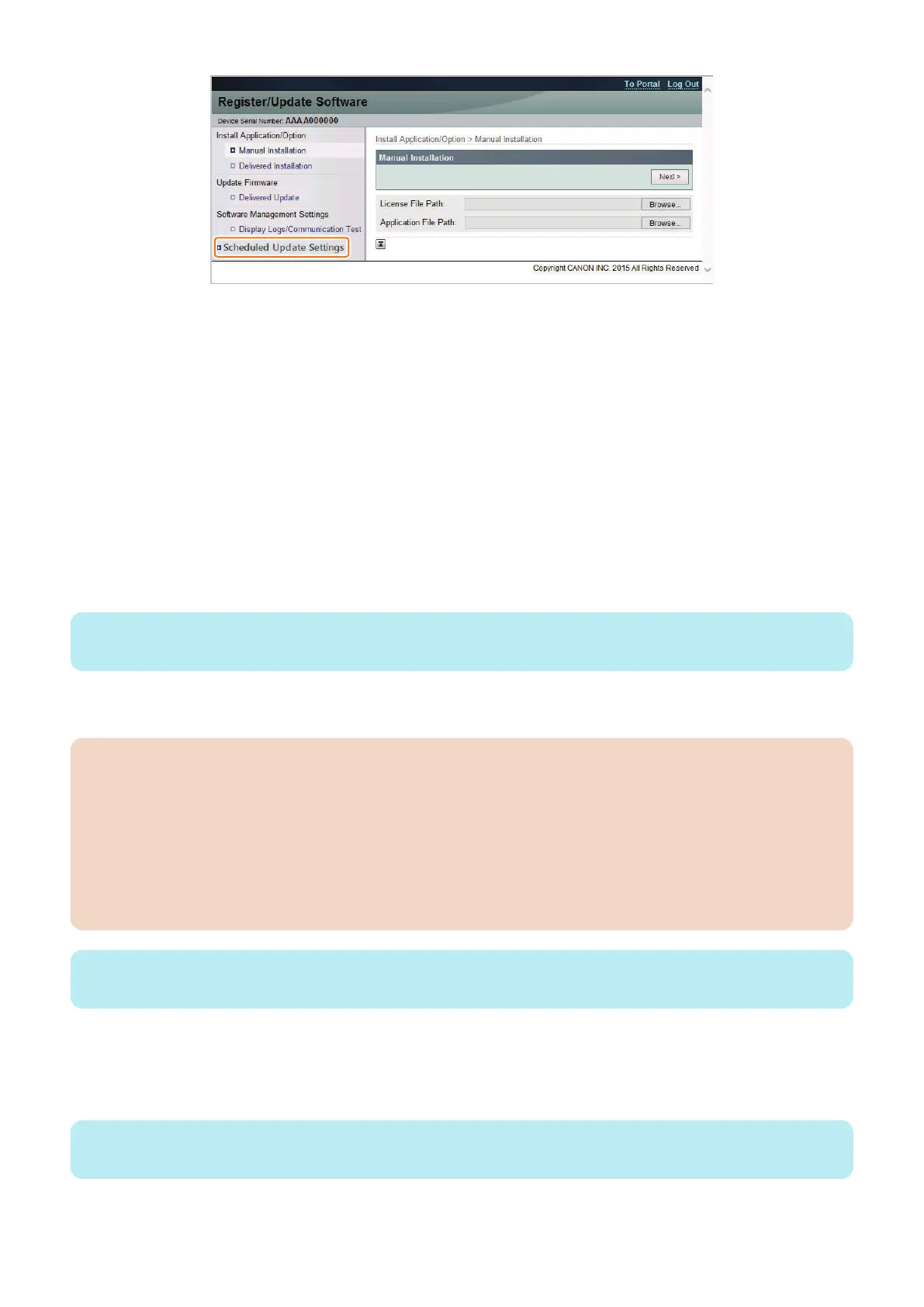
Specify this setting to allow users for the scheduled firmware update using the Updater function.
This operation is not necessary if you do not want to allow users to do so.
1. Enter service mode.
2. Set "On" for the following service mode:
• SERVICE MODE > FUNCTION GR. > MEAP > CDS-LVUP
When this setting is enabled, [Scheduled Update] menu is displayed on [Register/Update Software] screen in [Settings/
Registration] menu.
■ Firmware Update Procedure
● UGW-linked Download and Update (Full-remote Update)
The procedure for updating the firmware using "UGW-linked Download and Update" is described below.
1. The firmware distribution schedule to the certain device should be set on UGW.
NOTE:
See “UGW-linked Download and Update” in Operation Manual of Content Delivery System for Firmware Distribution for details.
The device checks the schedule concerned every 12 hours on UGW. This allows the device to register the firmware
distribution setting, enabling automatic firmware download and update.
CAUTION:
[Device without the function to wait for job completion]
• Explain to the user in advance that a job cannot be accepted during firmware update. Also, it is recommended to
execute the operation during the period of time when no print job is accepted.
[Device with the function to wait for job completion]
• When the following jobs exist at the time of firmware update, firmware update processing is not executed until job
completion.(When the firmware update processing is not executed more than 10 minutes, it will be timeout error.)
• Printing
• I-FAX
NOTE:
To contacts registered for E-mail notification on UGW, the E-mail is sent from UGW upon completing firmware update.
● UGW-linked Download (Remote Distribution Update)
The procedure for updating the firmware using "UGW-linked download" is described below.
1. The firmware distribution schedule to the certain device should be set on UGW.
NOTE:
See “UGW-linked Download” in Operation Manual of Content Delivery System (for Firmware Distribution) for details.
3. Technical Explanation (System)
58










 To Next Page