Paper Selection
1-21
1
Introduction to the Copying Functions
NOTE
•
[Transparency] can be selected only if [A4] is selected as the paper size.
•
For more information on paper types, see Chapter 2, "Basic Operations," in the Reference
Guide.
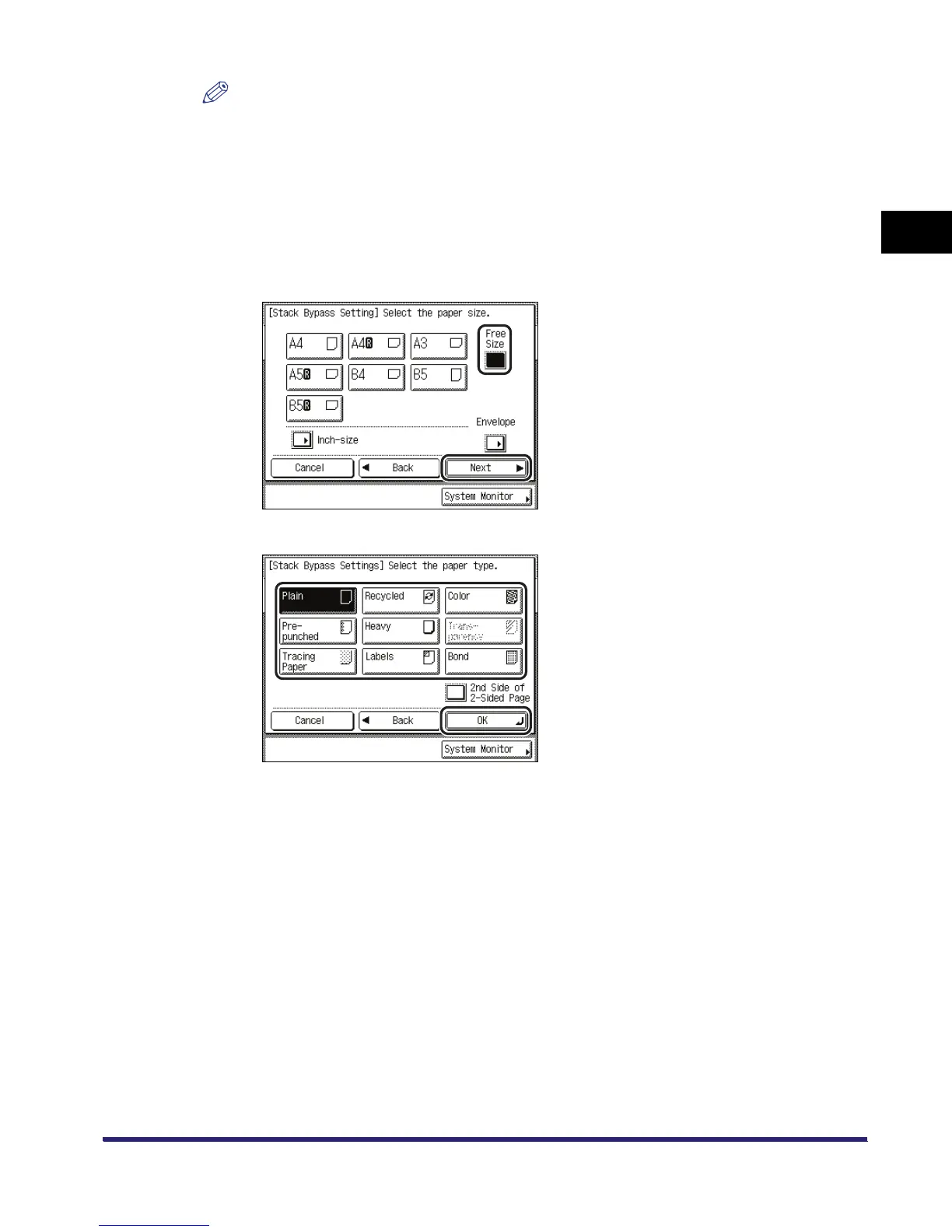
● To copy on nonstandard size paper loaded in the stack bypass:
❑ Press [Stack Bypass].
If you want to select the stack bypass when a paper size/type is already selected for the
current or reserved job, press [StackBypass Setting] to specify the desired paper size/type.
❑ Press [Free Size] ➞ [Next].
❑ Select the desired paper type ➞ press [OK].
If you are copying onto the back side of a previously printed sheet, press [2nd Side of
2-Sided Page].



 To Next Page