Various Mail Box Functions
2-3
2
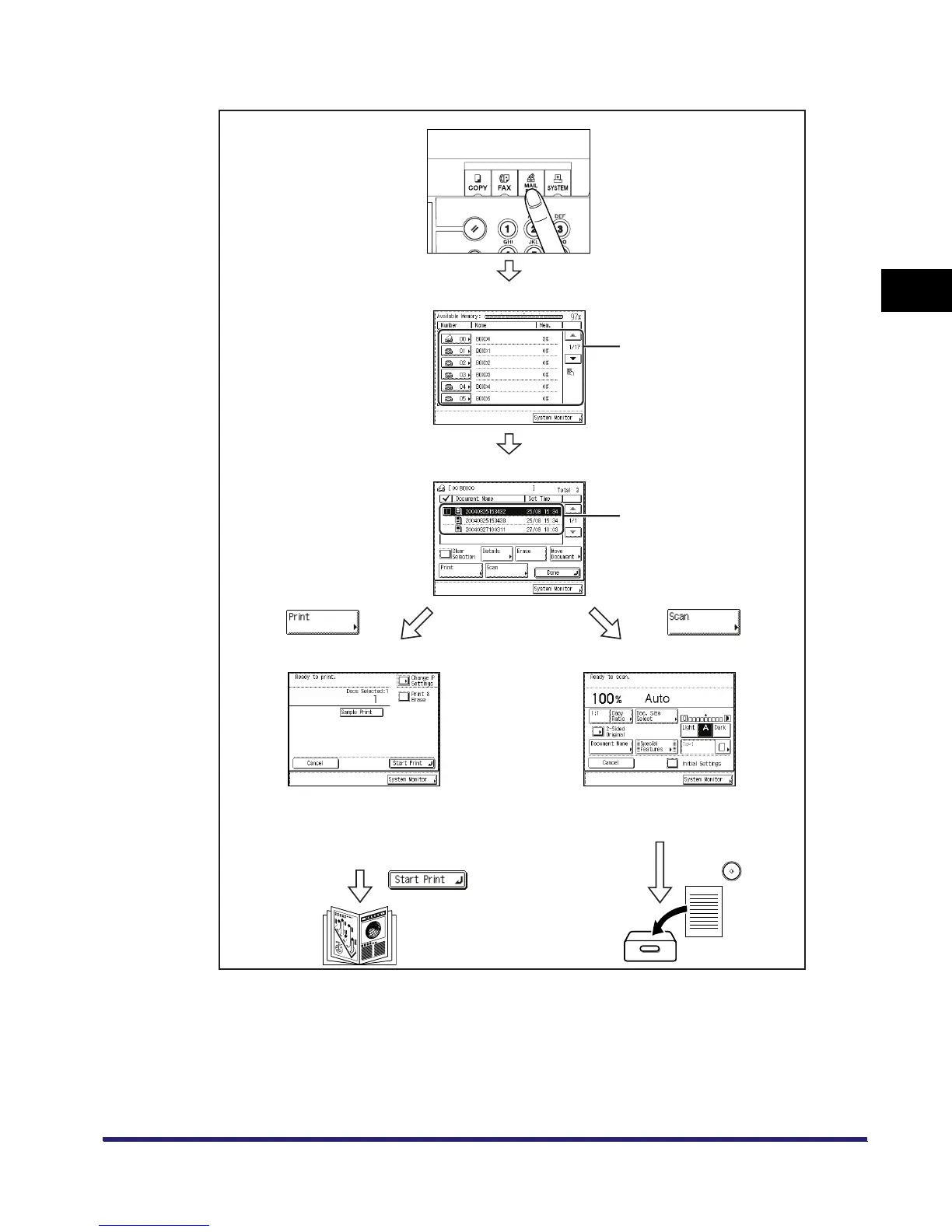
Introduction to the Mail Box Functions
The Flow of the Mailbox functions is as follows.
Inbox Selection Screen
Document Selection Screen
Prints out documents stored in an inbox. Press
[Change P Settings] to change the print settings. (See
“Printing Documents Stored in an Inbox,” on p.2-17.)
Allow you to make various settings for the scanning of
originals. (See “Storing Originals into an Inbox,” on
p.2-9.)
Scanned originals and documents
sent form computers are stored
and displayed here.
Scan ScreenPrint Screen
You can store a name and/or
password for an inbox in Mail Box
Settings (from the Additional
Functions screen).
(See Chapter 6, “Customizing
Settings.”)



 To Next Page