Various Mail Box Functions
2-4
2
Introduction to the Mail Box Functions
IMPORTANT
No more documents can be stored in inboxes if any of the following is true: (The numbers below may
vary depending on the remaining capacity of the hard disk.)
- When 100 documents have been stored in the selected inbox.
- When a total of 2,000 documents have been stored in all of the inboxes.
- When a total of about 8,000 pages of documents have been stored in all of the inboxes.
NOTE
It is recommended that you delete unnecessary documents or image data from your inbox to make
space for storing new documents.
Scanned documents and documents sent from computers
are stored in Inbox. The stored documents (data) can be
printed at anytime with your desired settings. For example,
you can merge the scanned documents and the documents
sent from computer, then print and staple them together.
They can also be sent to computers or by Fax at anytime
using the desired settings.
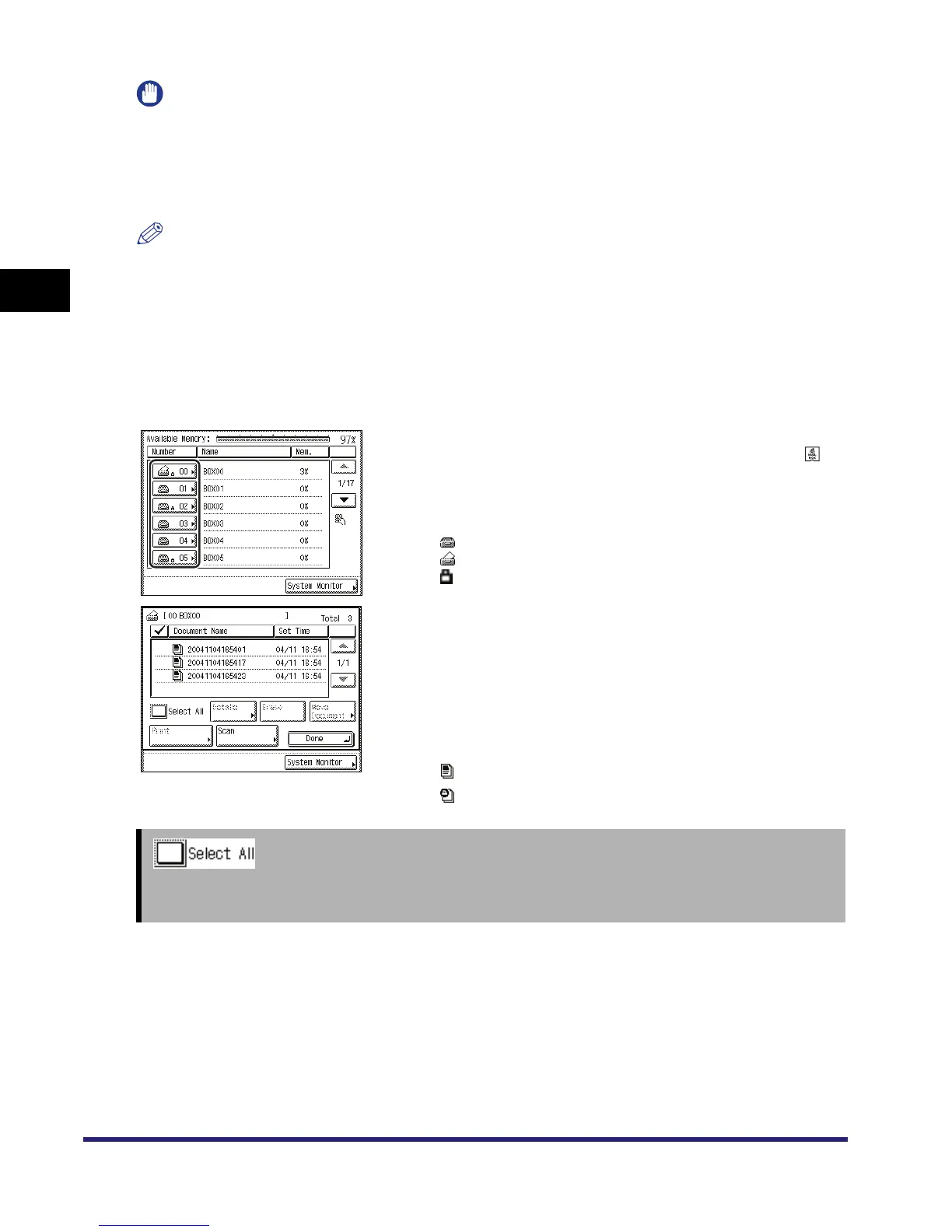
Inbox Selection Screen
The screen on the left, which appears when you select , is
called the Inbox Selection screen.
Inbox numbers, names, and available memory are displayed
for each inbox. In addition, an icon appears on the key of
each inbox to indicate its status.
is the icon for an empty inbox.
is the icon for an inbox with documents.
is the icon for an inbox that is set with a password.
Document Selection Screen
The screen on the left, which appears after you select the
desired inbox, is called the Document Selection screen.
If a password is set, the Document Selection screen appears
after you enter the password.
The screen that appears varies, depending on the type of
inbox selected.
Each document is displayed with an icon next to if which
indicates its type.
Document scanned and saved from the Scan screen.
Document sent from a computer.
➞ See p. 2-17
Press to select all of the documents in an inbox. If a document is selected, this key changes to [Clear
Selection].



 To Next Page