Various Mail Box Functions
2-6
2
Introduction to the Mail Box Functions
➞ See p. 2-51
Press to print a sample of the document to check the print result or the contents of the document.
➞ See p. 2-17
Press to set the number of prints when multiple documents are selected. This key is displayed only
when multiple documents are selected.
➞ See p. 2-17
Press to start printing.
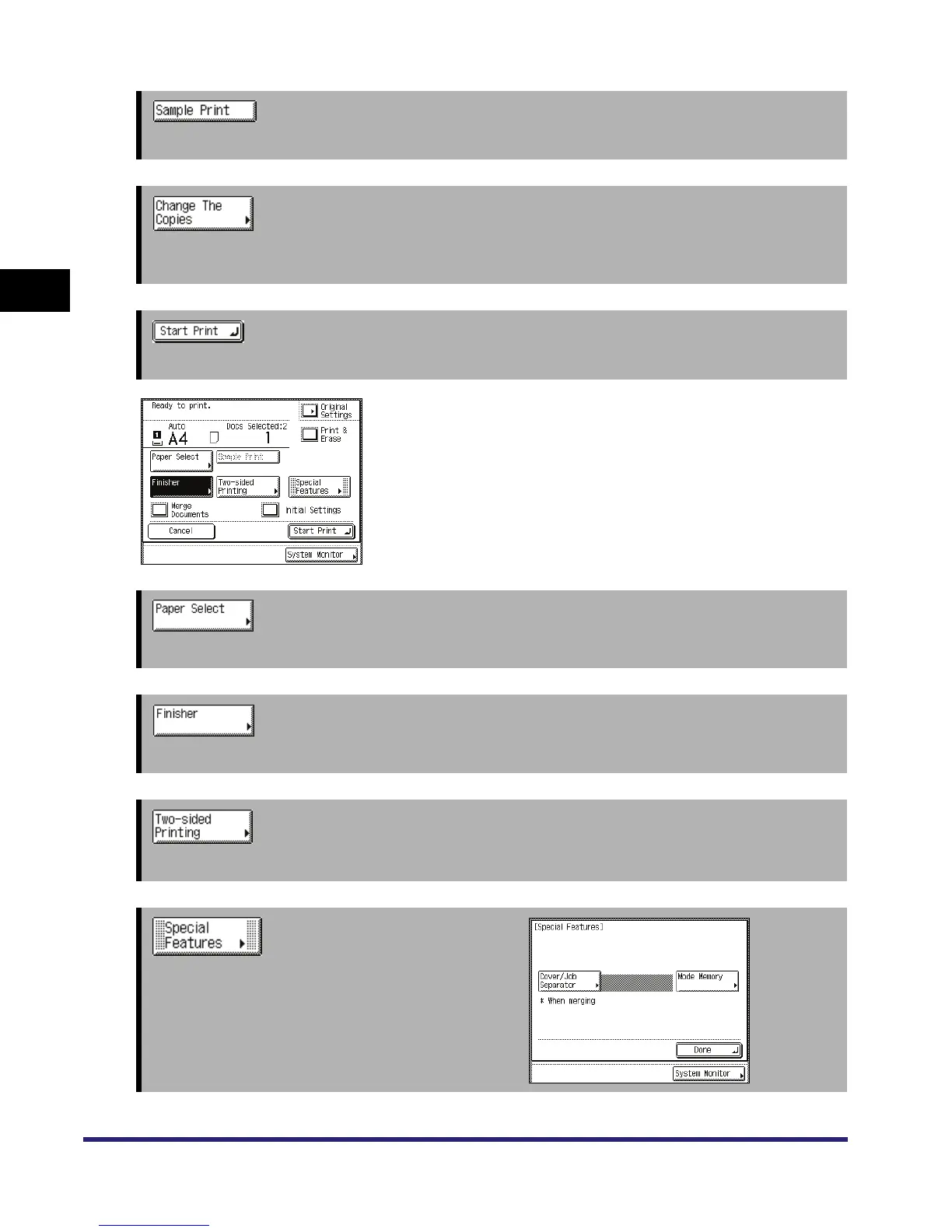
Change Print Settings Screen
The screen on the left, which appears when you press [Change
P Settings] on the Print screen of an inbox, is called the
Change Print Settings screen.
Display this screen when you want to change the print settings
for a document.
➞ See p. 1-17
Press to select the paper size/type and the paper source.
➞ See p. 3-31
Press to select or cancel the Collate, Group, or Staple mode.
➞ See p. 3-44
Press to make two-sided prints.
➞ See Chapters 4 through 5
Press to select and use the Special Features modes
available for printing.



 To Next Page