Flow of Mail Box Operations
2-20
2
Introduction to the Mail Box Functions
4
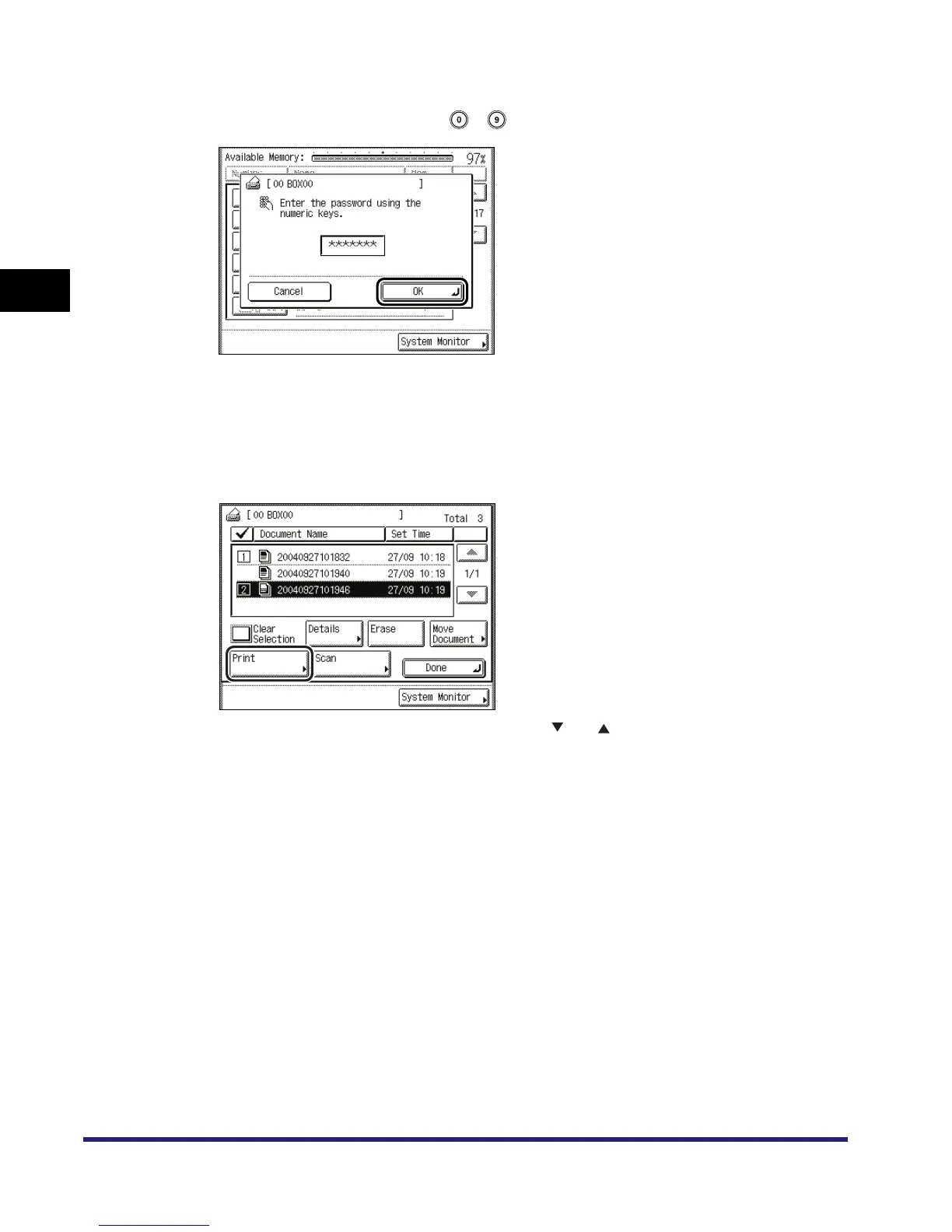
If the message <Enter the password using the numeric keys.> appears,
enter the password using - (numeric keys) ➞ press [OK].
Enter the password set for the selected inbox. (See "Setting/Storing an Inbox," on p. 6-12.)
If a password is not set for the selected inbox, this step is not necessary.
5
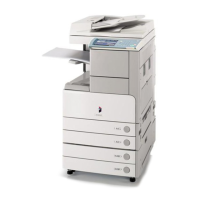
Select the documents to print in the order that you want to print them
➞ press [Print].
If there are five or more stored documents, press [ ] or [ ] to display the other documents.
You can select multiple documents stored in the an inbox.
To select all of the documents in the inbox, press [Select All]. If a document is already selected,
this key appears as [Clear Selection] instead.


 To Next Page