Flow of Mail Box Operations
2-21
2
Introduction to the Mail Box Functions
NOTE
•
The selected documents are numbered in the order specified, and are printed in that order.
•
You can cancel a selection by selecting the document again.
•
To cancel all documents, press [Clear Selection]. ([Clear Selection] changes to [Select All].)
6
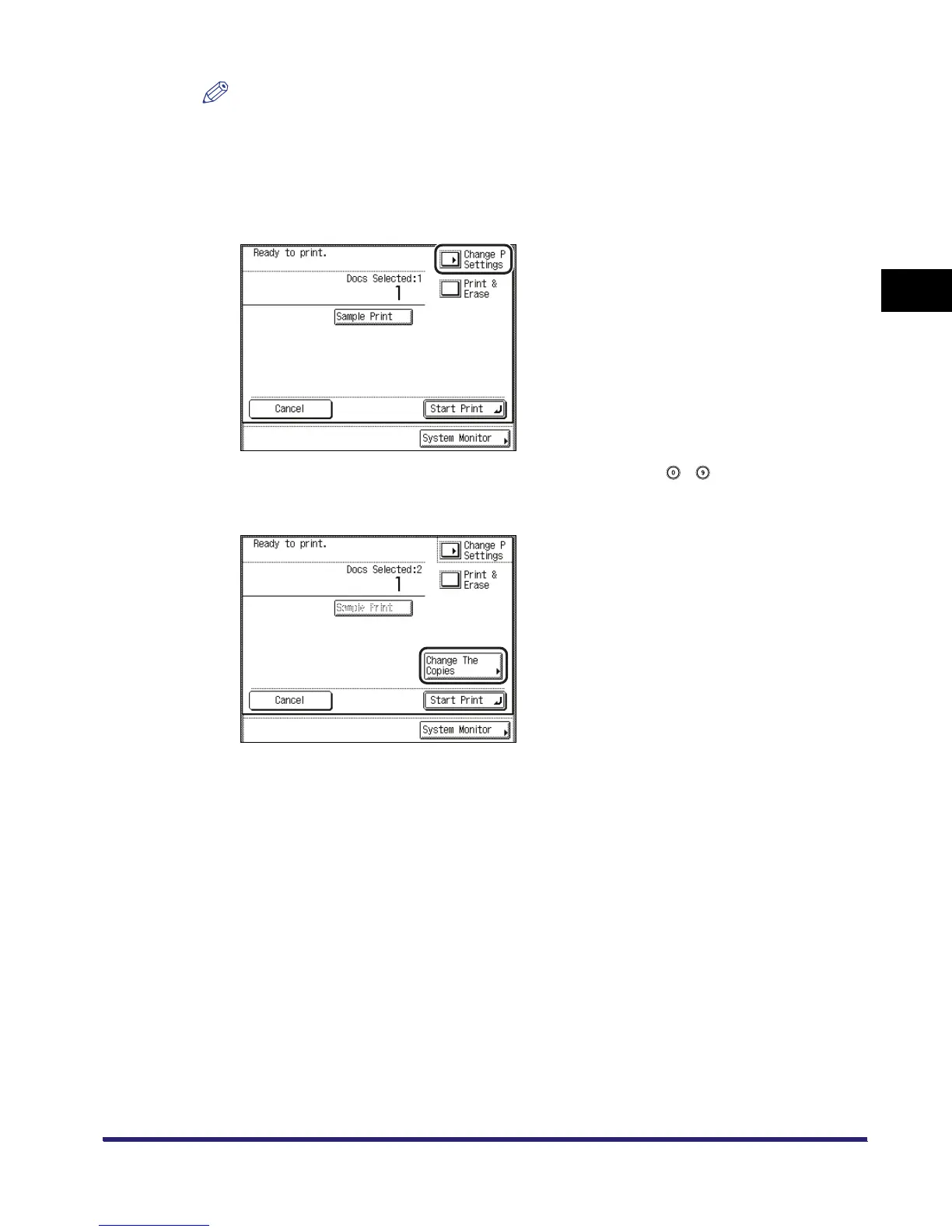
If you want to change the print settings, press [Change P Settings].
To change the number of prints, enter the desired number using - (numeric keys).
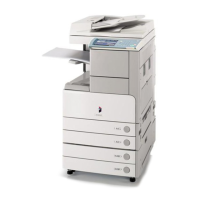
If multiple documents are selected, you can change the number of prints by pressing [Change
The Copies].
If you do not want to change the print settings, proceed to step 8.


 To Next Page