Flow of Mail Box Operations
2-23
2
Introduction to the Mail Box Functions
8
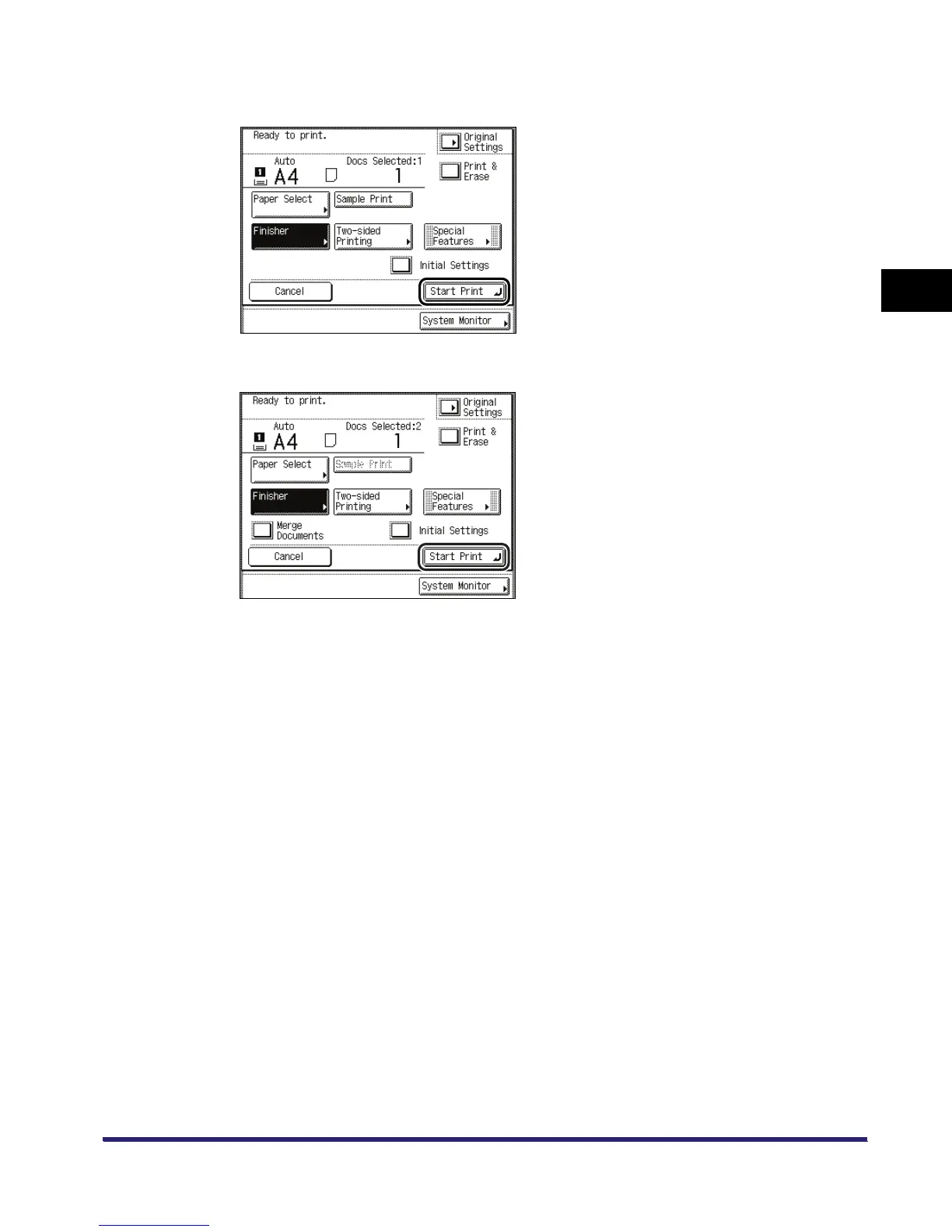
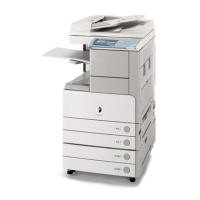
Press [Start Print].
When one document is selected
When multiple documents are selected
If you want to print a sample of the document, press [Sample Print]. (See "Sample Print," on
p. 2-51.)
If you want to automatically delete the selected document after it is printed, press [Print &
Erase].
If there is a current or reserved print job, the machine will start printing your document after that
job is complete.


 To Next Page