EasyManua.ls Logo

Canon MV430 - Preparing the Camcorder.119

Canon MV430
152 pages
Print Icon
To Next Page IconTo Next Page
To Previous Page IconTo Previous Page
Loading...
Preparing
the
Camcorder
(
Adjust
the
viewfin
der
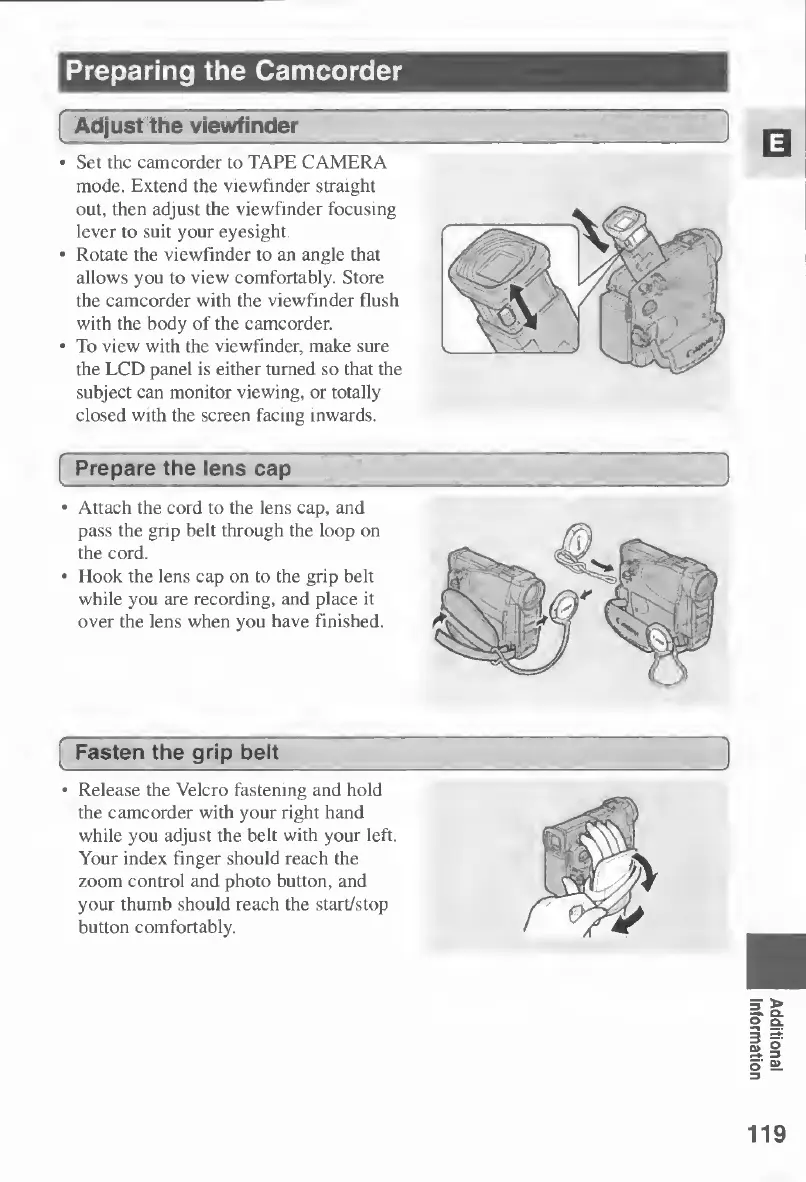
Set
the
camcorder
to
TAPE
CAMERA
mode.
Extend
the
viewfinder
straight
out,
then
adjust
the
viewfinder
focusing
lever
to
suit
your
eyesight.
Rotate
the
viewfinder
to
an
angle
that
allows
you
to
view
comfortably.
Store
the
camcorder
with
the
viewfinder
flush
with
the
body
of
the
camcorder.
To
view
with
the
viewfinder,
make
sure
the
LCD
panel
is
either
turned
so
that
the
subject
can
monitor
viewing,
or
totally
closed
with
the
screen
facing
inwards.
Prepare
the
lens
cap
Attach
the
cord
to
the
lens
cap,
and
pass
the
grip
belt
through
the
loop
on
the
cord.
Hook
the
lens
cap
on
to
the
grip
belt
while
you
are
recording,
and
place
it
over
the
lens
when
you
have
finished,
Fasten
the
grip
belt
Release
the
Velcro
fastening
and
hold
the
camcorder
with
your
right
hand
while
you
adjust
the
belt
with
your
left.
Your
index
finger
should
reach
the
zoom
control
and
photo
button,
and
your
thumb
should
reach
the
start/stop
button
comfortably.
119
Additional
Information

Table of Contents

Other manuals for Canon MV430

Related product manuals