EasyManua.ls Logo

Canon MV430 - Using AE Shift

Canon MV430
152 pages
Print Icon
To Next Page IconTo Next Page
To Previous Page IconTo Previous Page
Loading...
Using
AE
Shift
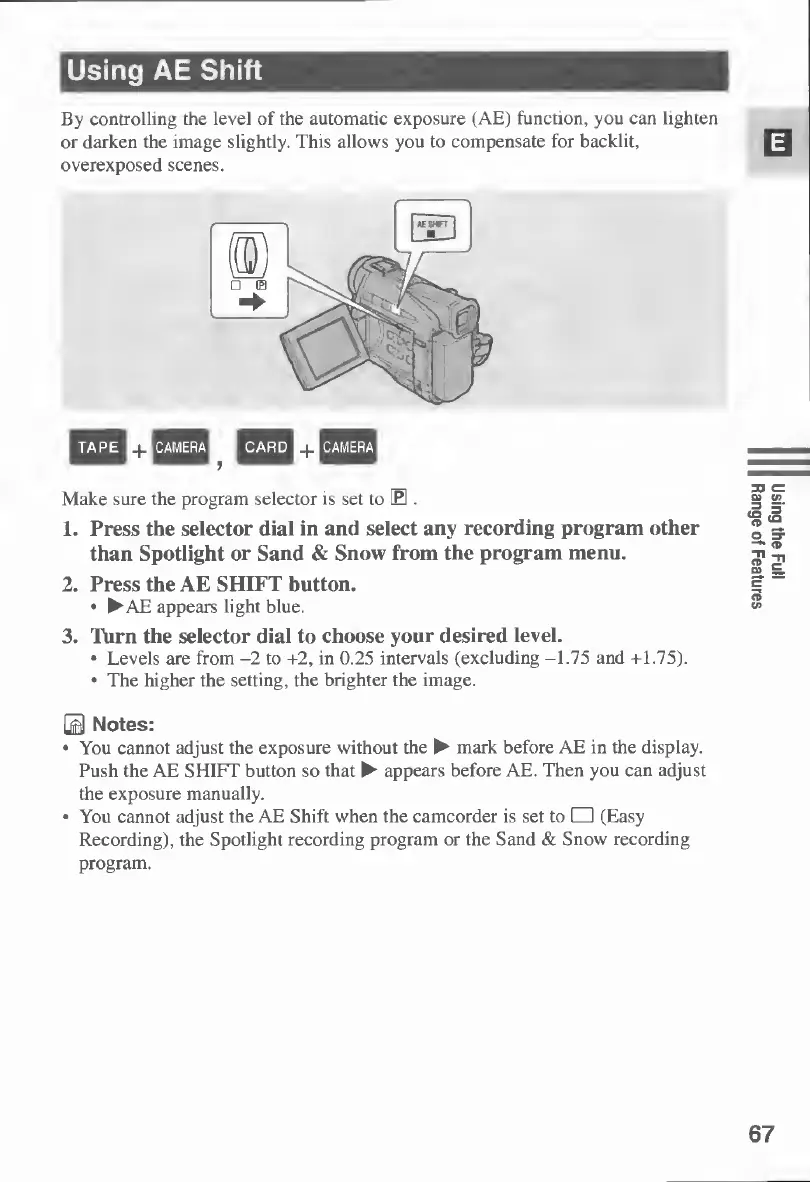
By
controlling
the
level
of
the
automatic
exposure
(AE)
function,
you
can
lighten
or
darken
the
image
slightly.
This
allows
you
to
compensate
for
backlit,
overexposed
scenes.
+
+
Make
sure
the
program
selector
is
set
to
E
.
1.
Press
the
selector
dial
in
and
select
any
recording
program
other
than
Spotlight
or
Sand
&
Snow
from
the
program
menu.
2.
Press
the
AE
SHIFT
button.
AE
appears
light
blue.
3.
Turn
the
selector
dial
to
choose
your
desired
level.
Levels
are
from
-2
to
+2,
in
0.25
intervals
(excluding
-1.75
and
+1.75).
The
higher
the
setting,
the
brighter
the
image.
0
Notes:
You
cannot
adjust
the
exposure
without
the
mark
before
AE
in
the
display.
Push
the
AE
SHIFT
button
so
that
appears
before
AE.
Then
you
can
adjust
the
exposure
manually.
You
cannot
adjust
the
AE
Shift
when
the
camcorder
is
set
to
(Easy
Recording),
the
Spotlight
recording
program
or
the
Sand
&
Snow
recording
program.
67
Using
the
Full
Range
of
Features

Table of Contents

Other manuals for Canon MV430

Related product manuals