EasyManua.ls Logo

Canon MV430 - Using Digital Effects.58

Canon MV430
152 pages
Print Icon
To Next Page IconTo Next Page
To Previous Page IconTo Previous Page
Loading...
Using
the
Full
Range
of
Features
Using
Digital
Effects
Use
the
camcorder’s
digital
effects
for
more
interesting
productions.
Faders:
Start
or
end
scenes
on
a
tape
with
a
fade
to
or
from
black
(1X159).
Fade
Trigger,
Vertical
Wipe,
Horizontal
Wipe,
Mosaic
Fade*
Effects:
Add
flavour
to
your
recordings
(XI60).
Art,
Black
and
White,
Sepia,
Mosaic
*
Available
in
TAPE
PLAY
(MV430i:
TAPE
PLAY
(VCR))
mode
only.
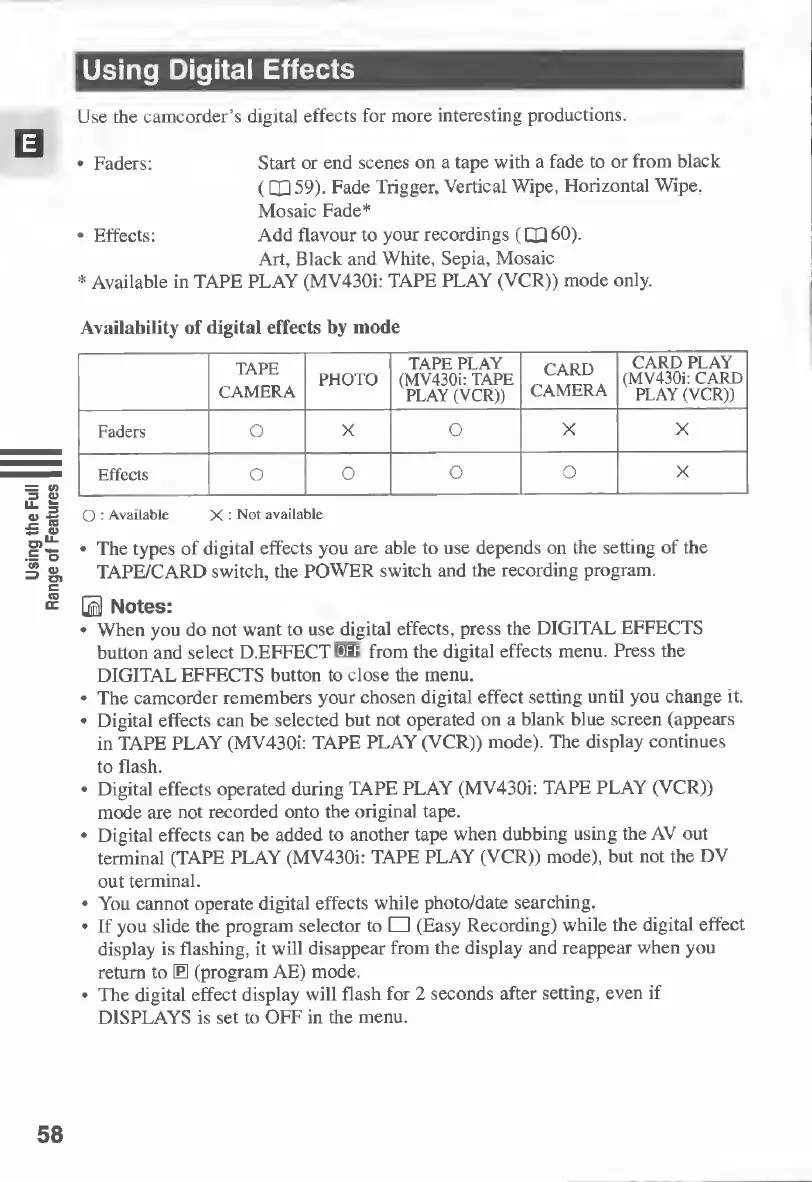
Availability
of
digital
effects
by
mode
TAPE
CAMERA
PHOTO
TAPE
PLAY
(MV4301:
TAPE
PLAY
(VCR))
CARD
CAMERA
CARD
PLAY
(MV430i:
CARD
PLAY
(VCR))
Faders
O
X
O
X
X
Effects
O
o
o
O
X
O
-
Available
X
:
Not
available
The
types
of
digital
effects
you
are
able
to
use
depends
on
the
setting
of
the
TAPE/CARD
switch,
the
POWER
switch
and
the
recording
program.
0
Notes:
When
you
do
not
want
to
use
digital
effects,
press
the
DIGITAL
EFFECTS
button
and
select
D.EFFECT
W
from
the
digital
effects
menu.
Press
the
DIGITAL
EFFECTS
button
to
close
the
menu.
The
camcorder
remembers
your
chosen
digital
effect
setting
until
you
change
it.
Digital
effects
can
be
selected
but
not
operated
on
a
blank
blue
screen
(appears
in
TAPE
PLAY
(MV430i:
TAPE
PLAY
(VCR))
mode).
The
display
continues
to
flash.
Digital
effects
operated
during
TAPE
PLAY
(MV430i:
TAPE
PLAY
(VCR))
mode
are
not
recorded
onto
the
original
tape.
Digital
effects
can
be
added
to
another
tape
when
dubbing
using
the
AV
out
terminal
(TAPE
PLAY
(MV430i:
TAPE
PLAY
(VCR))
mode),
but
not
the
DV
out
terminal.
You
cannot
operate
digital
effects
while
photo/date
searching.
If
you
slide
the
program
selector
to
(Easy
Recording)
while
the
digital
effect
display
is
flashing,
it
will
disappear
from
the
display
and
reappear
when
you
return
to
E
(program
AE)
mode.
The
digital
effect
display
will
flash
for
2
seconds
after
setting,
even
if
DISPLAYS
is
set
to
OFF
in
the
menu.
58

Table of Contents

Other manuals for Canon MV430

Related product manuals