EasyManua.ls Logo

Canon MV430 - Displaying Date, Time and Camcorder Data (Data Code)

Canon MV430
152 pages
Print Icon
To Next Page IconTo Next Page
To Previous Page IconTo Previous Page
Loading...
Displaying
Date,
Time
and
Camcorder
Data
(Data
Code)
A
data
code,
containing
the
date
and
time
the
recording
was
made
and
other
camcorder
data
(shutter
speed
and
exposure
settings)
is
automatically
recorded
on
a
special
data
section
of
the
tape.
Only
the
date
and
time
appear
in
the
data
code
when
using
a
memory
card.
During
TAPE
PLAY
(MV430i:
TAPE
PLAY
(VCR))
mode,
the
data
code
can
be
displayed
or
hidden
while
the
camcorder
is
in
play,
slow
or
still
mode.
Camcorder
data
may
be
displayed
as
“-”
during
fast
forward,
rewind,
reverse
playback,
forward
and
reverse
x2
playback.
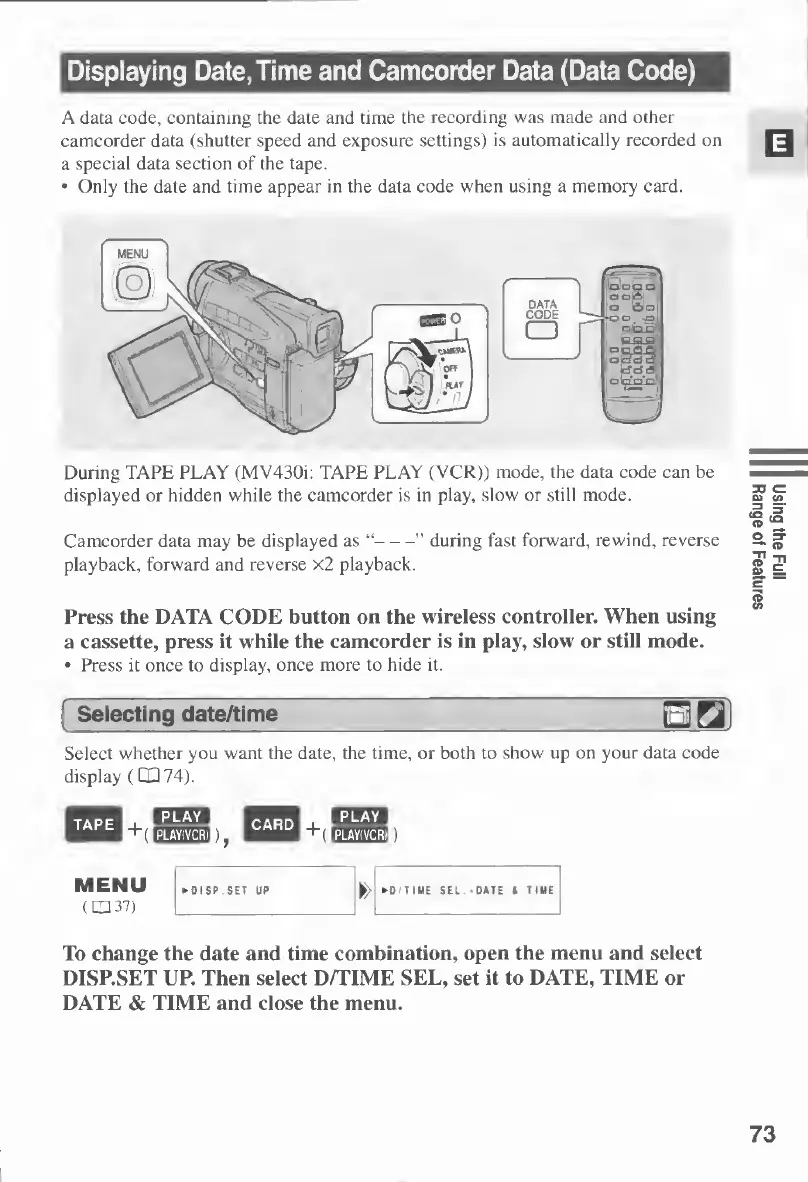
Press
the
DATA
CODE
button
on
the
wireless
controller.
When
using
a
cassette,
press
it
while
the
camcorder
is
in
play,
slow
or
still
mode.
Press
it
once
to
display,
once
more
to
hide
it.
Selecting
date/time
Select
whether
you
want
the
date,
the
time,
or
both
to
show
up
on
your
data
code
display
(1X374).
To
change
the
date
and
time
combination,
open
the
menu
and
select
DISP.SET
UP.
Then
select
D/TIME
SEL,
set
it
to
DATE,
TIME
or
DATE
&
TIME
and
close
the
menu.
73
Using
the
Full
Range
of
Features

Table of Contents

Other manuals for Canon MV430

Related product manuals