EasyManua.ls Logo

Canon MV430 - Searching the Tape (Photo Search;Date Search).76

Canon MV430
152 pages
Print Icon
To Next Page IconTo Next Page
To Previous Page IconTo Previous Page
Loading...
Using
the
Full
Range
of
Features
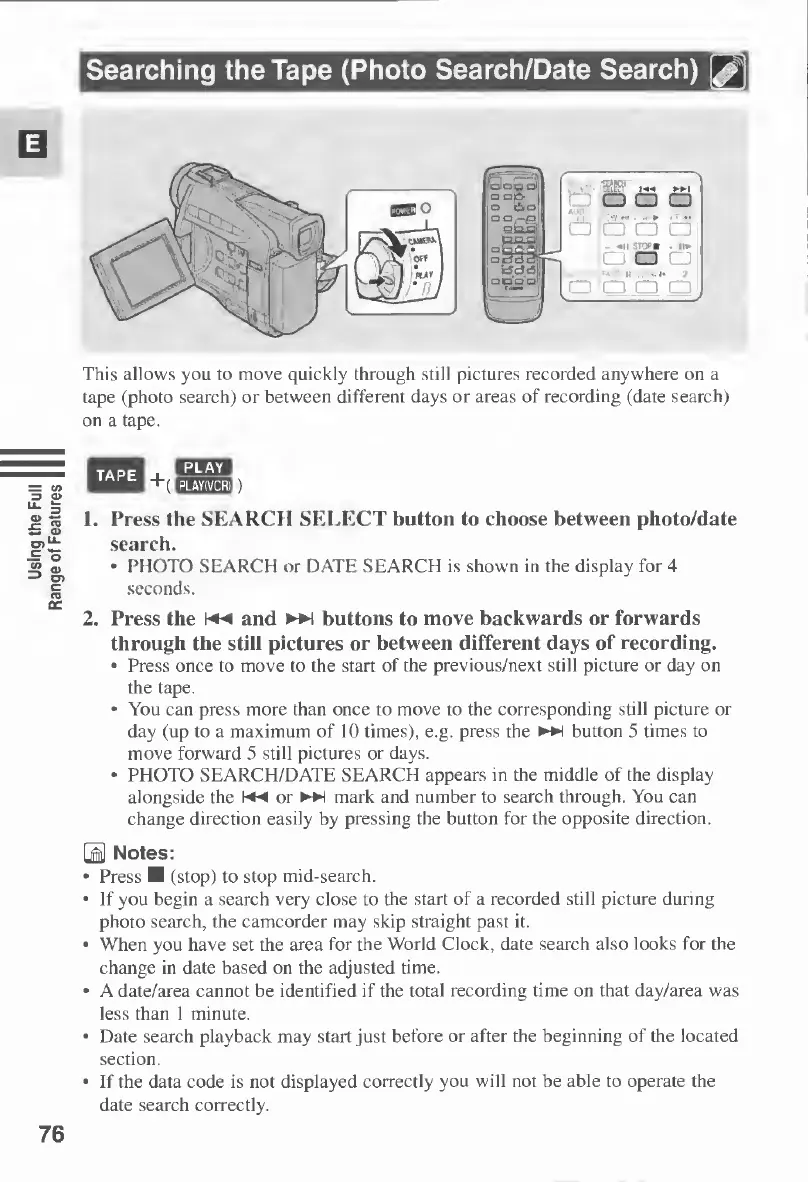
Searching
the
Tape
(Photo
Search/Date
Search)
This
allows
you
to
move
quickly
through
still
pictures
recorded
anywhere
on
a
tape
(photo
search)
or
between
different
days
or
areas
of
recording
(date
search)
on
a
tape.
TAPE
u-jwxa
EEBEE))
1.
Press
the
SEARCH
SELECT
button
to
choose
between
photo/date
search.
PHOTO
SEARCH
or
DATE
SEARCH
is
shown
in
the
display
for
4
seconds.
2.
Press
the
and
buttons
to
move
backwards
or
forwards
through
the
still
pictures
or
between
different
days
of
recording.
Press
once
to
move
to
the
start
of
the
previous/next
still
picture
or
day
on
the
tape.
You
can
press
more
than
once
to
move
to
the
corresponding
still
picture
or
day
(up
to
a
maximum
of
10
times),
e.g.
press
the
button
5
times
to
move
forward
5
still
pictures
or
days.
PHOTO
SEARCH/DATE
SEARCH
appears
in
the
middle
of
the
display
alongside
the
or
►►
!
mark
and
number
to
search
through.
You
can
change
direction
easily
by
pressing
the
button
for
the
opposite
direction.
3
Notes:
Press
M
(stop)
to
stop
mid-search.
If
you
begin
a
search
very
close
to
the
start
of
a
recorded
still
picture
during
photo
search,
the
camcorder
may
skip
straight
past
it.
When
you
have
set
the
area
for
the
World
Clock,
date
search
also
looks
for
the
change
in
date
based
on
the
adjusted
time.
A
date/area
cannot
be
identified
if
the
total
recording
time
on
that
day/area
was
less
than
1
minute.
Date
search
playback
may
start
just
before
or
after
the
beginning
of
the
located
section.
If
the
data
code
is
not
displayed
correctly
you
will
not
be
able
to
operate
the
date
search
correctly.
76

Table of Contents

Other manuals for Canon MV430

Related product manuals