EasyManua.ls Logo

Canon MV430 - Page 77

Canon MV430
152 pages
Print Icon
To Next Page IconTo Next Page
To Previous Page IconTo Previous Page
Loading...
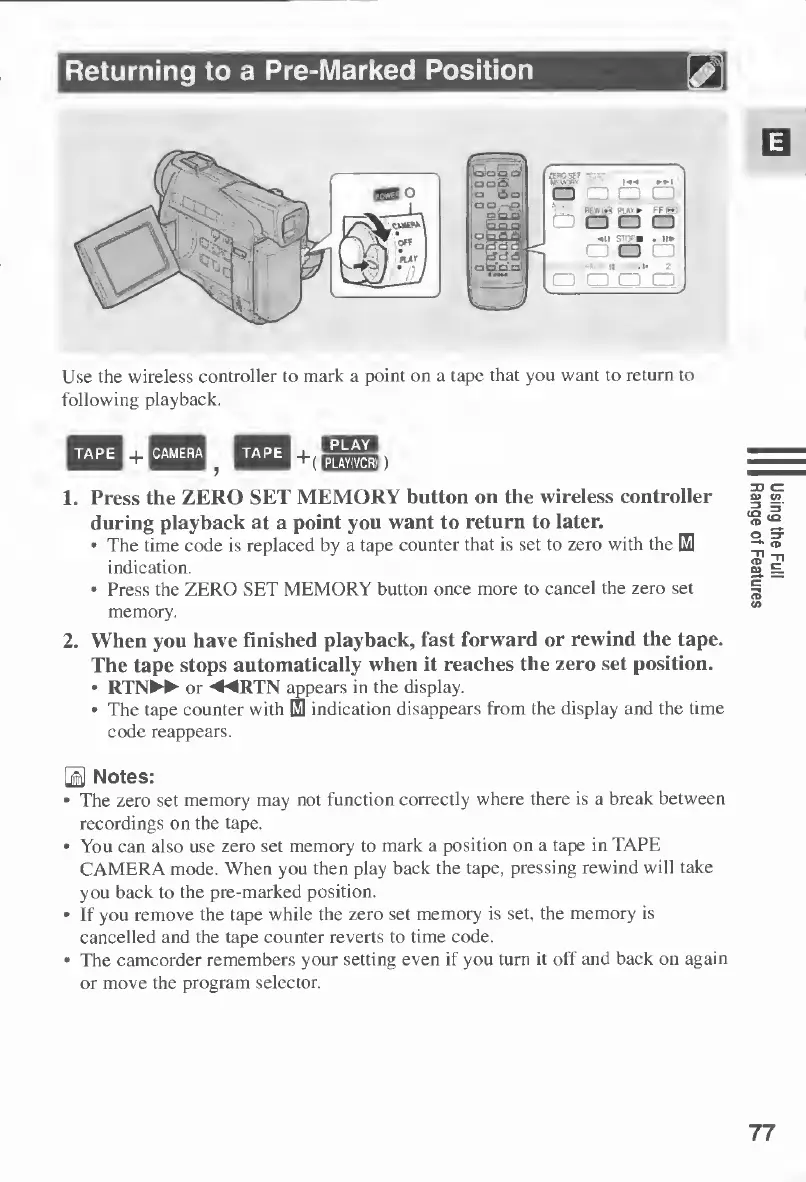
Use
the
wireless
controller
to
mark
a
point
on
a
tape
that
you
want
to
return
to
following
playback.
1.
Press
the
ZERO
SET
MEMORY
button
on
the
wireless
controller
during
playback
at
a
point
you
want
to
return
to
later.
The
time
code
is
replaced
by
a
tape
counter
that
is
set
to
zero
with
the
HI
indication.
Press
the
ZERO
SET
MEMORY
button
once
more
to
cancel
the
zero
set
memory.
2.
When
you
have
finished
playback,
fast
forward
or
rewind
the
tape.
The
tape
stops
automatically
when
it
reaches
the
zero
set
position.
RTN^>*
or
◄◄
RTN
appears
in
the
display.
The
tape
counter
with
El
indication
disappears
from
the
display
and
the
time
code
reappears.
0
Notes:
The
zero
set
memory
may
not
function
correctly
where
there
is
a
break
between
recordings
on
the
tape.
You
can
also
use
zero
set
memory
to
mark
a
position
on
a
tape
in
TAPE
CAMERA
mode.
When
you
then
play
back
the
tape,
pressing
rewind
will
take
you
back
to
the
pre-marked
position.
If
you
remove
the
tape
while
the
zero
set
memory
is
set,
the
memory
is
cancelled
and
the
tape
counter
reverts
to
time
code.
The
camcorder
remembers
your
setting
even
if
you
turn
it
off
and
back
on
again
or
move
the
program
selector.
77
Using
the
Full
Range
of
Features

Table of Contents

Other manuals for Canon MV430

Related product manuals