EasyManua.ls Logo

Canon MV430 - Copying Memory Card Still Images to a Cassette.113

Canon MV430
152 pages
Print Icon
To Next Page IconTo Next Page
To Previous Page IconTo Previous Page
Loading...
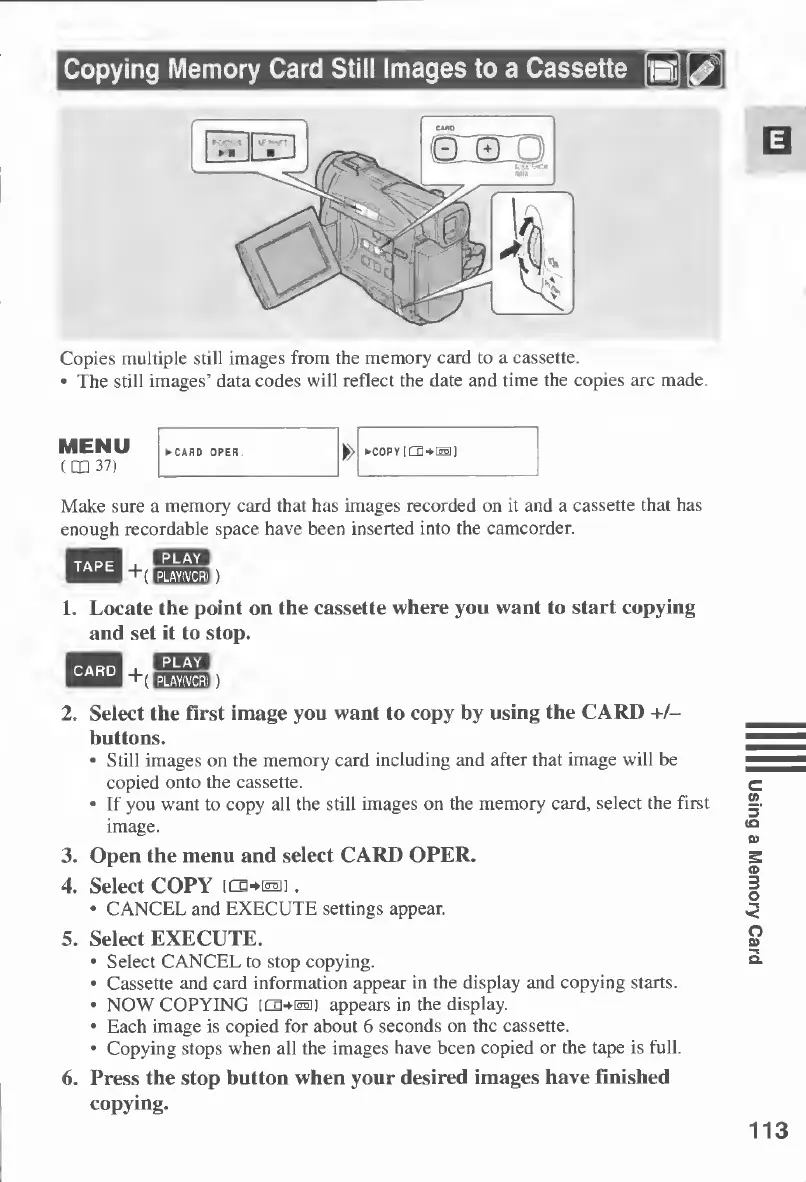
Copying
Memory
Card
Still
Images
to
a
Cassette
Copies
multiple
still
images
from
the
memory
card
to
a
cassette.
The
still
images’
data
codes
will
reflect
the
date
and
time
the
copies
are
made.
MENU
(QQ
37)
COPY
|
Make
sure
a
memory
card
that
has
images
recorded
on
it
and
a
cassette
that
has
enough
recordable
space
have
been
inserted
into
the
camcorder.
1.
L
ocate
the
point
on
the
cassette
where
you
want
to
start
copying
and
set
it
to
stop.
2.
Select
the
first
image
you
want
to
copy
by
using
the
CARD
+/-
buttons.
Still
images
on
the
memory
card
including
and
after
that
image
will
be
copied
onto
the
cassette.
If
you
want
to
copy
all
the
still
images
on
the
memory
card,
select
the
first
image.
3.
Open
the
menu
and
select
CARD
OPER.
4.
Select
COPY
[Cg+^i].
CANCEL
and
EXECUTE
settings
appear.
5.
Select
EXECUTE.
Select
CANCEL
to
stop
copying.
Cassette
and
card
information
appear
in
the
display
and
copying
starts.
NOW
COPYING
[CB-UMi]
appears
in
the
display.
Each
image
is
copied
for
about
6
seconds
on
the
cassette.
Copying
stops
when
all
the
images
have
been
copied
or
the
tape
is
full.
6.
Press
the
stop
button
when
your
desired
images
have
finished
copying.
113
Using
a
Memory
Card

Table of Contents

Other manuals for Canon MV430

Related product manuals