EasyManua.ls Logo

Canon MV430 - Turning the Image Stabilizer Off.36

Canon MV430
152 pages
Print Icon
To Next Page IconTo Next Page
To Previous Page IconTo Previous Page
Loading...
Using
the
Full
Range
of
Features
Turning
the
Image
Stabilizer
Off
With
most
camcorders,
even
the
slightest
hand
movements
will
be
noticeable
during
telephoto
recording.
However,
the
MV430/MV430i’s
image
stabilizer
allows
you
to
obtain
steady
recordings
even
at
high
magnification.
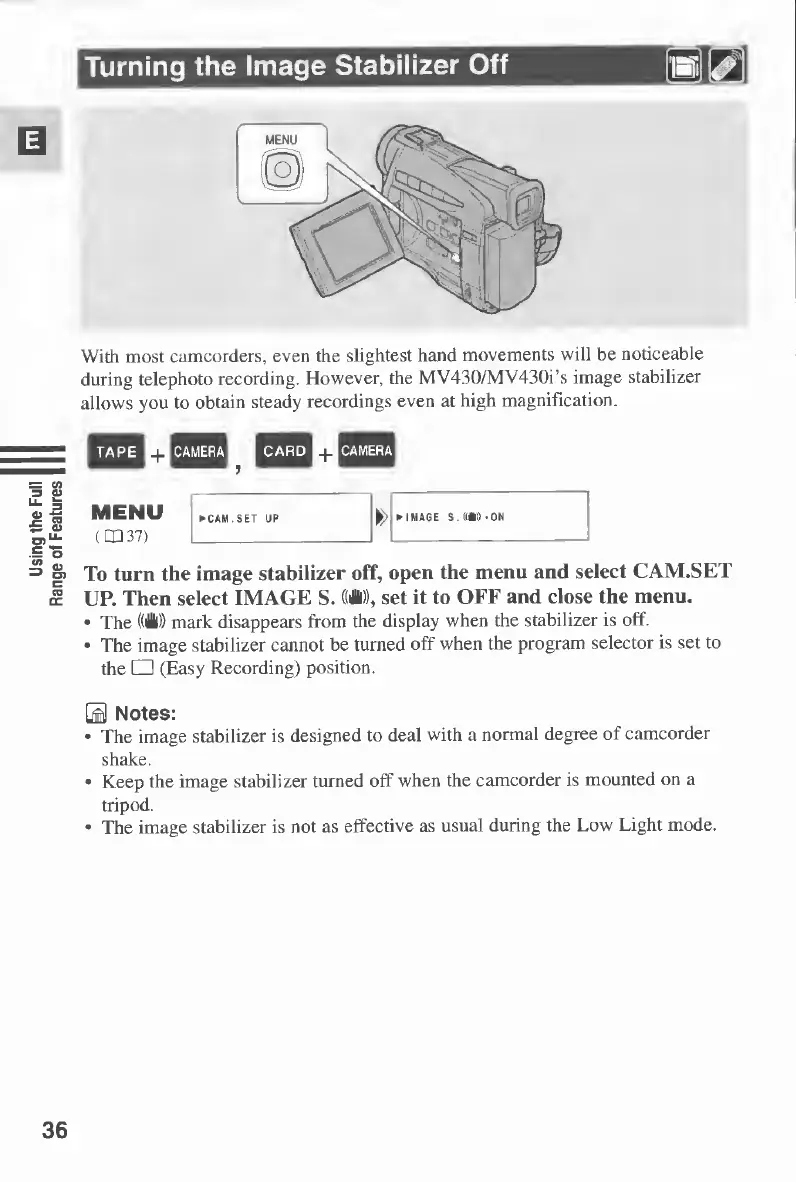
To
turn
the
image
stabilizer
off,
open
the
menu
and
select
CAM.SET
UP.
Then
select
IMAGE
S.
((H)),
set
it
to
OFF
and
close
the
menu.
The
((H))
mark
disappears
from
the
display
when
the
stabilizer
is
off.
The
image
stabilizer
cannot
be
turned
off
when
the
program
selector
is
set
to
the
(Easy
Recording)
position.
0
Notes:
The
image
stabilizer
is
designed
to
deal
with
a
normal
degree
of
camcorder
shake.
Keep
the
image
stabilizer
turned
off
when
the
camcorder
is
mounted
on
a
tripod.
The
image
stabilizer
is
not
as
effective
as
usual
during
the
Low
Light
mode.
36

Table of Contents

Other manuals for Canon MV430

Related product manuals