EasyManua.ls Logo

Canon MV430 - Page 35

Canon MV430
152 pages
Print Icon
To Next Page IconTo Next Page
To Previous Page IconTo Previous Page
Loading...
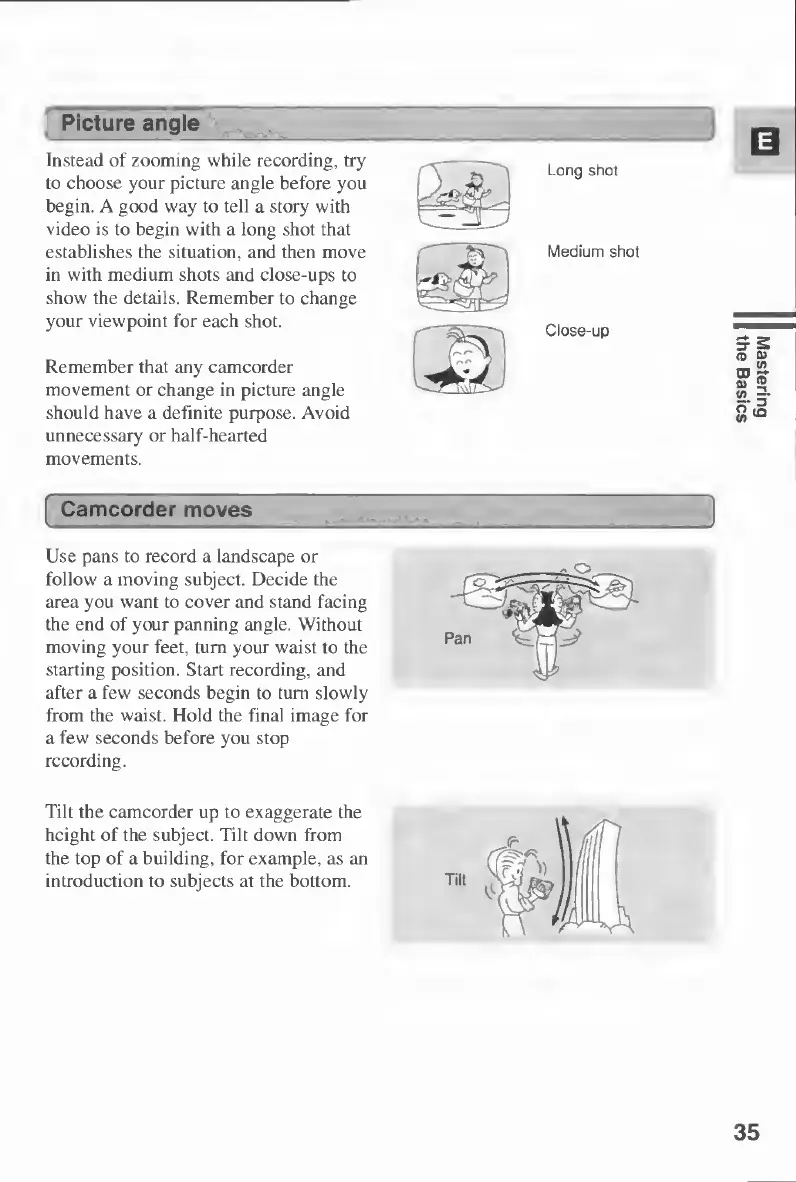
Instead
of
zooming
while
recording,
try
to
choose
your
picture
angle
before
you
begin.
A
good
way
to
tell
a
story
with
video
is
to
begin
with
a
long
shot
that
establishes
the
situation,
and
then
move
in
with
medium
shots
and
close-ups
to
show
the
details.
Remember
to
change
your
viewpoint
for
each
shot.
Remember
that
any
camcorder
movement
or
change
in
picture
angle
should
have
a
definite
purpose.
Avoid
unnecessary
or
half-hearted
movements.
Picture
angle
I
Camcorder
moves
Use
pans
to
record
a
landscape
or
follow
a
moving
subject.
Decide
the
area
you
want
to
cover
and
stand
facing
the
end
of
your
panning
angle.
Without
moving
your
feet,
turn
your
waist
to
the
starting
position.
Start
recording,
and
after
a
few
seconds
begin
to
turn
slowly
from
the
waist.
Hold
the
final
image
for
a
few
seconds
before
you
stop
recording.
Tilt
the
camcorder
up
to
exaggerate
the
height
of
the
subject.
Tilt
down
from
the
top
of
a
building,
for
example,
as
an
introduction
to
subjects
at
the
bottom.
35
Mastering
the
Basics

Table of Contents

Other manuals for Canon MV430

Related product manuals