EasyManua.ls Logo

Canon MV430 - Audio Recording.63

Canon MV430
152 pages
Print Icon
To Next Page IconTo Next Page
To Previous Page IconTo Previous Page
Loading...
Audio
Recording
Selecting
the
audio
mode
ikDII
MV430/MV430i
can
record
sound
in
two
audio
modes
16-bit
and
12-bit.
The
16-bit
mode
produces
the
higher
sound
quality
(slightly
superior
to
CD)
while
the
12-bit
mode
records
on
2
channels
(stereo
1),
leaving
2
channels
free
(stereo
2)
for
you
to
add
new
sound
at
a
later
date.
To
switch
to
the
16-bit
mode,
open
the
menu
and
select
VCR
SET
UP.
Then
select
AUDIO
MODE,
set
it
to
“16
bit”
and
close
the
menu.
“16
bit”
is
shown
in
the
display
for
approximately
4
seconds.
0
Notes:
For
details
on
adding
new
sound,
see
p.
88.
For
details
of
playing
back
a
tape
that
has
new
sound
on
stereo
2,
see
p.
93.
When
you
record
to
the
MV430i
from
a
camcorder
with
DV
terminal
outputs,
the
audio
mode
becomes
automatically
set
to
12
bit.
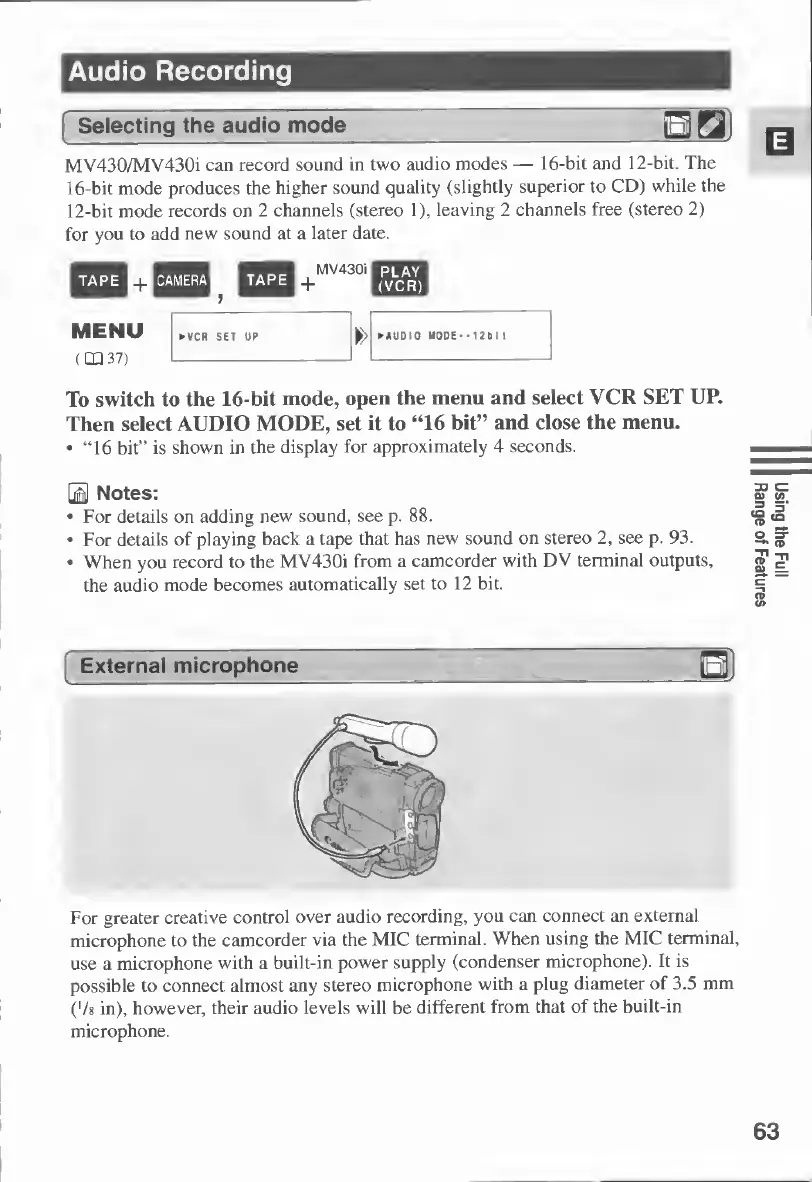
For
greater
creative
control
over
audio
recording,
you
can
connect
an
external
microphone
to
the
camcorder
via
the
MIC
terminal.
When
using
the
MIC
terminal,
use
a
microphone
with
a
built-in
power
supply
(condenser
microphone).
It
is
possible
to
connect
almost
any
stereo
microphone
with
a
plug
diameter
of
3.5
mm
('/8
in),
however,
their
audio
levels
will
be
different
from
that
of
the
built-in
microphone.
63
Using
the
Pull
Range
of
Features

Table of Contents

Other manuals for Canon MV430

Related product manuals