EasyManua.ls Logo

Canon MV430 - Connections for Playback on a TV Screen

Canon MV430
152 pages
Print Icon
To Next Page IconTo Next Page
To Previous Page IconTo Previous Page
Loading...
Mastering
the
Basics
Connections
for
Playback
on
a
TV
Screen
You
can
connect
the
camcorder
to
a
TV
or
VCR
in
order
to
play
back
your
recordings.
You
will
need
to
attach
a
power
source
to
the
camcorder
(QD
10).
Power
off
all
devices
before
starting
the
connections.
See
your
TV
or
VCR
instruction
manual
for
further
details.
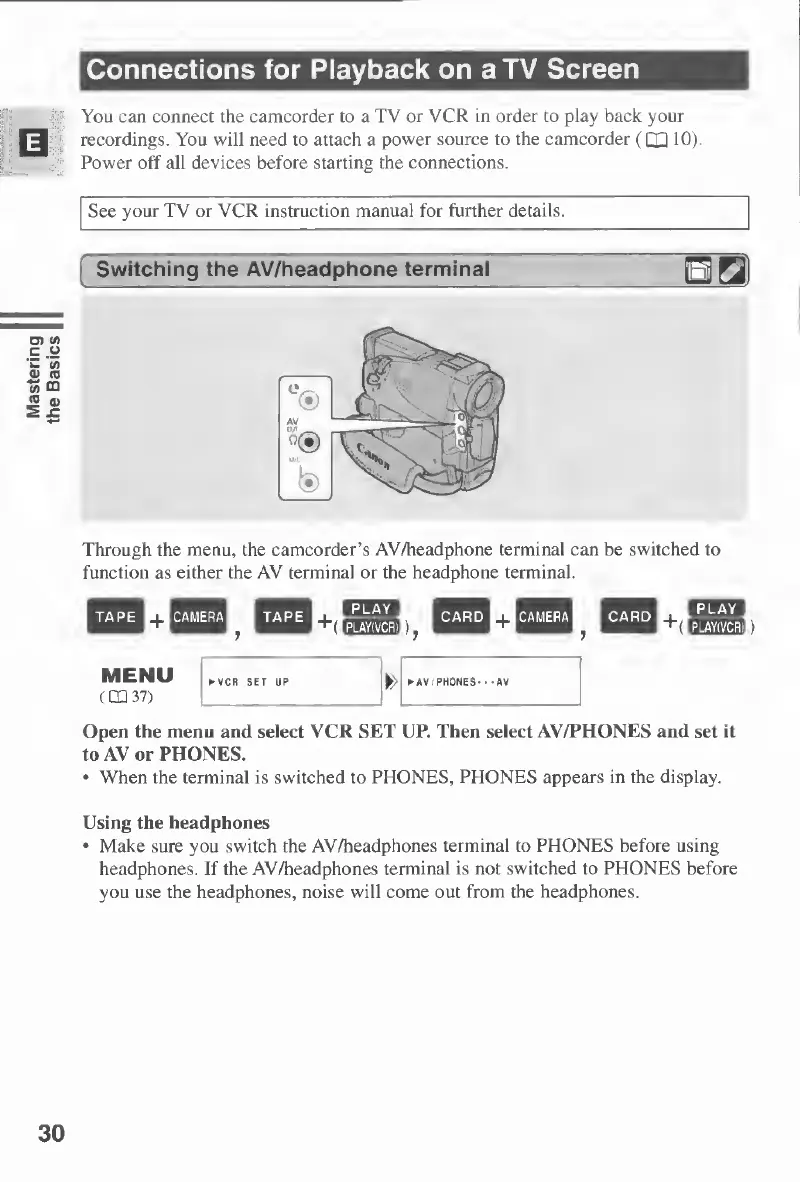
Through
the
menu,
the
camcorder’s
AV/headphone
terminal
can
be
switched
to
function
as
either
the
AV
terminal
or
the
headphone
terminal.
Open
the
menu
and
select
VCR
SET
UP.
Then
select
AV/PHONES
and
set
it
to
AV
or
PHONES.
When
the
terminal
is
switched
to
PHONES,
PHONES
appears
in
the
display.
Using
the
headphones
Make
sure
you
switch
the
AV/headphones
terminal
to
PHONES
before
using
headphones.
If
the
AV/headphones
terminal
is
not
switched
to
PHONES
before
you
use
the
headphones,
noise
will
come
out
from
the
headphones.
30

Table of Contents

Other manuals for Canon MV430

Related product manuals