EasyManua.ls Logo

Canon MV430 - Adjusting Focus Manually

Canon MV430
152 pages
Print Icon
To Next Page IconTo Next Page
To Previous Page IconTo Previous Page
Loading...
Using
the
Full
Range
of
Features
Adjusting
Focus
Manually
The
camcorder
can
focus
automatically.
All
you
have
to
do
is
point
it,
and
whatever
is
in
the
centre
of
the
display
will
usually
be
in
sharp
focus.
If
it
does
not
seem
to
be
focusing
well,
it
may
be
because
the
subject
is
not
suitable
for
autofocus.
You
can
use
the
manual
focusing
function
for
more
control
over
focusing.
Focus
lock
o
+
+
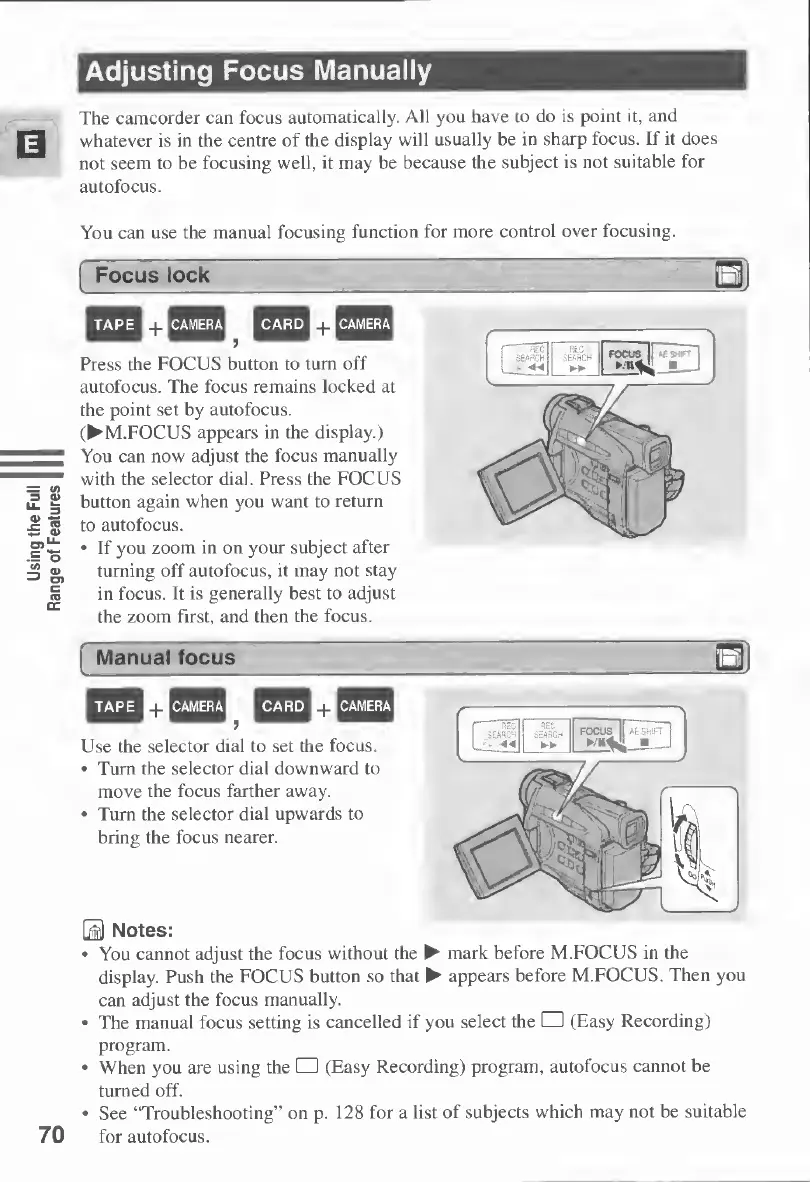
Press
the
FOCUS
button
to
turn
off
autofocus.
The
focus
remains
locked
at
the
point
set
by
autofocus.
(
M.FOCUS
appears
in
the
display.)
You
can
now
adjust
the
focus
manually
with
the
selector
dial.
Press
the
FOCUS
button
again
when
you
want
to
return
to
autofocus.
If
you
zoom
in
on
your
subject
after
turning
off
autofocus,
it
may
not
stay
in
focus.
It
is
generally
best
to
adjust
the
zoom
first,
and
then
the
focus.
70
Manual
focus
3
TAPE
nCAMERAH
CARD
PJ
CAMERA
Use
the
selector
dial
to
set
the
focus.
Turn
the
selector
dial
downward
to
move
the
focus
farther
away.
Turn
the
selector
dial
upwards
to
bring
the
focus
nearer.
H
Notes:
You
cannot
adjust
the
focus
without
the
mark
before
M.FOCUS
in
the
display.
Push
the
FOCUS
button
so
that
appears
before
M.FOCUS.
Then
you
can
adjust
the
focus
manually.
The
manual
focus
setting
is
cancelled
if
you
select
the
(Easy
Recording)
program.
When
you
are
using
the
(Easy
Recording)
program,
autofocus
cannot
be
turned
off.
See
“Troubleshooting”
on
p.
128
for
a
list
of
subjects
which
may
not
be
suitable
for
autofocus.

Table of Contents

Other manuals for Canon MV430

Related product manuals