EasyManua.ls Logo

Canon MV430 - Page 29

Canon MV430
152 pages
Print Icon
To Next Page IconTo Next Page
To Previous Page IconTo Previous Page
Loading...
Built-in
speaker
E
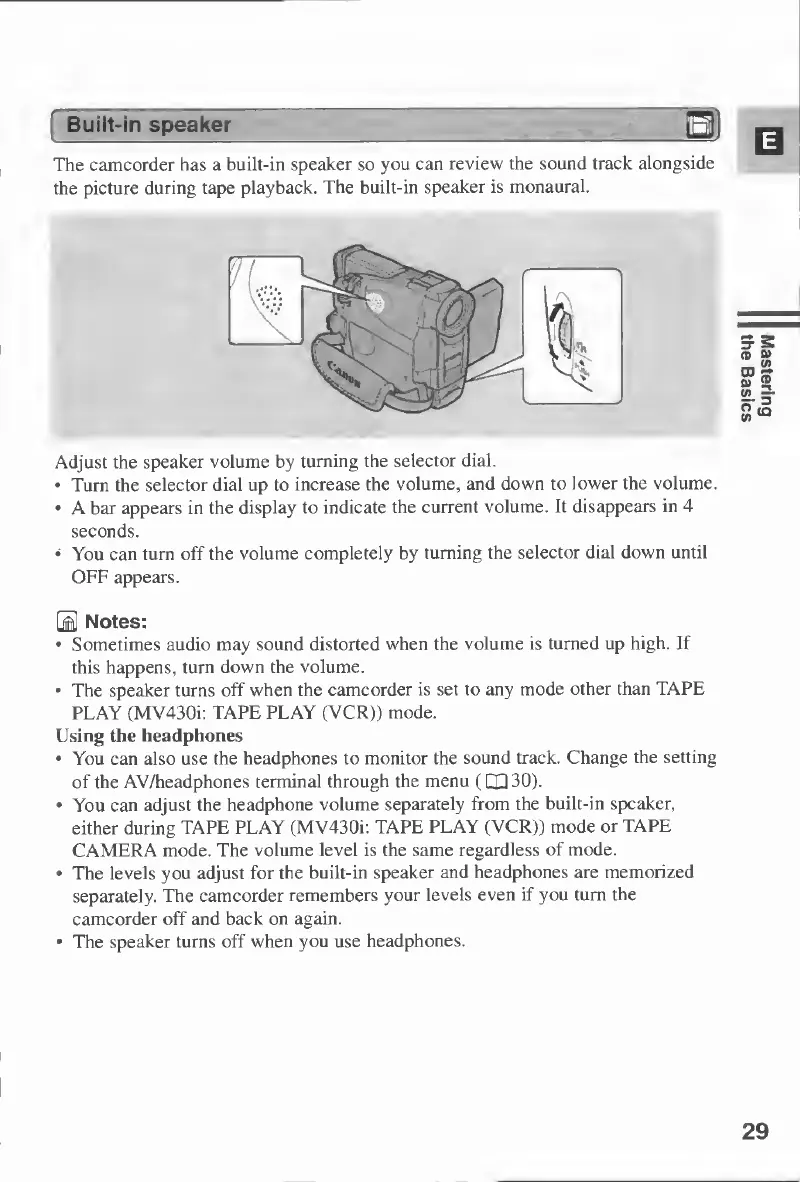
The
camcorder
has
a
built-in
speaker
so
you
can
review
the
sound
track
alongside
the
picture
during
tape
playback.
The
built-in
speaker
is
monaural.
Adjust
the
speaker
volume
by
turning
the
selector
dial.
Turn
the
selector
dial
up
to
increase
the
volume,
and
down
to
lower
the
volume.
A
bar
appears
in
the
display
to
indicate
the
current
volume.
It
disappears
in
4
seconds.
You
can
turn
off
the
volume
completely
by
turning
the
selector
dial
down
until
OFF
appears.
0
Notes:
Sometimes
audio
may
sound
distorted
when
the
volume
is
turned
up
high.
If
this
happens,
turn
down
the
volume.
The
speaker
turns
off
when
the
camcorder
is
set
to
any
mode
other
than
TAPE
PLAY
(MV430i:
TAPE
PLAY
(VCR))
mode.
Using
the
headphones
You
can
also
use
the
headphones
to
monitor
the
sound
track.
Change
the
setting
of
the
AV/headphones
terminal
through
the
menu
(CQ
30).
You
can
adjust
the
headphone
volume
separately
from
the
built-in
speaker,
either
during
TAPE
PLAY
(MV430i:
TAPE
PLAY
(VCR))
mode
or
TAPE
CAMERA
mode.
The
volume
level
is
the
same
regardless
of
mode.
The
levels
you
adjust
for
the
built-in
speaker
and
headphones
are
memorized
separately.
The
camcorder
remembers
your
levels
even
if
you
turn
the
camcorder
off
and
back
on
again.
The
speaker
turns
off
when
you
use
headphones.
29
Mastering
the
Basics

Table of Contents

Other manuals for Canon MV430

Related product manuals