EasyManua.ls Logo

Canon MV430 - Page 127

Canon MV430
152 pages
Print Icon
To Next Page IconTo Next Page
To Previous Page IconTo Previous Page
Loading...
(
Condensation
Condensation
may
form
on
the
camcorder
when
it
is
moved
from
a
cold
place
to
a
warm
place.
Using
the
camcorder
while
condensation
is
present
can
damage
both
the
tape
and
the
camcorder.
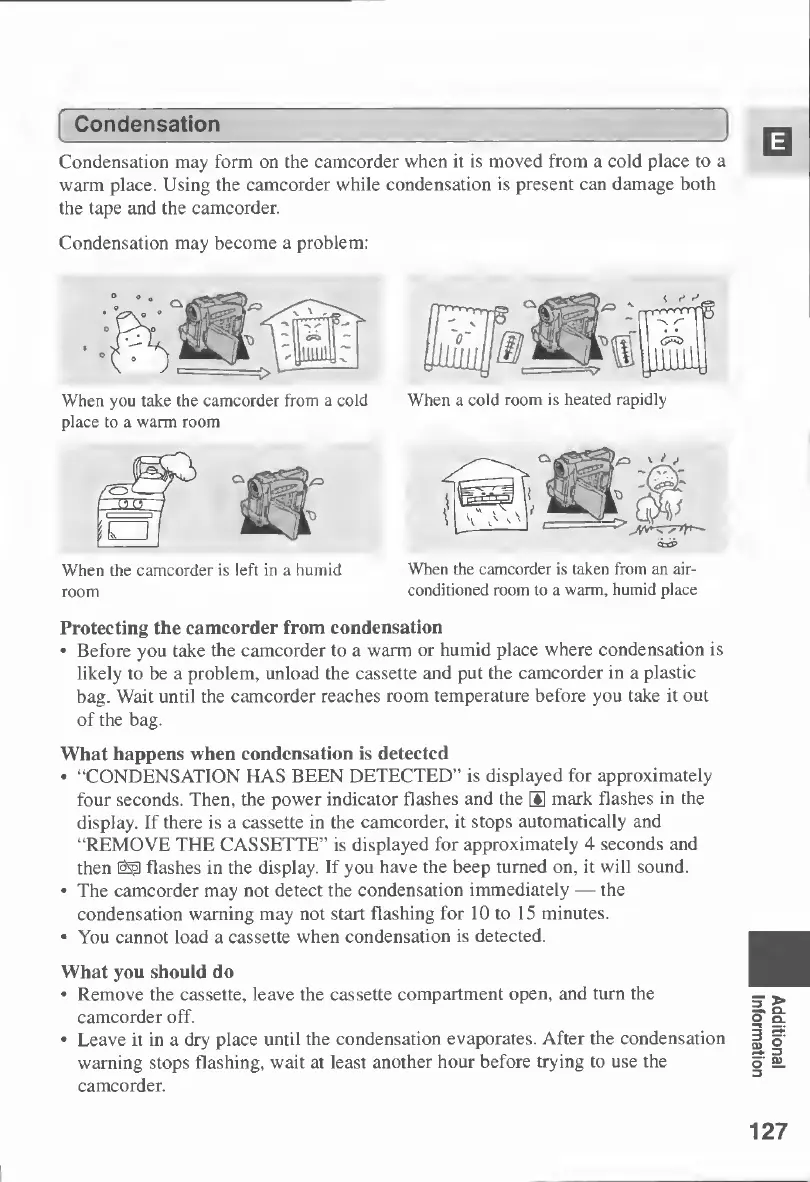
Condensation
may
become
a
problem;
When
you
take
the
camcorder
from
a
cold
place
to
a
warm
room
When
the
camcorder
is
left
in
a
humid
room
When
a
cold
room
is
heated
rapidly
<±&>
When
the
camcorder
is
taken
from
an
air-
conditioned
room
to
a
warm,
humid
place
Protecting
the
camcorder
from
condensation
Before
you
take
the
camcorder
to
a
warm
or
humid
place
where
condensation
is
likely
to
be
a
problem,
unload
the
cassette
and
put
the
camcorder
in
a
plastic
bag.
Wait
until
the
camcorder
reaches
room
temperature
before
you
take
it
out
of
the
bag.
What
happens
when
condensation
is
detected
“CONDENSATION
HAS
BEEN
DETECTED”
is
displayed
for
approximately
four
seconds.
Then,
the
power
indicator
flashes
and
the
®
mark
flashes
in
the
display.
If
there
is
a
cassette
in
the
camcorder,
it
stops
automatically
and
“REMOVE
THE
CASSETTE”
is
displayed
for
approximately
4
seconds
and
then
flashes
in
the
display.
If
you
have
the
beep
turned
on,
it
will
sound.
The
camcorder
may
not
detect
the
condensation
immediately
the
condensation
warning
may
not
start
flashing
for
10
to
15
minutes.
You
cannot
load
a
cassette
when
condensation
is
detected.
What
you
should
do
Remove
the
cassette,
leave
the
cassette
compartment
open,
and
turn
the
camcorder
off.
Leave
it
in
a
dry
place
until
the
condensation
evaporates.
After
the
condensation
warning
stops
flashing,
wait
at
least
another
hour
before
trying
to
use
the
camcorder.
127
Additional
Information

Table of Contents

Other manuals for Canon MV430

Related product manuals