EasyManua.ls Logo

Canon MV430 - Page 61

Canon MV430
152 pages
Print Icon
To Next Page IconTo Next Page
To Previous Page IconTo Previous Page
Loading...
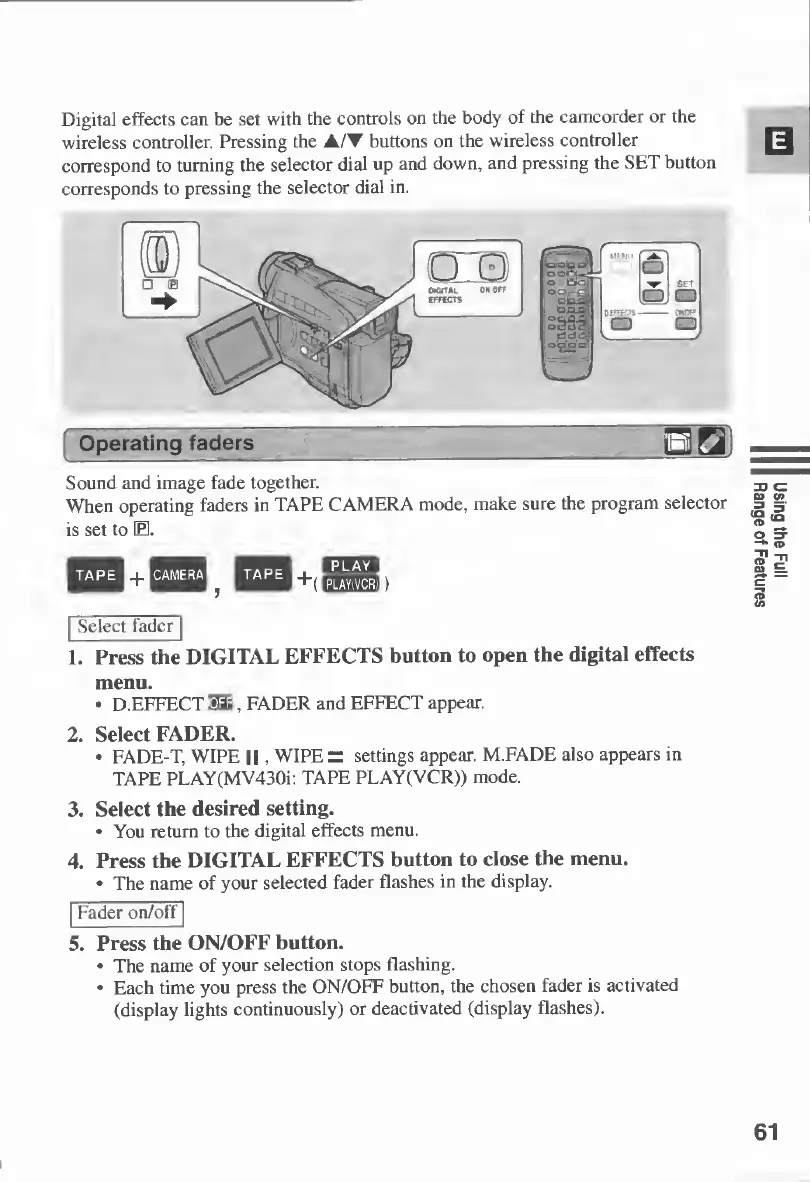
Digital
effects
can
be
set
with
the
controls
on
the
body
of
the
camcorder
or
the
wireless
controller.
Pressing
the
AIT
buttons
on
the
wireless
controller
correspond
to
turning
the
selector
dial
up
and
down,
and
pressing
the
SET
button
corresponds
to
pressing
the
selector
dial
in.
Sound
and
image
fade
together.
When
operating
faders
in
TAPE
CAMERA
mode,
make
sure
the
program
selector
is
set
to
E.
TAPE
nCAMERAH
TAPE
\
[
u
:
rivViij
Wa'ou
JVJ
;
Select
fader
1.
Press
the
DIGITAL
EFFECTS
button
to
open
the
digital
effects
menu.
D.EFFECT
EE,
FADER
and
EFFECT
appear.
2.
Select
FADER.
FADE-T,
WIPE
11
,
WIPE
=
settings
appear.
M.FADE
also
appears
in
TAPE
PLAY(MV430i:
TAPE
PLAY(VCR))
mode.
3.
Select
the
desired
setting.
You
return
to
the
digital
effects
menu.
4.
Press
the
DIGITAL
EFFECTS
button
to
close
the
menu.
The
name
of
your
selected
fader
flashes
in
the
display.
Fader
on/off
5.
Press
the
ON/OFF
button.
The
name
of
your
selection
stops
flashing.
Each
time
you
press
the
ON/OFF
button,
the
chosen
fader
is
activated
(display
lights
continuously)
or
deactivated
(display
flashes).
61
Using
the
Full
Range
of
Features

Table of Contents

Other manuals for Canon MV430

Related product manuals