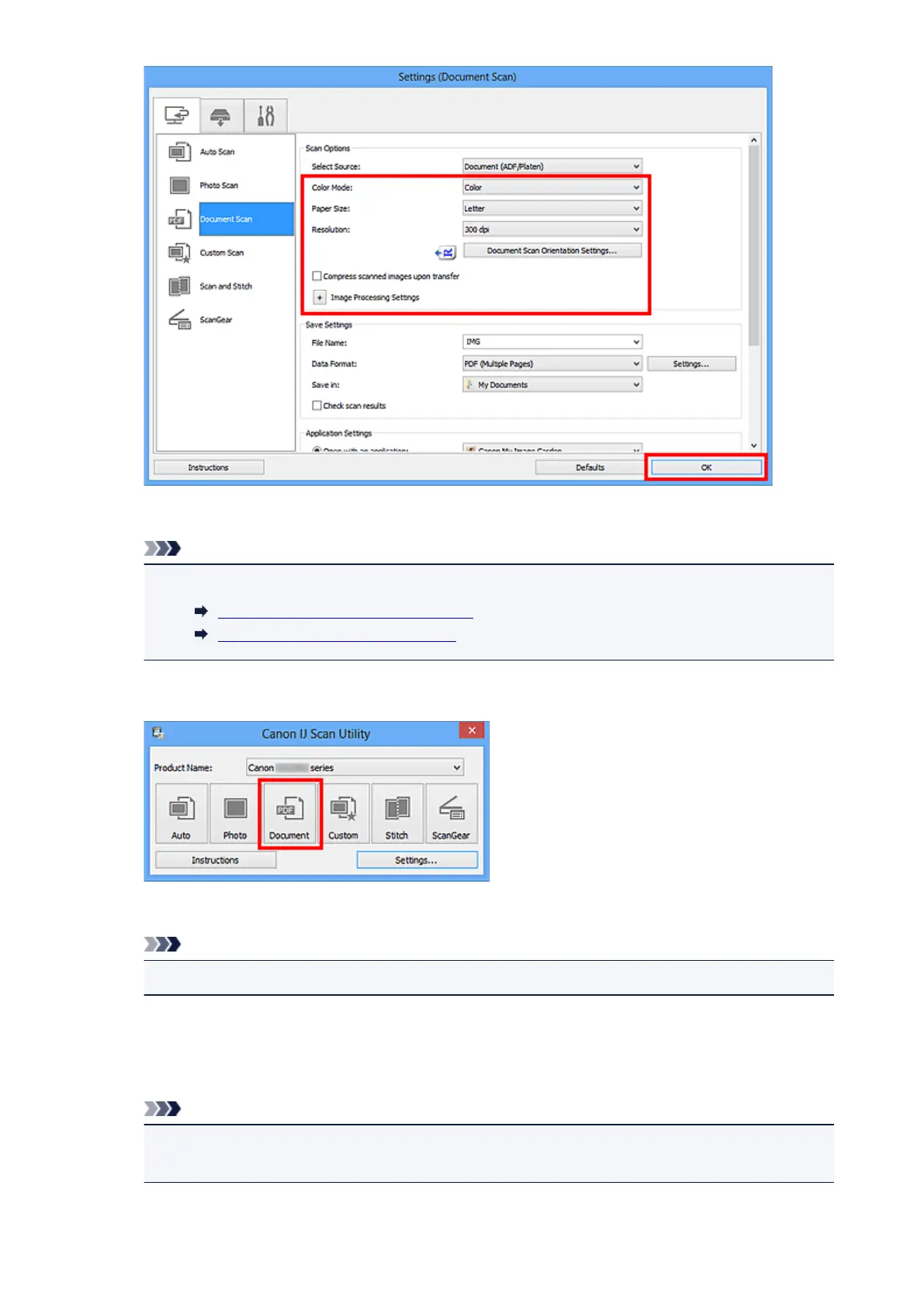
The IJ Scan Utility main screen appears.
Note
• Refer to the following pages for details on the setting items in the Settings dialog box.
Settings (Document Scan) Dialog Box
Settings (Custom Scan) Dialog Box
7.
Click Document.
Scanning starts.
Note
•
Click Cancel to cancel the scan.
When Document (ADF Manual Duplex) is selected for Select Source, proceed to Step 8.
8. Follow the on-screen instructions to place the documents.
Note
•
The screens for scanning with Orientation set to Portrait are used as examples in the following
descriptions.
435













 To Next Page