CHAPTER 5 PICK-UP/FEEDING SYSTEM
COPYRIGHT
©
1999 CANON INC. CANON PC800s/900s REV.0 AUG. 1999 PRINTED IN JAPAN (IMPRIME AU JAPON)
5-19
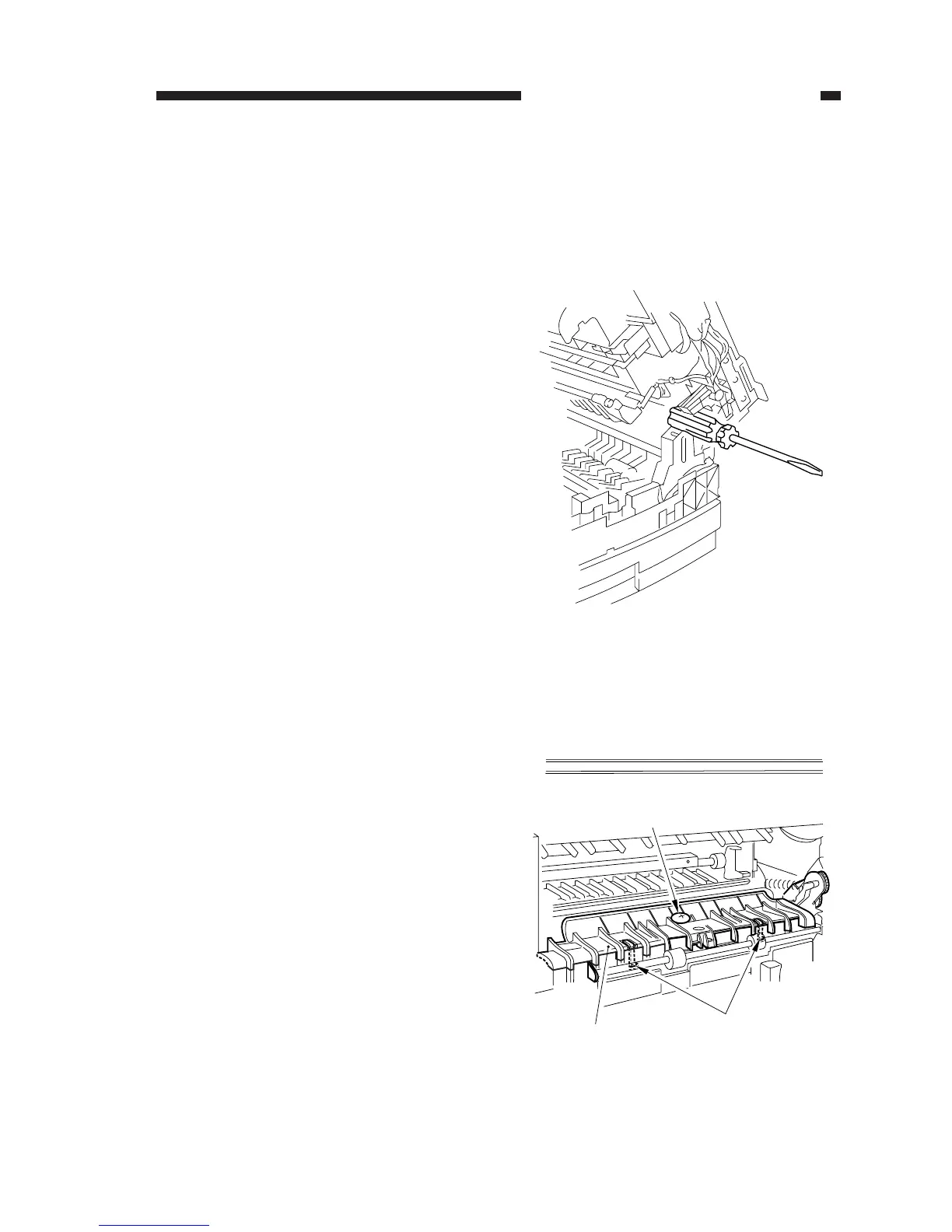
Figure 5-201
Figure 5-202
[1]
[2]
[3]
A. Pickup Assembly
1. Removing the Pickup Roller
1) Pull out the cassette.
2) Remove the front lower cover.
(See Chapter 7.III.A.2.“Removing the
Front Lower Cover.”)
3) Open the machines' top unit farther, and
hold it in place with the handle of a screw-
driver (about 30 mm in diameter).
4) Remove the screw [1], and free the two
claws [2]; then, detach the feeding assem-
bly cover [3].



 To Next Page