CHAPTER 3 EXPOSURE SYSTEM
COPYRIGHT
©
1999 CANON INC. CANON PC800s/900s REV.0 AUG. 1999 PRINTED IN JAPAN (IMPRIME AU JAPON)
3-37
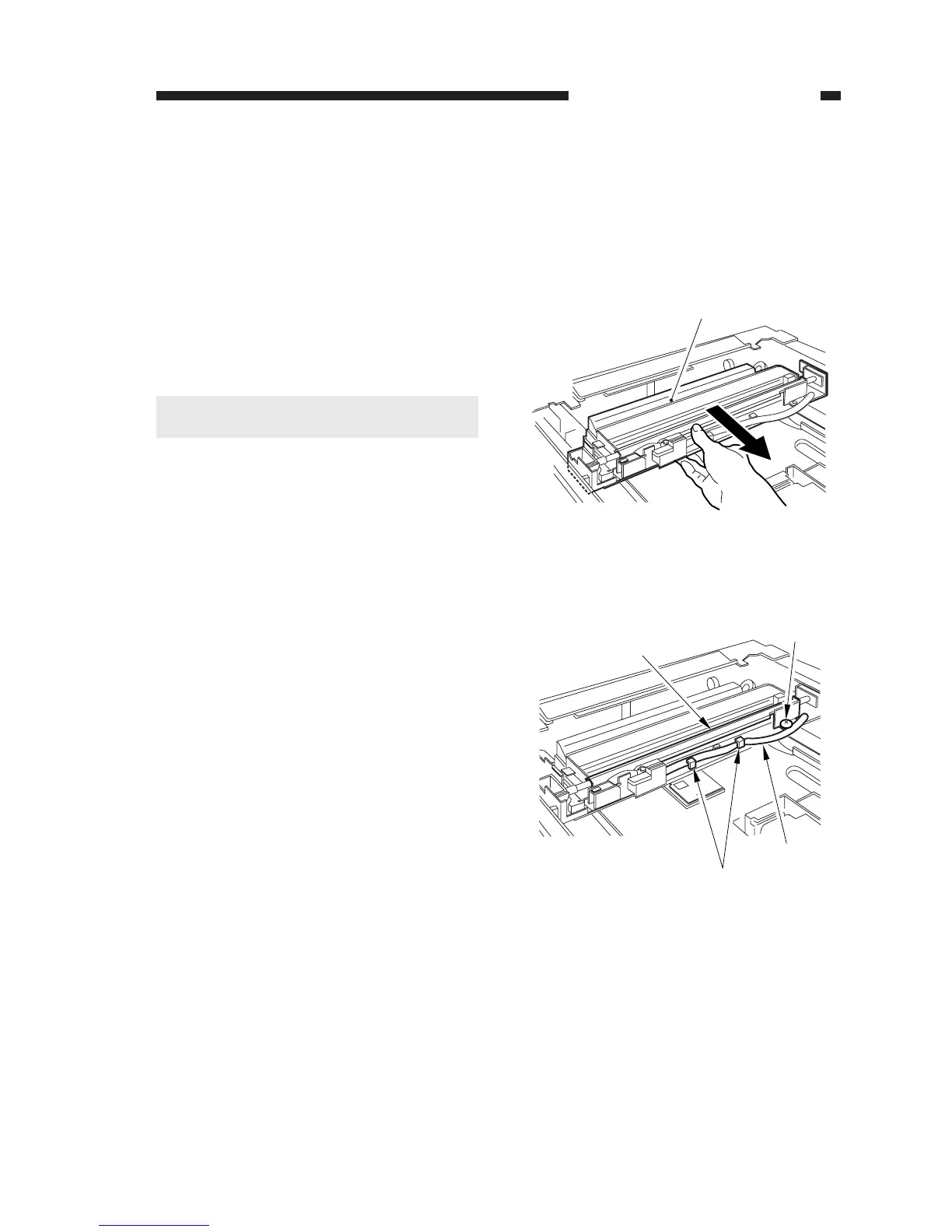
Figure 3-347
Figure 3-348
[1]
[2]
[3]
[4]
[5]
C. Exposure System
1. Removing the Scanning Lamp
1) Disconnect the power plug.
2) Remove the copyboard glass.
(See Chapter 7.III.C.1. “Removing the
Copyboard Glass.”)
3) Holding the middle of the No. 1 mirror
mount [1], move the No. 1 mirror mount
[1] to the right by about 5 cm.
Cauiton:
Do not hold the reflecting plate.
4) Free the harness [3] from the guide [2];
then, remove the screw [4], and detach the
reflecting plate [5].



 To Next Page