CHAPTER 6 FIXING SYSTEM
COPYRIGHT
©
1999 CANON INC. CANON PC800s/900s REV.0 AUG. 1999 PRINTED IN JAPAN (IMPRIME AU JAPON)
6-11
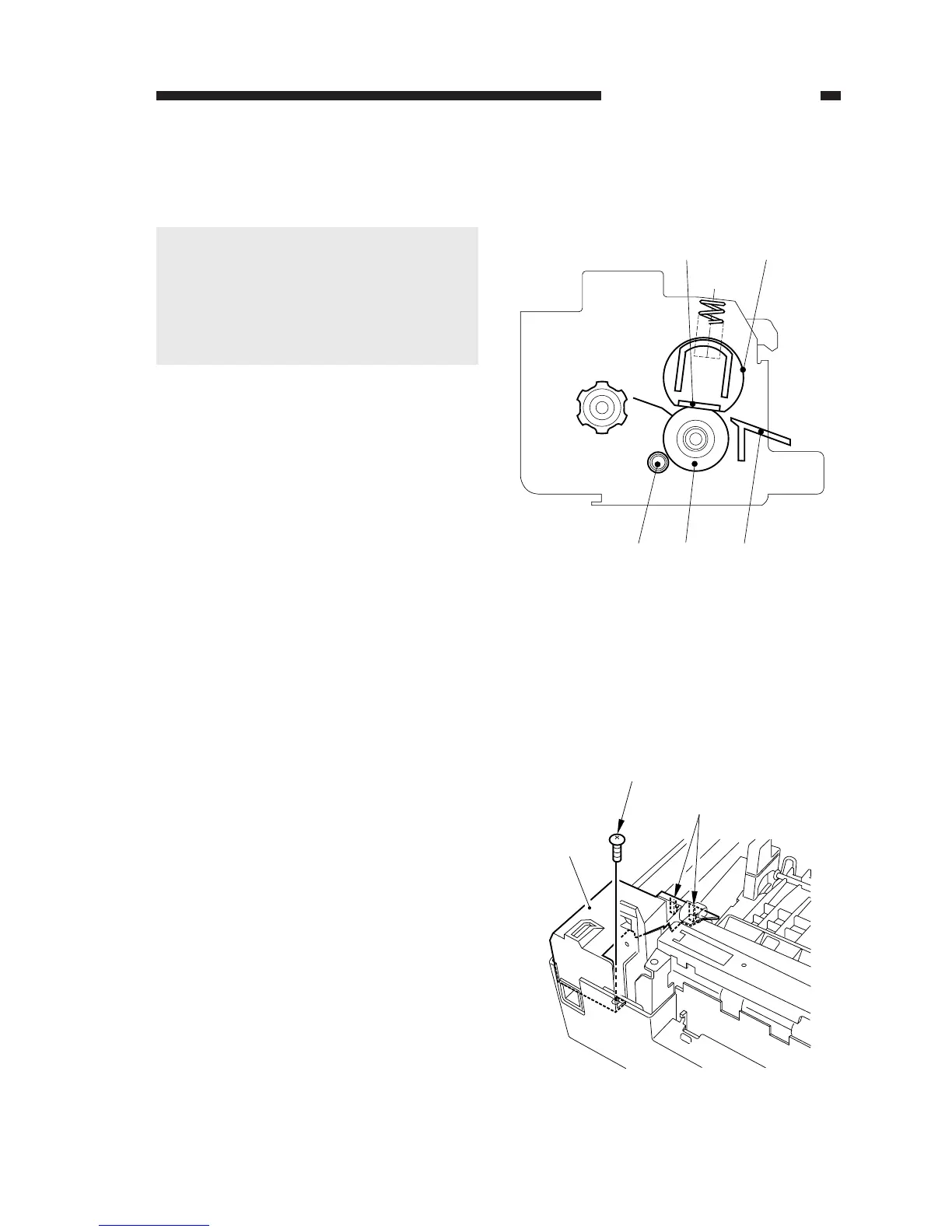
Figure 6-201
Figure 6-202
[5] [4] [3]
[1]
[2]
[2]
[3]
[1]
[1] Fixing heater
[2] Fixing film
[3] Inlet guide
[4] Fixing lower roller
[5] Cleaning roller
A. Fixing Assembly
1. Construction
Caution:
1. The fixing film is made from a spe-
cial material. Do not touch it or sub-
ject it to dust.
2. The machine does not have a mecha-
nism used to adjust the roller pres-
sure.
2. Removing the Fixing Assembly
1) Remove the front lower cover.
(See Chapter 7.III.A.2.“Removing the
Front Lower Cover.”)
2) Remove the screw [1], and free the two
hooks [2]; then, detach the power supply
cover [3].



 To Next Page