CHAPTER 7 EXTERNALS/AUXILIARY MECHANISMS
COPYRIGHT
©
1999 CANON INC. CANON PC800s/900s REV.0 AUG. 1999 PRINTED IN JAPAN (IMPRIME AU JAPON)
7-16
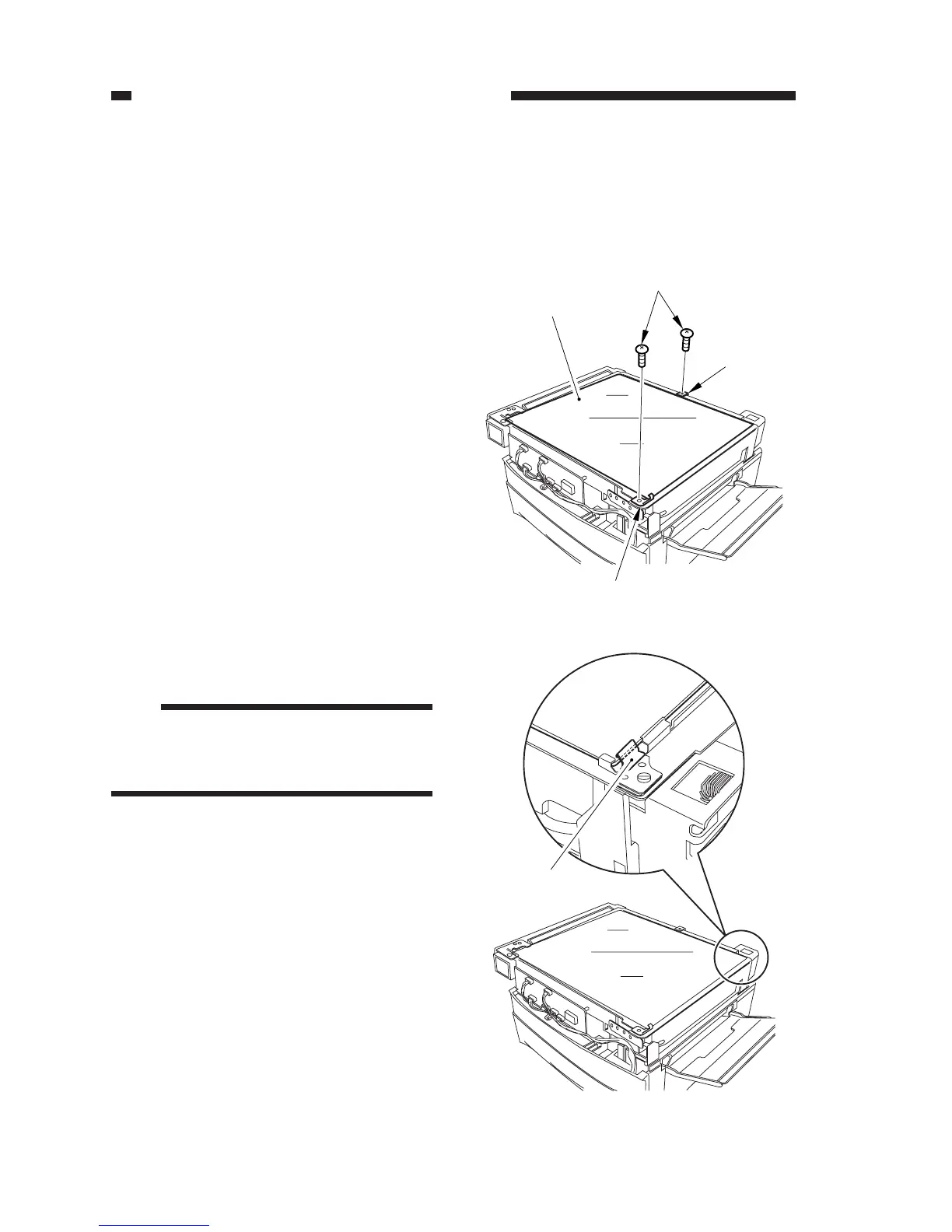
Figure 7-316
Figure 7-317
[1]
[2]
[2]
[3]
Grounding plate
Copyboard glass
C. Copyboard Glass
1. Removing the Copyboard Glass
1) Remove the top cover. (See A.1. “Remov-
ing the Top Cover.”)
2) Close the machine’s top unit.
3) Remove the two screws [1], and detach
the two support plates [2]; then, detach the
copyboard glass [3].
Note:
When mounting the copyboard glass, be
sure that the grounding plate is on the
side of its top edge. (ADF type only)



 To Next Page