CHAPTER 7 EXTERNALS/AUXILIARY MECHANISMS
COPYRIGHT
©
1999 CANON INC. CANON PC800s/900s REV.0 AUG. 1999 PRINTED IN JAPAN (IMPRIME AU JAPON)
7-21
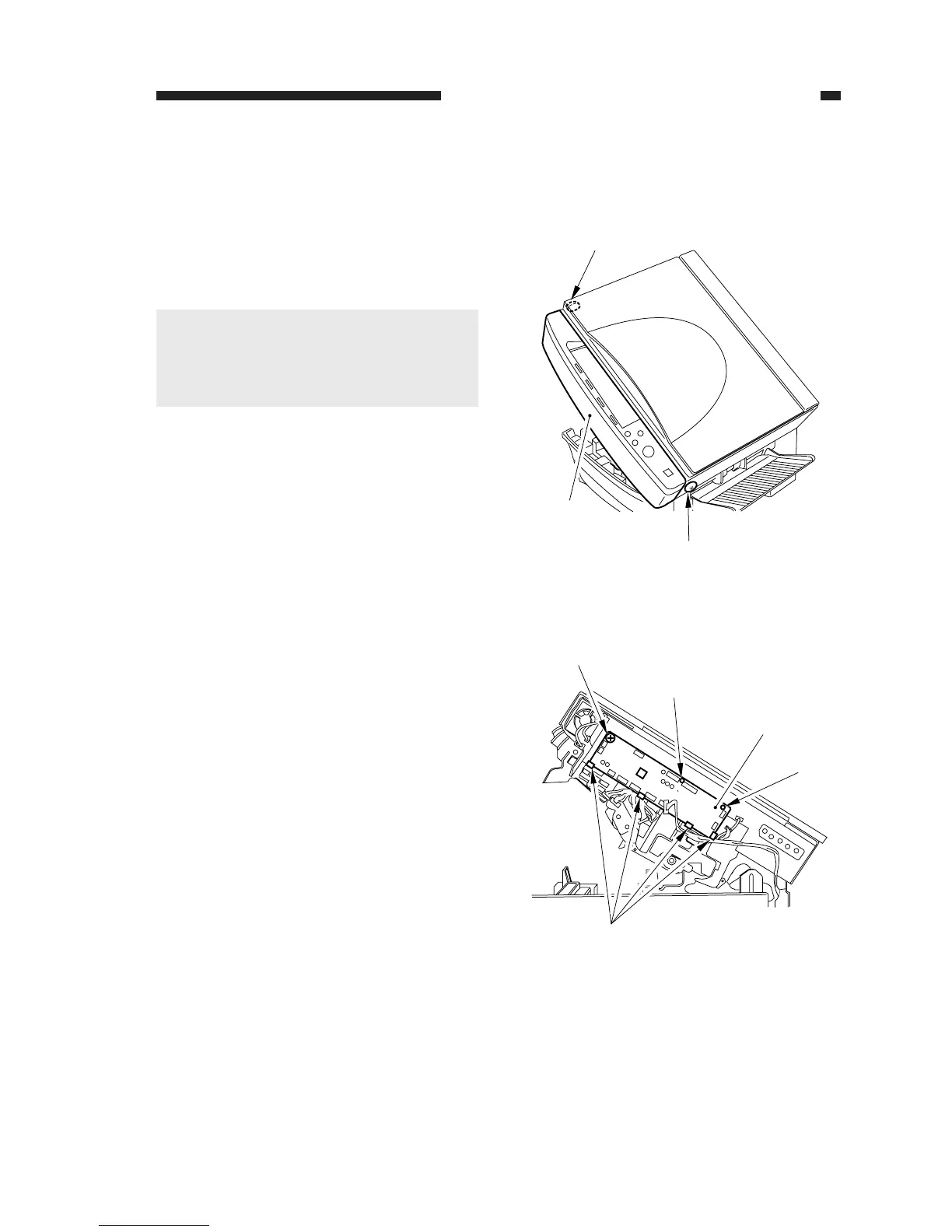
Figure 7-326
Figure 7-327
[1]
[1]
[2]
[3]
[4]
[4]
[4]
[5]
E. Electrical System
1. Removing the DC Controller PCB
1) Open the machine’s top unit.
2) Remove the screw [1], and detach the
front upper cover [2].
Caution:
A flexible cable for the control panel is
connected to the front upper cover. Dis-
connect the cable from the DC control-
ler.
3) Disconnect all connectors from the DC
controller PCB, remove the screw [3], and
free the six claws [4]; then, detach the DC
controller PCB [5].



 To Next Page