CHAPTER 7 EXTERNALS/AUXILIARY MECHANISMS
COPYRIGHT
©
1999 CANON INC. CANON PC800s/900s REV.0 AUG. 1999 PRINTED IN JAPAN (IMPRIME AU JAPON)
7-22
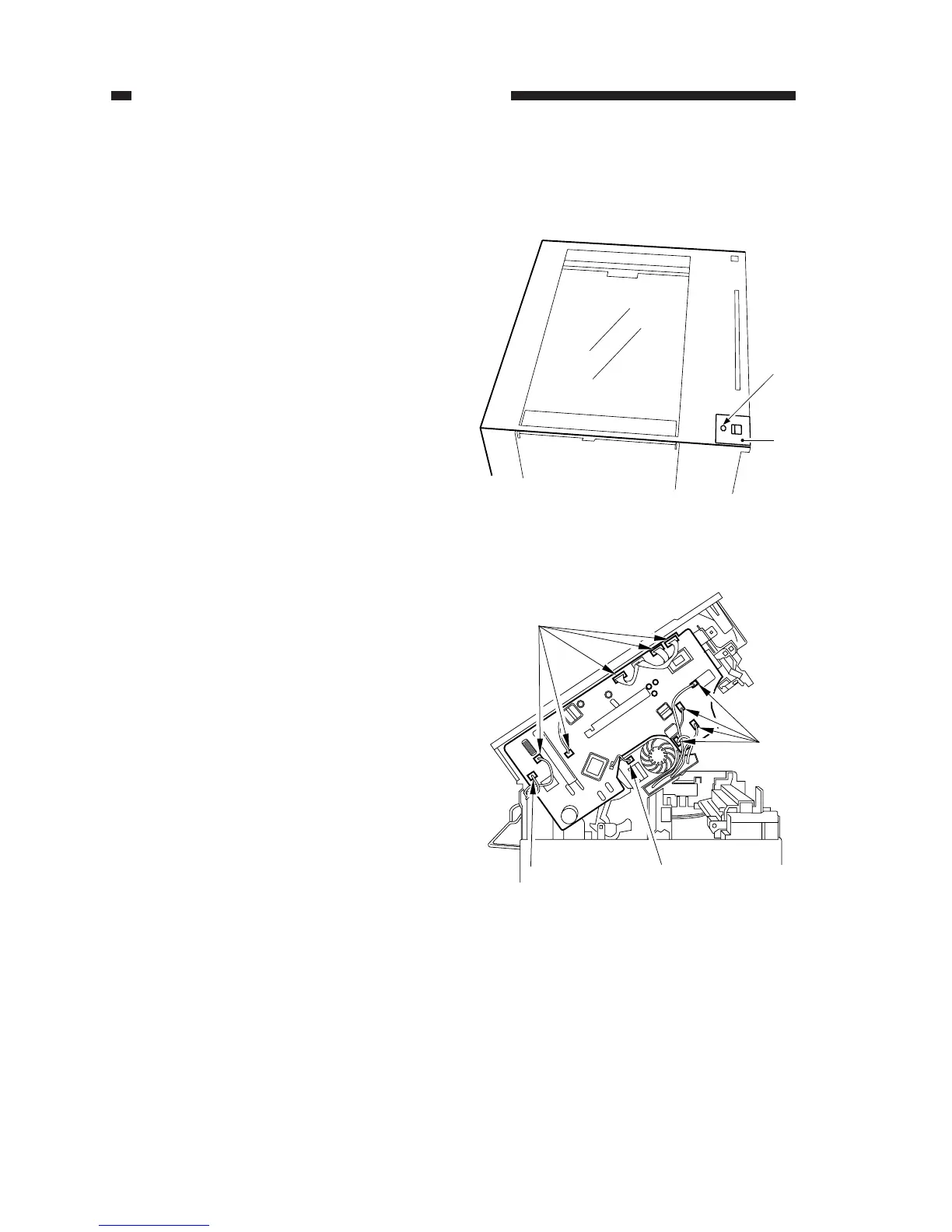
Figure 7-328
Figure 7-329
[1]
[2]
[3]
[3]
[3] [4]
2. Removing the Composite Power
Supply PCB
1) Remove the copyboard cover or the ADF.
2) Remove the left cover and the rear cover.
3) Remove the screw [1], and remove the
copyboard cover foot retainer [2].
4) Disconnect the ten connectors [3] from
the composite power supply PCB, and
disconnect the connector [4] from the
main motor assembly.



 To Next Page