CHAPTER 5 PICK-UP/FEEDING SYSTEM
COPYRIGHT
©
1999 CANON INC. CANON PC800s/900s REV.0 AUG. 1999 PRINTED IN JAPAN (IMPRIME AU JAPON)
5-28
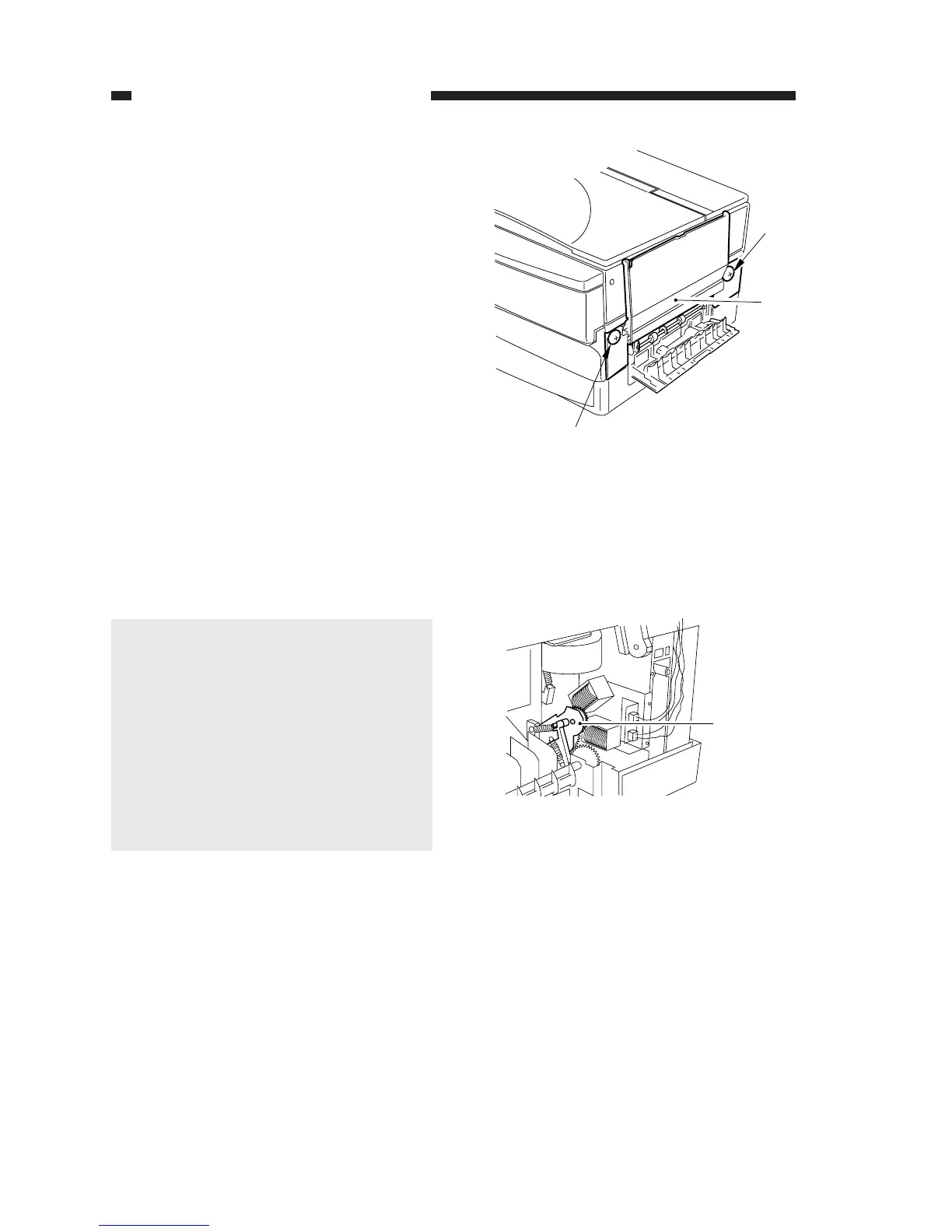
Figure 5-219
Figure 5-220
[1]
[2]
[1]
Pickup
gear unit
B. Multifeeder Assembly
1. Removing the Multifeeder Unit
1) Open the right door.
2) Remove the two screws [1], and detach
the multifeeder unit [2].
Caution:
When mounting the multifeeder unit,
perform the following first:
1) Turn on the power switch; then, se-
lect the multifeeder, and press the
Copy Start key.
2) When the pickup gear unit has moved
as far as it can, turn off the power
switch.
3) Mount the multifeeder unit; then,
make a copy using the multifeeder.



 To Next Page