CHAPTER 11 TROUBLESHOOTING
COPYRIGHT
©
1999 CANON INC. CANON PC800s/900s REV.0 AUG. 1999 PRINTED IN JAPAN (IMPRIME AU JAPON)
11-49
8. Consumable
a. Cartridge
When the cartridge starts to run out of toner, copies will start to have white lines or spots as
shown.
Figure 11-301
Try the following as necessary:
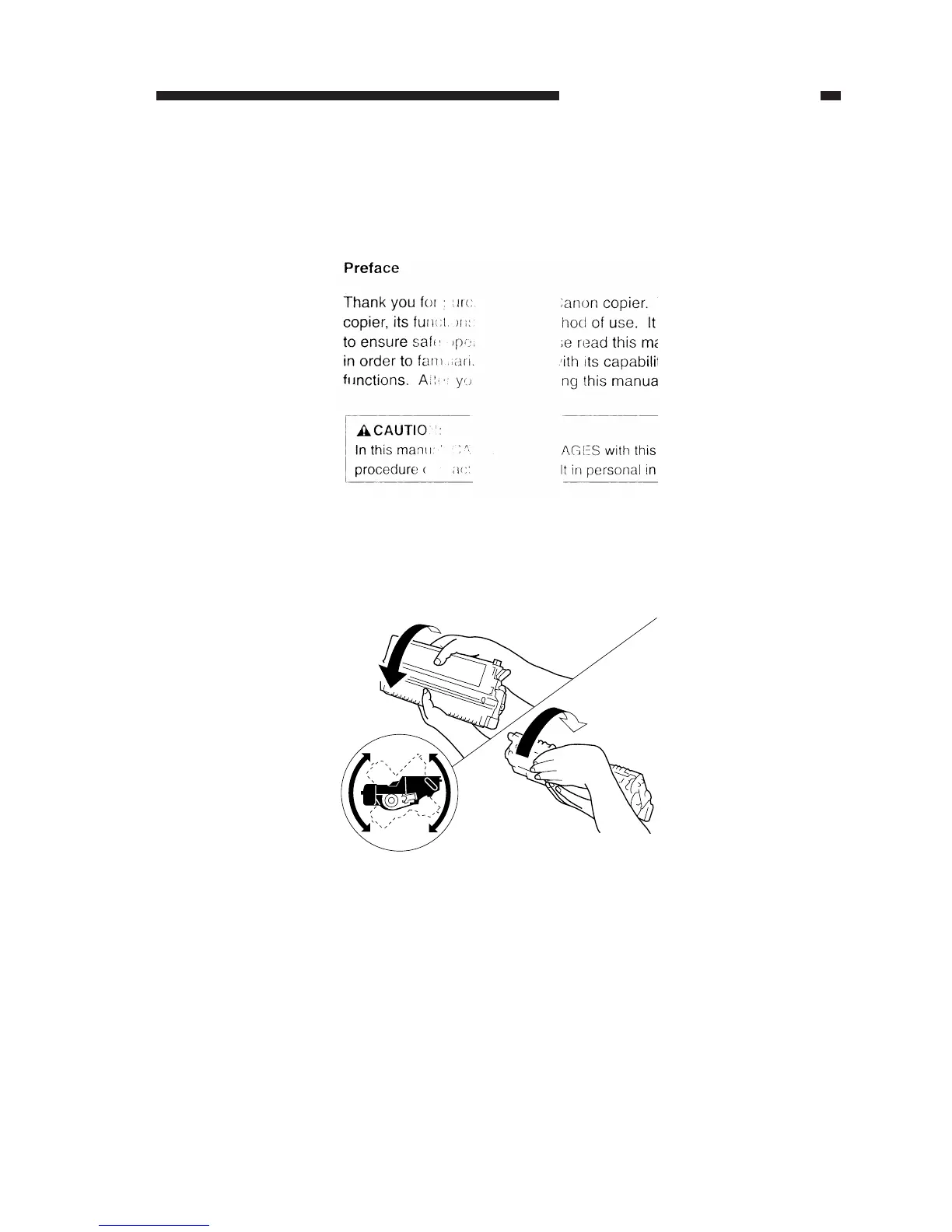
1) Take out the cartridge from the machine, and shake it several times.
Figure 11-302
2) Set the cartridge back into the machine, and make copies.
• If the copies are normal,
You may continue to use the cartridge, but the user must know that it must be replaced with
a new cartridge soon.
• If the copies are not normal,
Replace the new cartridge.


 To Next Page