CHAPTER 3 EXPOSURE SYSTEM
COPYRIGHT
©
1999 CANON INC. CANON PC800s/900s REV.0 AUG. 1999 PRINTED IN JAPAN (IMPRIME AU JAPON)
3-40
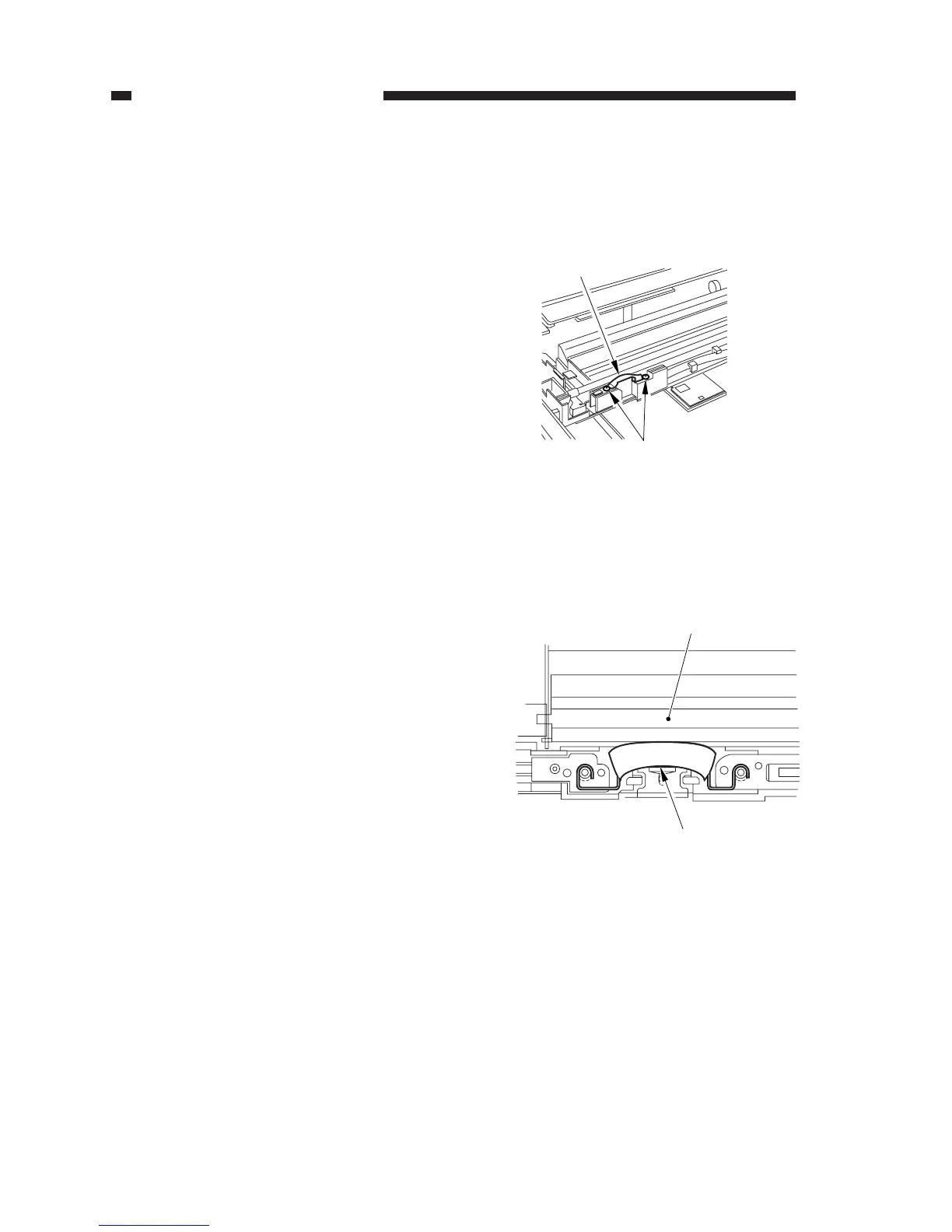
Figure 3-351
Figure 3-352
[1]
[2]
(front)
Thermal fuse
Reflecting plate
3. Removing the Thermal Fuse
1) Disconnect the power plug.
2) Remove the copyboard glass.
(See Chapter 7.III.C.1.“Removing the
Copyboard Glass.”)
3) Remove the two screws [1], and detach
the thermal fuse [2].
4. Points to Note When Mounting the
Fuse
When mounting the thermal fuse, be sure
that the thermal fuse is oriented as shown.
Make sure that the fuse is in contact with
the reflecting plate.



 To Next Page