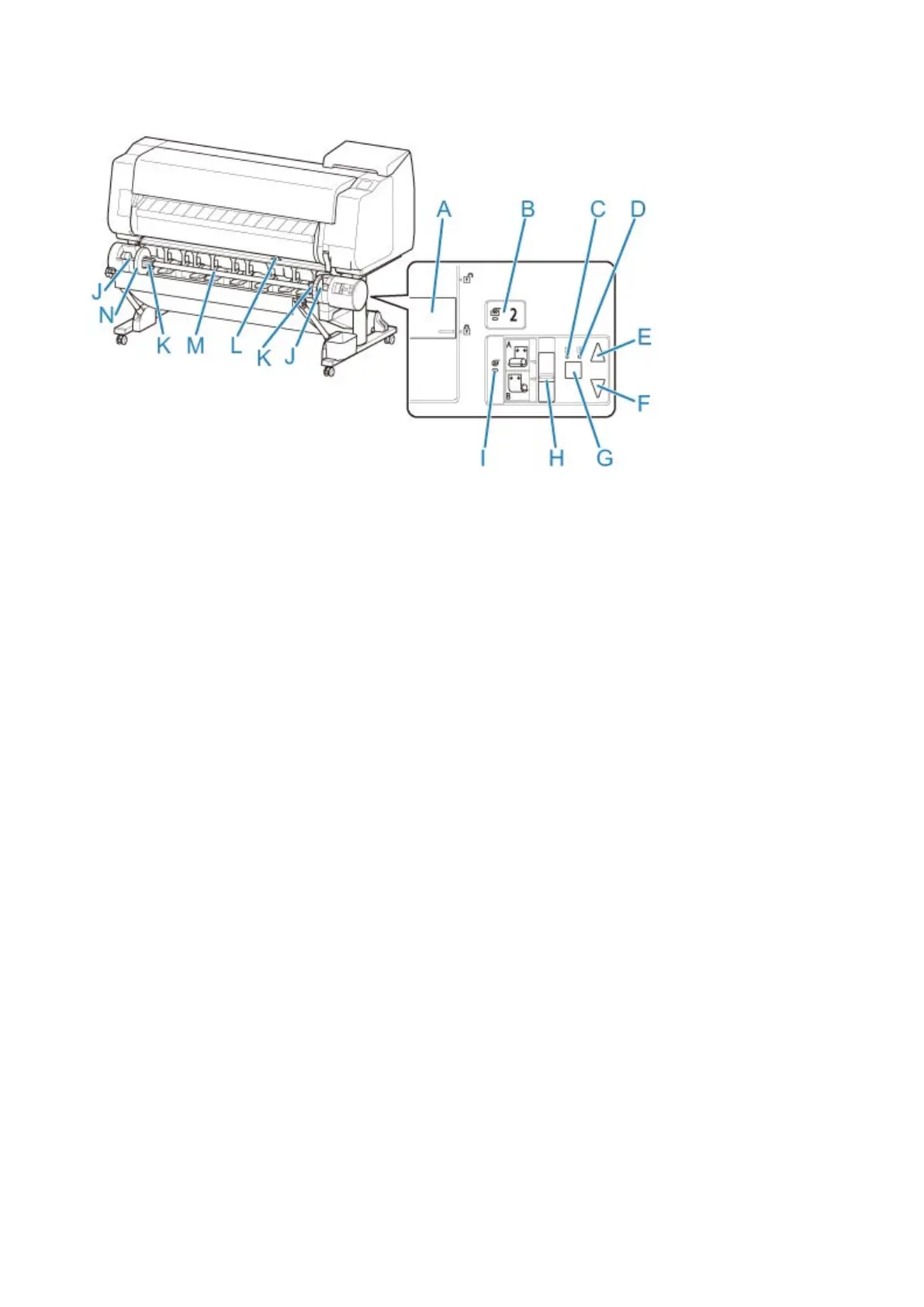
Parts of the Roll Unit
(A) Roll Holder Lock Switch
Locks and releases the Roll Holder loaded in the roll unit.
(B) Feed Mode Lamp
Lights up when you have selected the feed mode on the roll unit.
(C) Auto Take-up Lamp
Lights up when the paper is being taken up.
(D) Pause Lamp
Lights up when the paper winding is paused.
(E) Take-up Button
You can rotate the roll unit the desired amount as long as winding is not in progress. When the winding
direction is set to inward winding, the unit takes up the paper; when it is set to outward winding, the unit
rewinds the paper.
(F) Rewind Button
You can rotate the roll unit the desired amount as long as winding is not in progress. When the winding
direction is set to inward winding, the unit rewinds the paper; when it is set to outward winding, the unit
takes up the paper.
(G) Auto Take-up/Pause Button
Pauses and resumes the taking up of paper.
(H) Inward/Outward Winding Changeover Switch
Changes the winding direction when the paper is wound (inward winding and outward winding).
(I) Take-up Mode Lamp
Lights up when you have selected the take-up mode on the roll unit.
(J) Roll Holder Slot
Slide the Roll Holder into these guide grooves.
(K) 3-Inch Paper Core Attachment
Attaches to the Roll Holder when you are using a roll paper with a 3-inch paper core.
136



 To Next Page