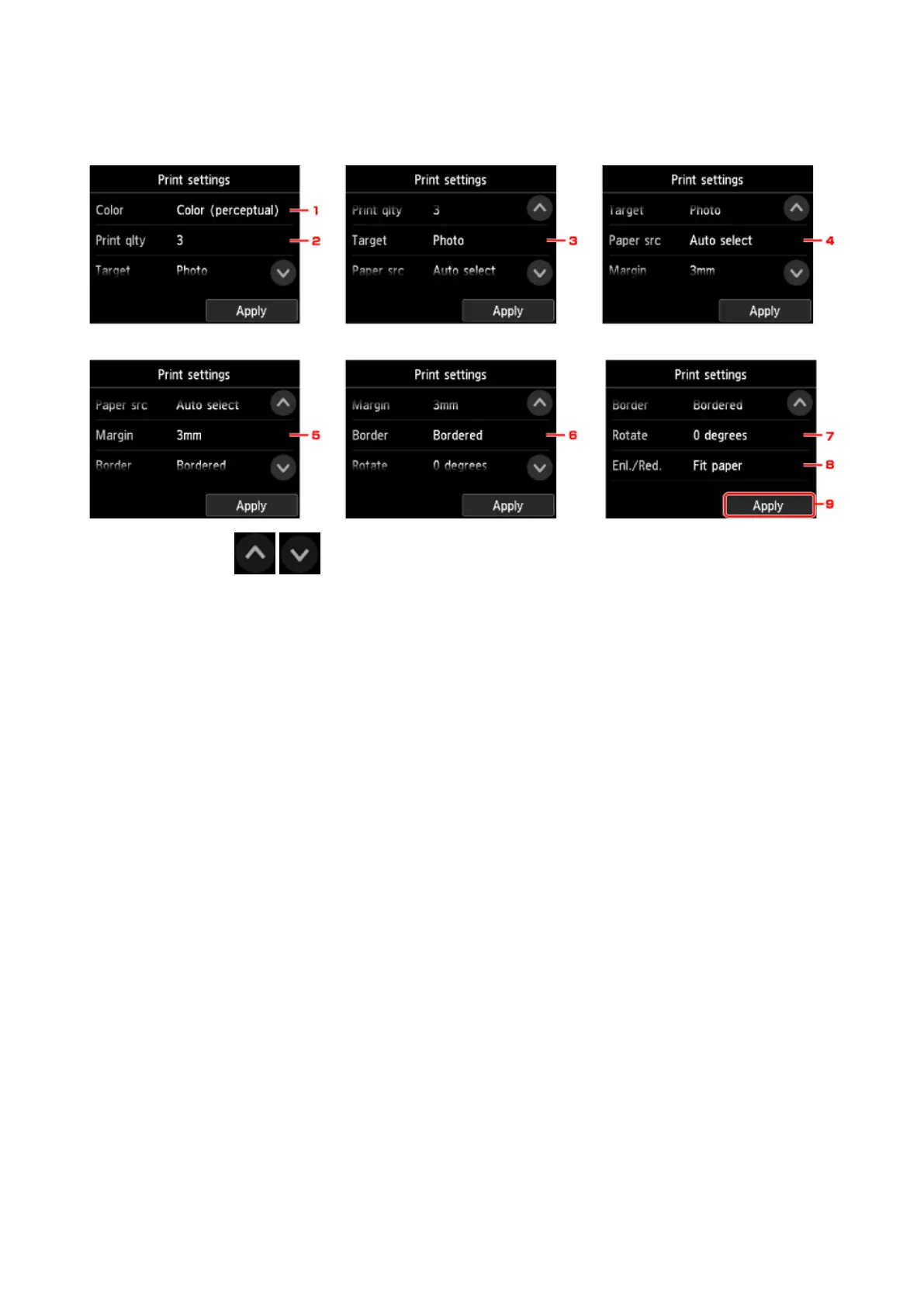
Setting Items for Printing Using Operation Panel
You can specify the print settings to print data saved on the USB flash drive.
Flick vertically or tap to display setting items and tap the setting item to display the settings.
Tap to specify the setting.
1.
Color
Select color or black and white printing.
2.
Print qlty (Print quality)
Select print quality according to the photo.
3.
Target
Select print usage.
4.
Paper src (Paper source)
Select where to feed paper.
5.
Margin
Select margin for printed image.
6.
Border
Select bordered/borderless print.
7.
Rotate
The image is printed rotated by 90 degrees if you select 90 degrees.
8.
Enl./Red.
Select a method to enlarge/reduce image size.
9.
Tap to specify the print settings.
613



 To Next Page