Detect image size and Print centered
Operation is as described below when both Detect image size and Print centered are specified.
• When OFF or Command priority is selected for Detect image size:
Print centered is performed in accordance with the command-specified image drawing range.
• When Detected size is selected for Detect image size:
Print centered is performed in accordance with the detected minimum image range.
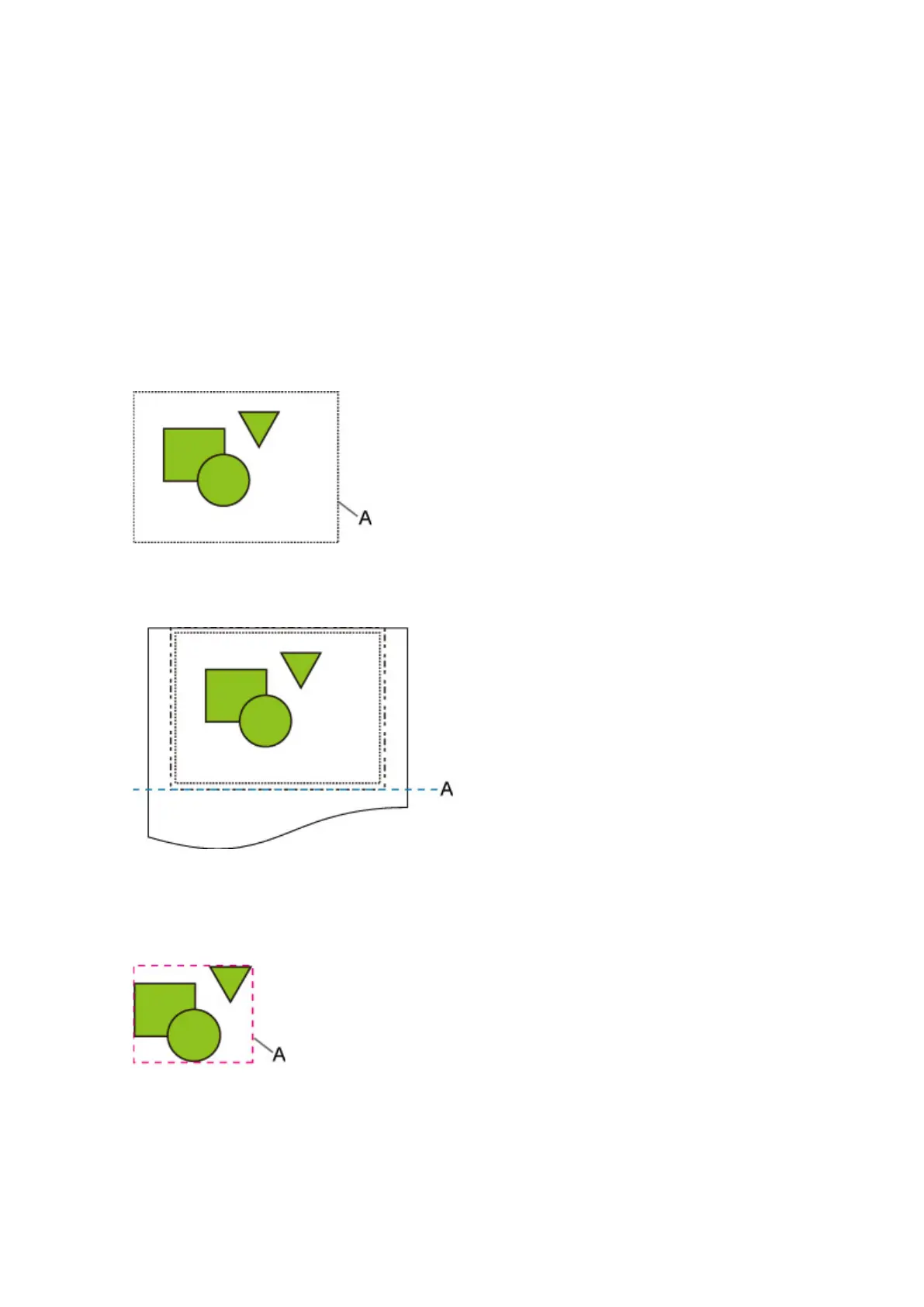
Detect image size AND Print centered EXAMPLE
• When OFF or Command priority is selected for Detect image size:
A. Command-specified image drawing range
Printed image
A.
Position of cut
Prints the command-specified image drawing range in the horizontal center of the roll paper.
• When Detected size is selected for Detect image size:
A. Minimum image range detected
274



 To Next Page