Use nesting function and Auto rotation
When both Use nesting function and Auto rotation are specified, Auto rotation is performed as each
page is received and then the nesting process is performed.
The image on each received page is rotated as required to achieve an efficient layout that conserves paper
or to prevent the image from running off the edges of the paper, the images are laid out to fill the width of the
roll paper, and then printing is performed.
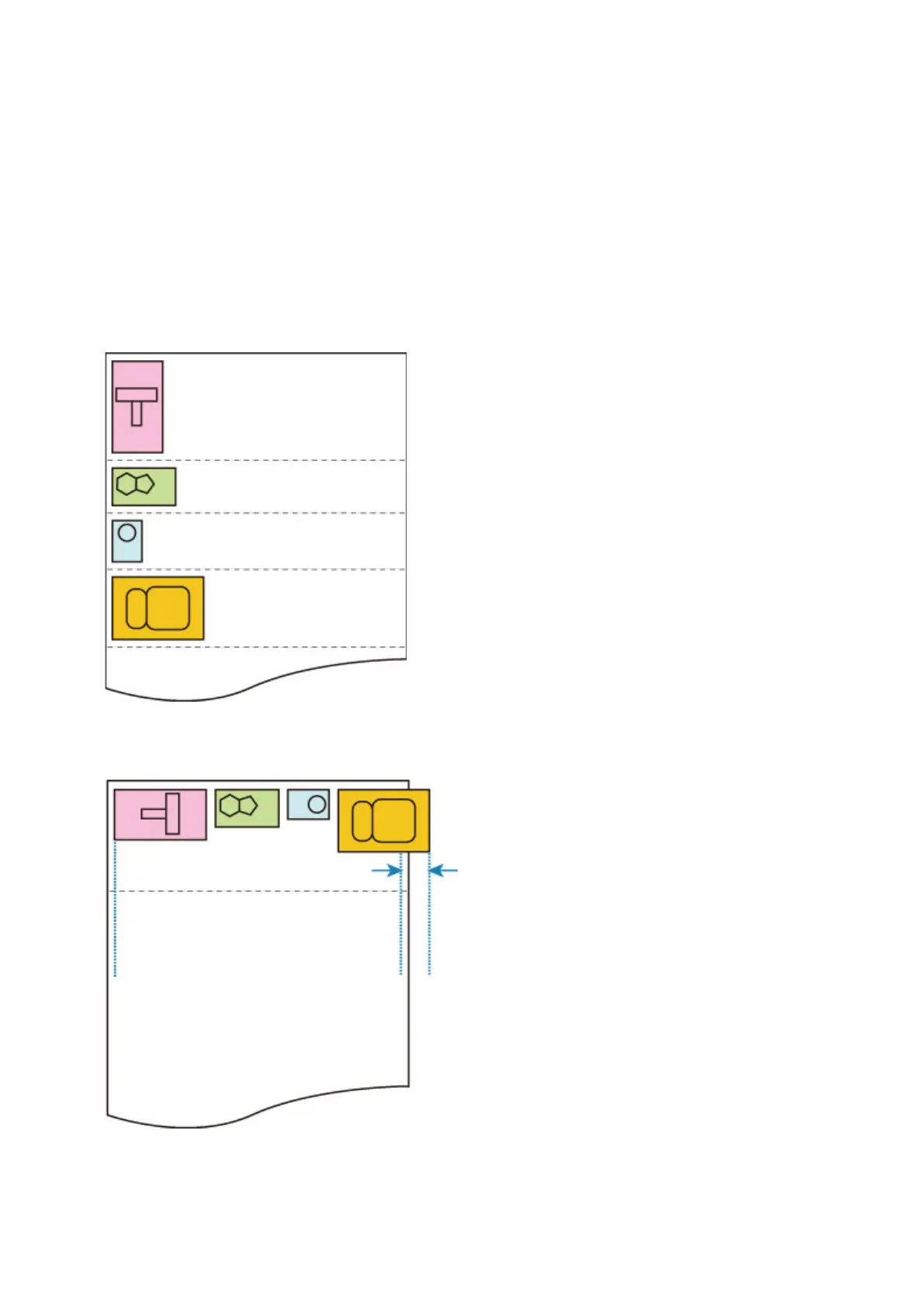
Use nesting function AND Auto rotation EXAMPLE
Print data (image drawing range)
The printing data images above are rotated for better paper usage (auto rotation).
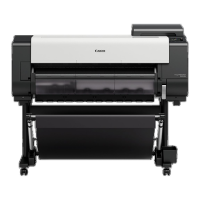
The images above are positioned as shown below.
If an image is running off the edge of the paper as shown above, the image is rotated so that it fits in the
paper width.
266


 To Next Page