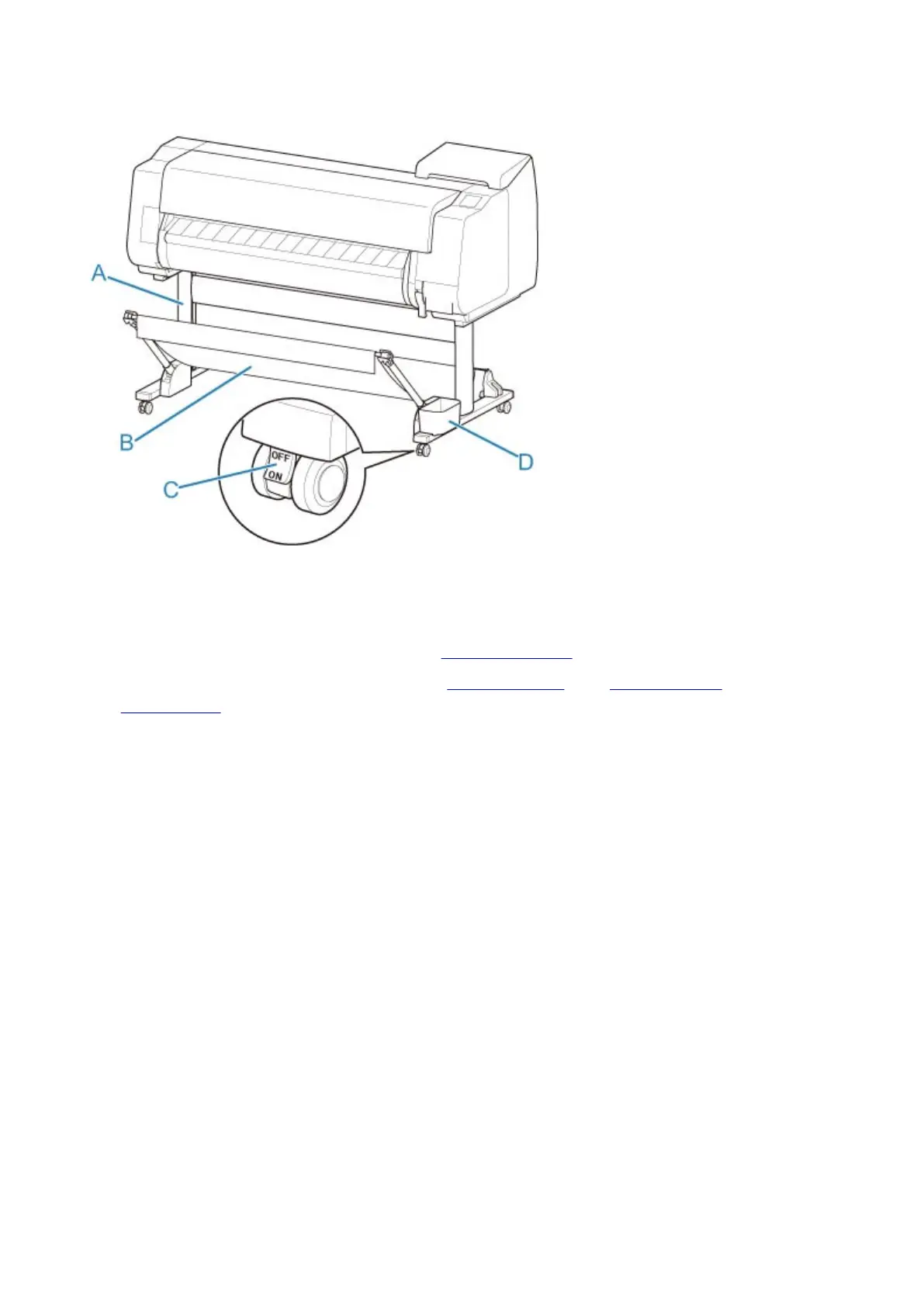
Stand Parts
(A) Stand Unit
A stand that holds the printer. Equipped with casters to facilitate moving the printer.
(B) Basket
Catches the ejected printed documents. (See "Parts of the Basket.")
For instructions on how to use the basket, see "Using the Basket" and "Example Basket
Configurations".
(C) Locking Caster
A locking caster that, when the lock is in the ON position, immobilizes the printer.
When moving the Stand, be sure to set the locking caster lock to the OFF position to release the lock.
If you move it while the locking casters are locked, the floor may become scratched.
(D) Accessory Pocket
Store printer manuals, assembly tools, and other items in this pocket.
314



 To Next Page