Back
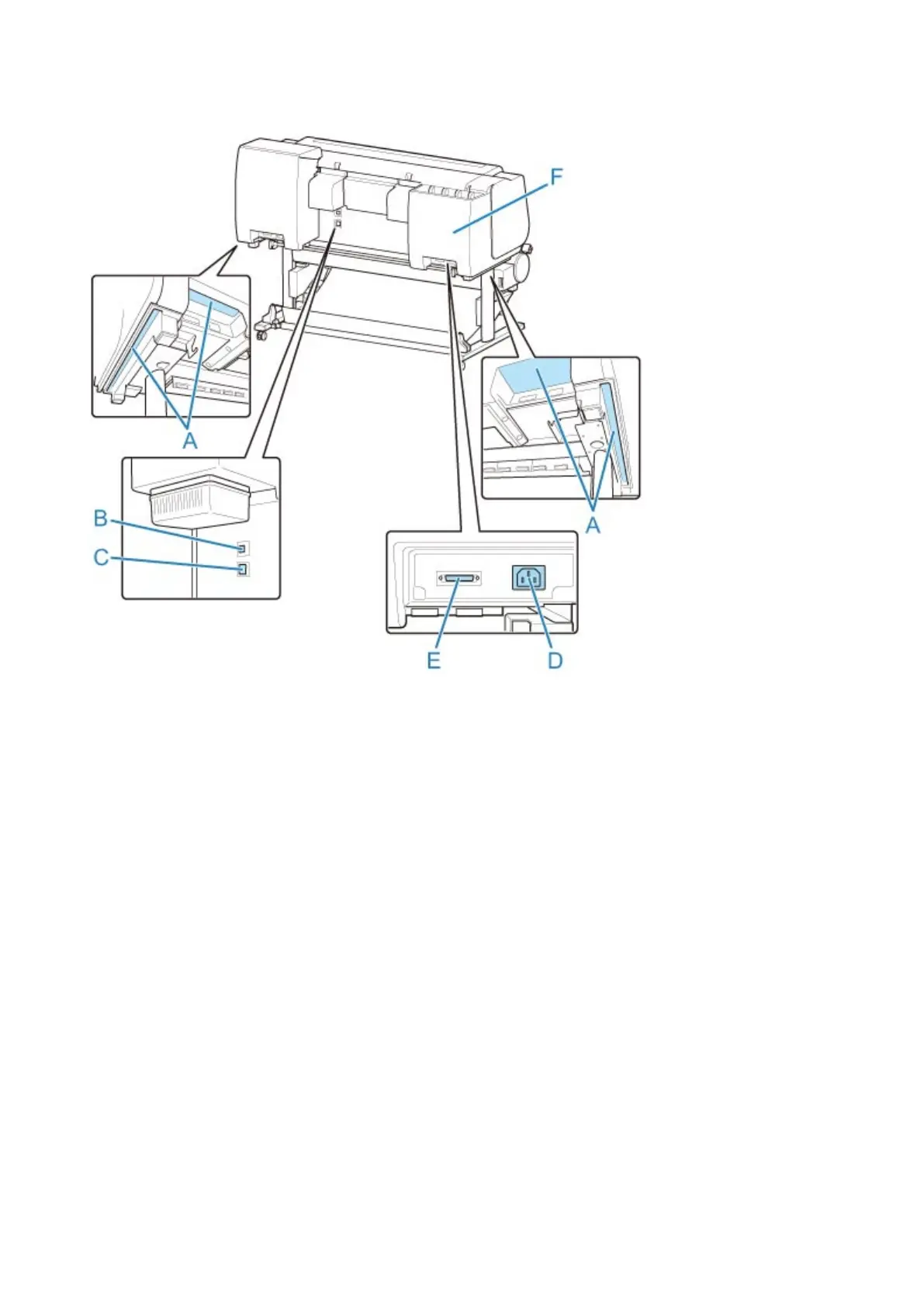
(A) Carrying Grips
When carrying the printer, have six people hold it by these handles under both sides.
(B) USB Port
Connect a USB cable to this port. The printer is compatible with Hi-Speed USB connections.
(C) Wired LAN Connector
Connect an Ethernet cable to this port. The lamp is lit if the Ethernet cable is connected correctly and
communication is possible between the computer and printer.
(D) Power Cord Connector
Connect the power cord to this connector.
(E) Roll Unit Power Supply Inlet
Connect the connection cord for the roll unit.
(F) Spare Ink Box
Stores the ink tank that is not used.
310



 To Next Page