Cut to standard size and Auto rotation and Enlarge/Reduce (Fit to
paper)
When Cut to standard size, Auto rotation, and Enlarge/Reduce (Fit to paper) are all specified, first the
optimum standard size is determined based on the HP-GL/2 data and the roll paper loaded on the printer.
Next, Auto rotation and Enlarge/Reduce (Fit to paper) processes are performed in accordance with the
resulting standard size.
SMALL IMAGE EXAMPLE
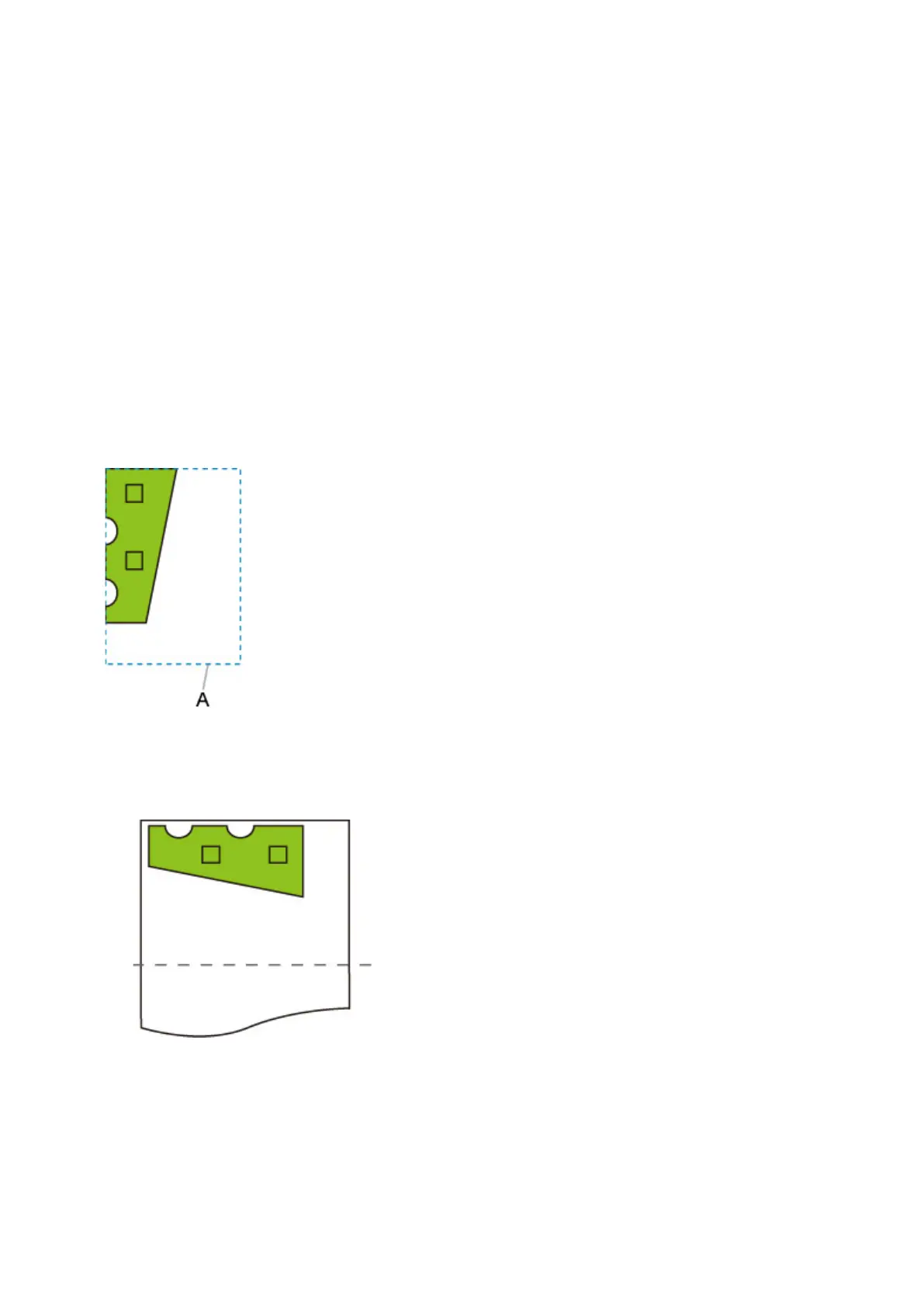
When A3 width roll paper is loaded, A4 landscape is chosen as the optimal standard size based on the
roll paper width and image size.
Next, Auto rotation is performed in accordance with the A4 landscape. Finally, the image is enlarged and
printed to match A4 size paper.
Print data (image drawing range)
A. Virtual area for A4 size
Since the image fits on A4 size paper, A4 landscape is chosen as the standard size.
• Image after auto rotation
• Printed image after fit to paper
263



 To Next Page