7.
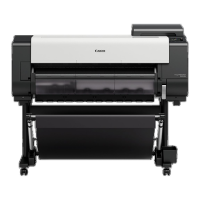
Examine the test pattern for adjustment. Determine the straightest set of lines.
8.
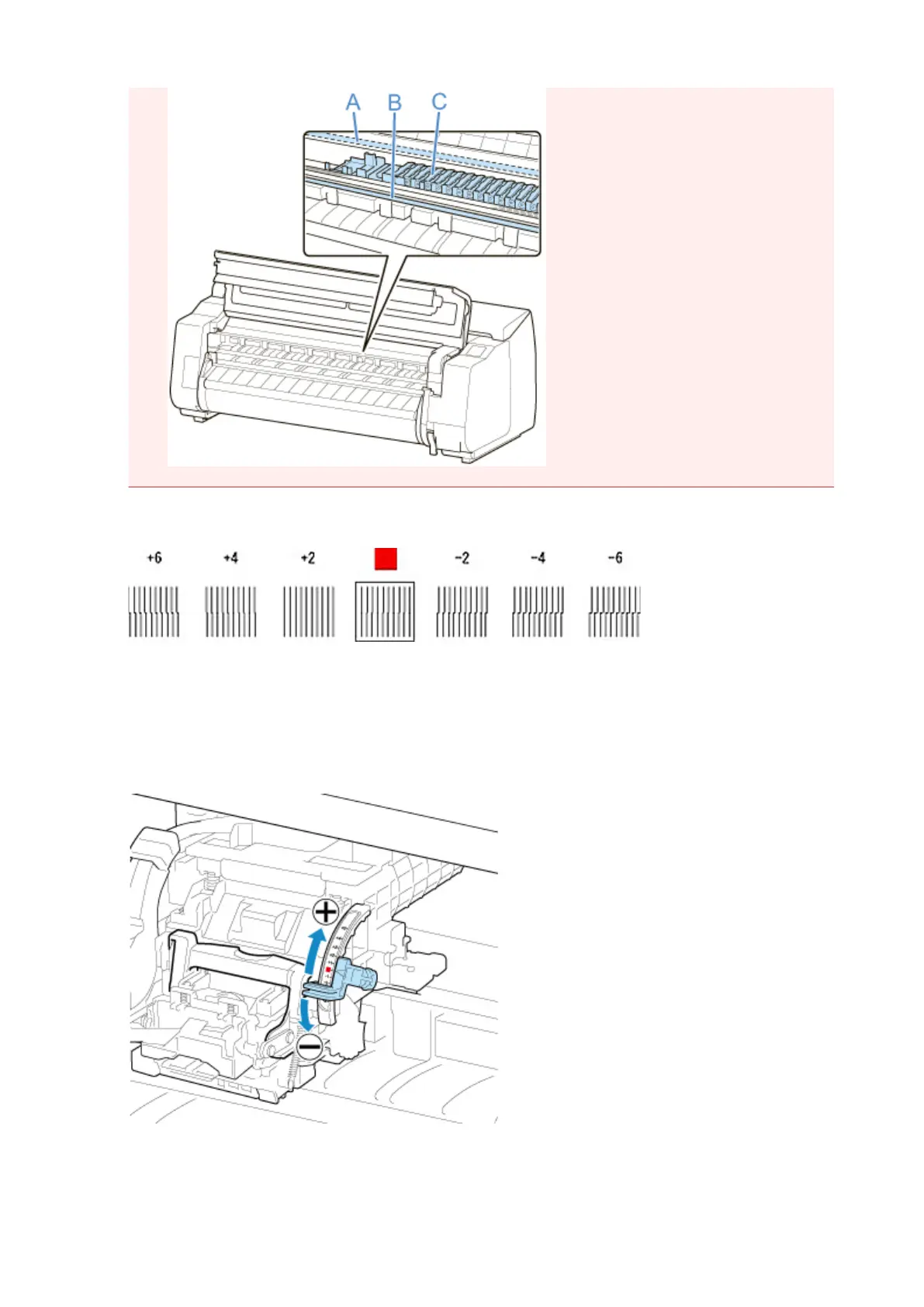
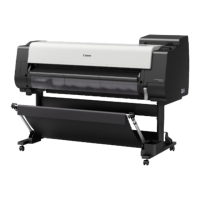
When message appears, open top cover and move angle adjustment lever to match
number (or square) of straightest set of lines.
If no single set of lines is perfectly straight, move the angle adjustment lever to a position between the
numbers (or between the number and the square) of the two sets of lines that are least misaligned.
9. Close the top cover.
384


 To Next Page