Important
•
Never touch the metal contacts of the carriage. Furthermore, do not allow any dirt or debris to
become adhered to the metal contacts of the carriage. These may damage the printer.
Note
• Dispose of the used print head in accordance with local regulations.
12.
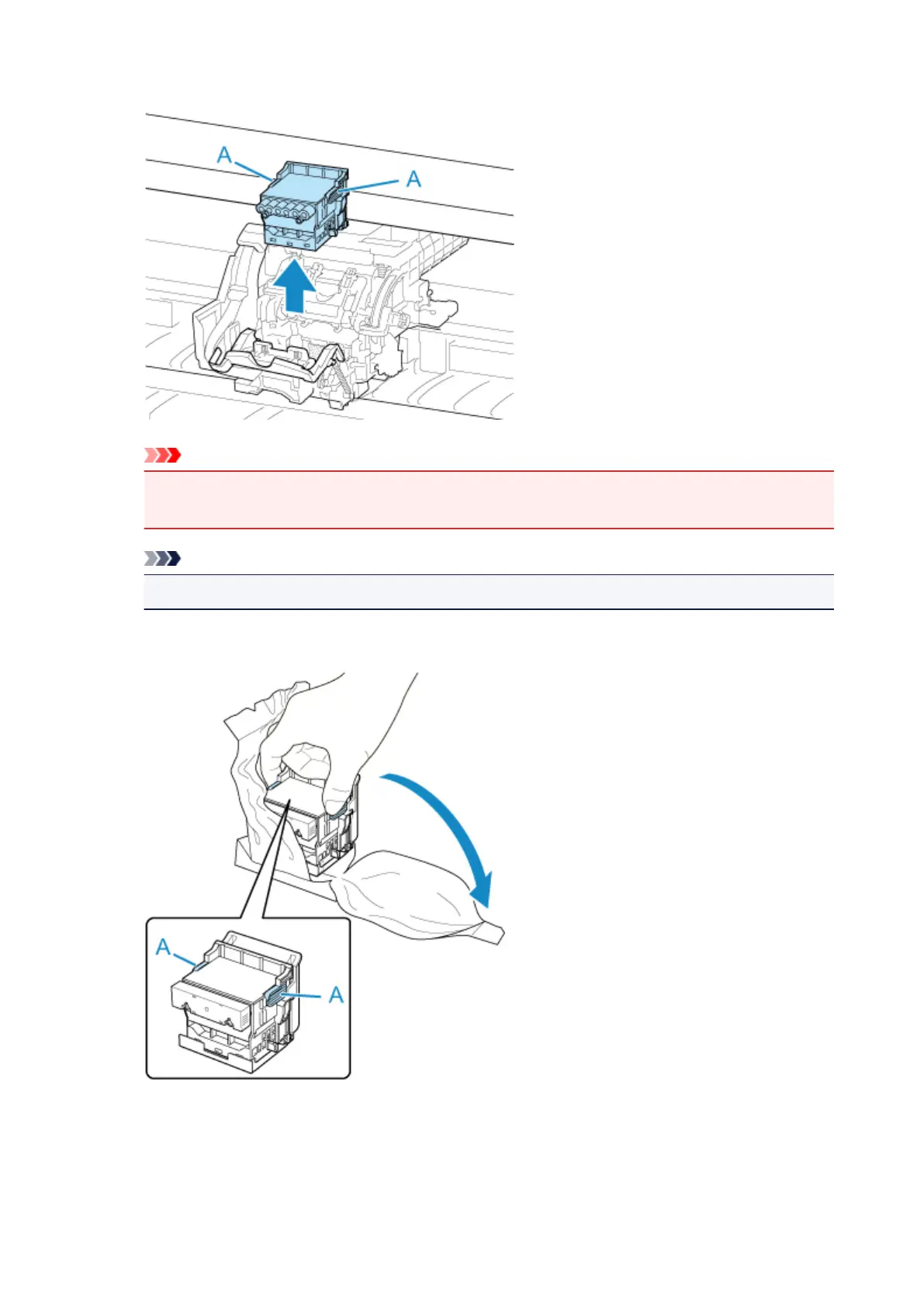
Take new print head out of its pouch by grabbing grips (A).
13.
Remove orange protective caps (A, B).
Grab grip (C) to remove protective cap (B).
437


 To Next Page
 Loading...







