After following the instructions on the screen to remove the paper, redo the operation.
• If roll paper is loaded in Roll 1 (Upper) but Roll 1 (Upper) is not selected as the paper source, a
message asking you whether or not to change paper is displayed.
Tap Replace paper, remove the paper, and go to the next step.
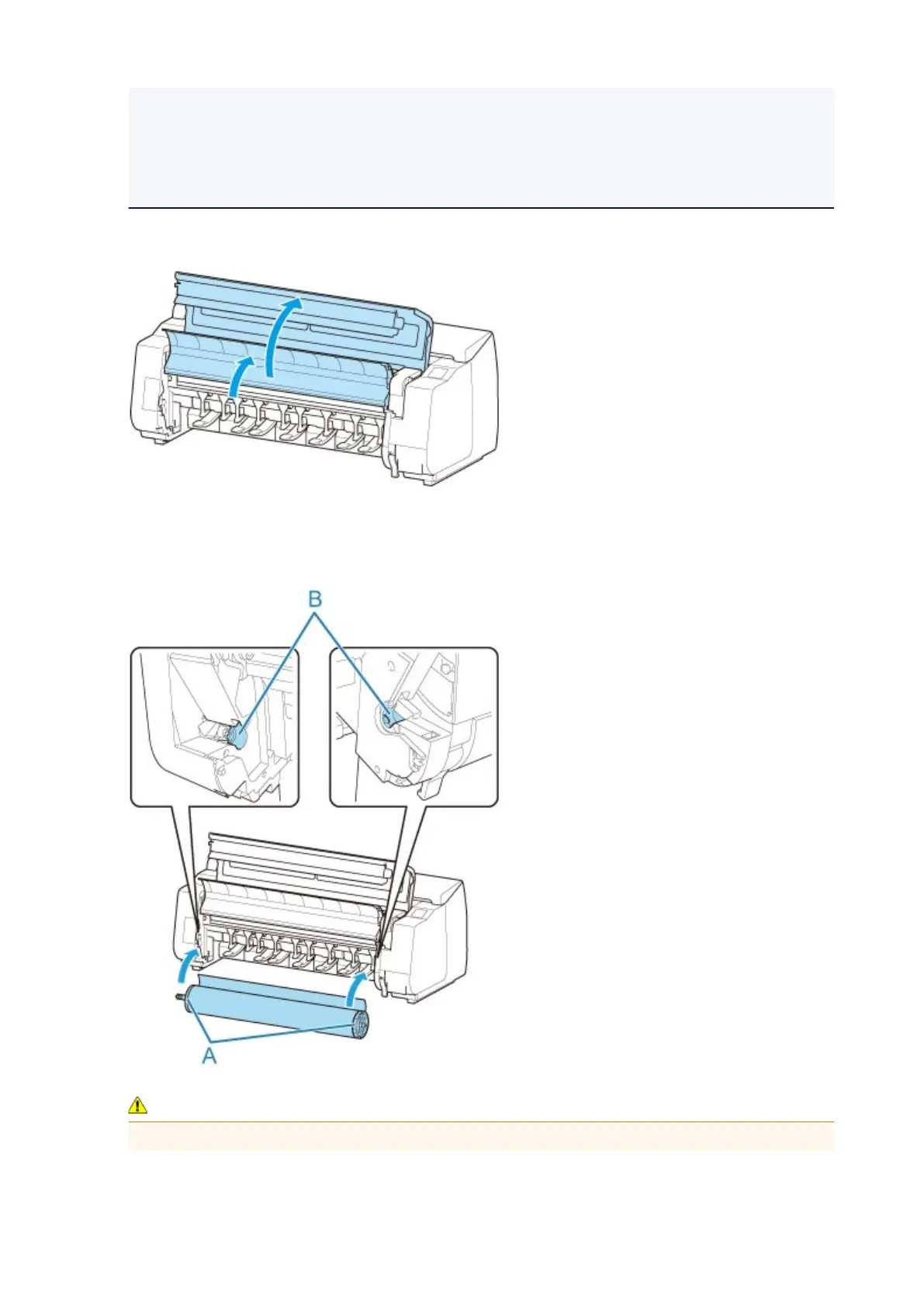
2. Open top cover and lift output guide.
3.
Hold flanges (A) so that roll holder's white gear is on left, align roll holder shaft with roll
holder slot left and right guide grooves (B), and load.
Caution
•
Be careful not to drop the roll and hurt yourself when loading it.
58



 To Next Page