ECG100+ - ECG200+ - ECG100S - ECG200S
6. PREPARATION FOR USE
6. PREPARATION FOR USE
6.1. Initial startup
The first time the device is used, the basic configurations of the electrocardiograph should be set.
Therefore, when using the device for the first time, it’s recommended to go to the settings screen and set at
least the following parameters:
Language
AC filter
Unit of weight and height
Date and time
See Section 8 to perform the required configurations.
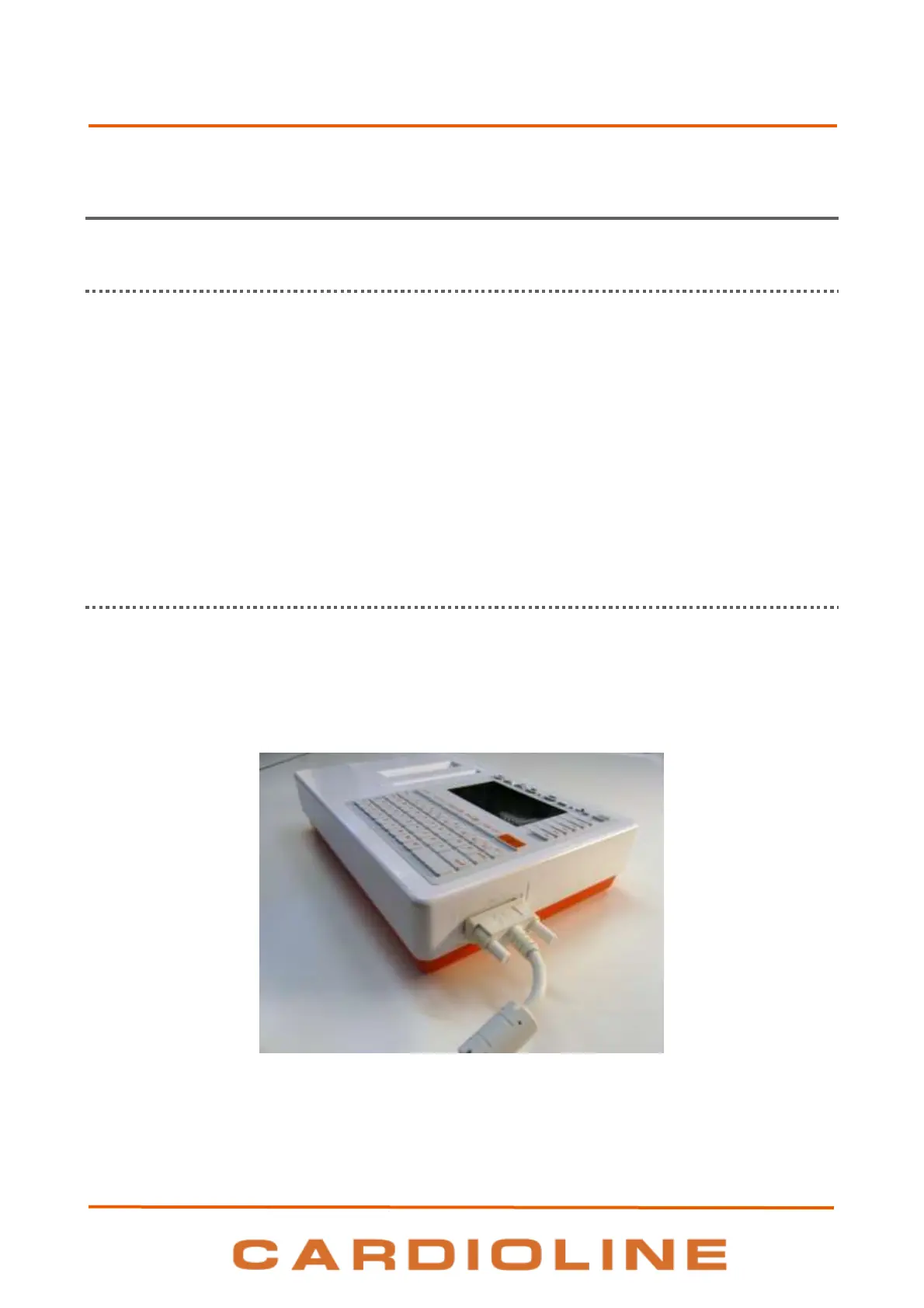
6.2. Patient cable connection
Connect the patient cable terminal plug to the connector on the side of the electrocardiograph. The
connector is so designed that the patient cable can only be inserted one way, with the “Cardioline” logo on
the plug facing upwards.
Should the plug of the patient cable not go into the connector, do not force it but try to turn it over.
NOTE: to prevent the patient cable from breaking when disconnecting it from the electrocardiograph, remove
it from the connector by grasping the plug, avoid straining the terminations.












 To Next Page